Shopify A/B Testing: 12 Tactical Steps to Lift Conversions (2026)
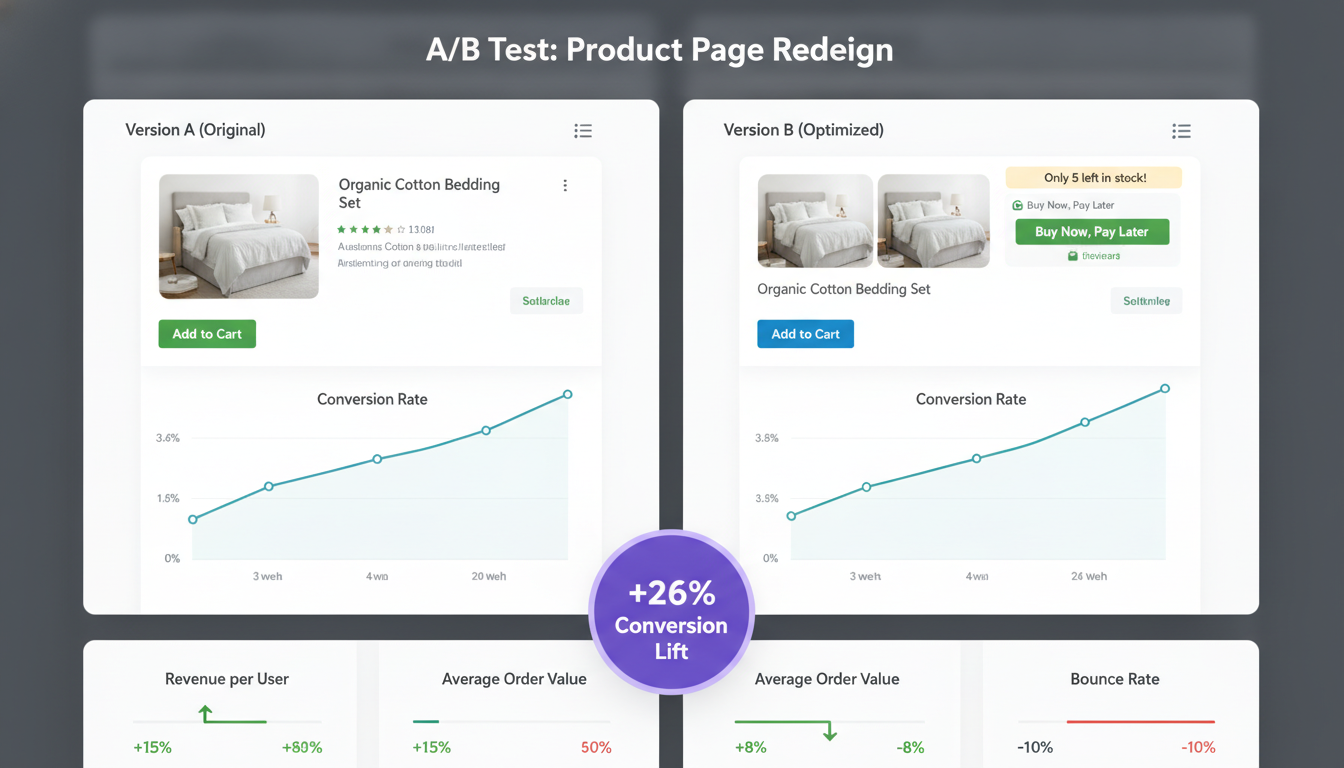
Most Shopify store owners spend thousands driving traffic but leave their conversion rate as a footnote. The average Shopify store converts at 1.4% across all industries — but the top 20% of stores convert at 3.3% or higher (Littledata, 2025). That gap isn’t luck. It’s systematic A/B testing on Shopify that finds what actually moves the needle for your specific audience, not someone else’s case study.
If your store is doing $50K–$5M per year, even a 0.5% lift in conversion rate can mean tens of thousands in additional revenue without spending another dollar on ads. This guide gives you the exact methodology, tools, and test sequence to make that happen.
- The correct A/B testing methodology for Shopify stores — including statistical significance requirements
- Which 12 elements to test first, ranked by impact-to-effort ratio
- Specific tools (Convert, Google Optimize alternatives, Hotjar, Klaviyo) and how to deploy them on Shopify
- Real conversion benchmarks by industry so you know what “good” looks like
- How to test Shopify checkout without violating Shopify’s native checkout restrictions
Why Most Shopify A/B Tests Fail Before They Start
The biggest mistake store owners make is testing too many variables at once, ending tests too early, or drawing conclusions from statistically insignificant data. A test needs a minimum 95% statistical confidence level and at least 1,000 unique visitors per variant before you act on results — anything less is noise dressed up as data.
The second mistake is testing without a hypothesis. “Let’s try a red button” is not a test — it’s a coin flip. Every test you run should follow this structure:
- Observation: Hotjar session recordings show 68% of mobile users drop off before clicking Add to Cart on your PDPs.
- Hypothesis: Moving the Add to Cart button above the product description will reduce scroll friction and increase mobile add-to-cart rate.
- Metric: Primary — add-to-cart rate. Secondary — session duration, bounce rate.
- Duration: Minimum 2 full business cycles (typically 2–4 weeks) to eliminate day-of-week bias.
Run every test through this framework and you eliminate 80% of the wasted effort that plagues most experimentation programs.
The Right Shopify A/B Testing Tool Stack for 2026
Shopify doesn’t have a built-in A/B testing engine beyond basic theme duplication. Here’s what the best-performing stores are using:
Convert Experiences
Convert is the most developer-friendly option for Shopify stores above $200K/year. It uses a JavaScript snippet injected via your theme’s theme.liquid file or Google Tag Manager, and supports full-page experiments, multivariate testing, and revenue tracking via Shopify’s pixel events. Pricing starts at ~$199/month — justified once you’re running 3+ concurrent tests.
Intelligems
Intelligems is purpose-built for Shopify and is the standout tool in 2026 for price testing and content experiments. It integrates directly with the Shopify API, meaning your test variants don’t require external JavaScript injection that can cause flicker. For stores on Shopify Plus, it’s the most compliant way to test checkout-adjacent pages. Plans start at $150/month.
Hotjar (for qualitative pre-test research)
Before you write a single test hypothesis, you need qualitative data. Hotjar heatmaps and session recordings will show you where users hesitate, rage-click, and abandon. Install it via Online Store → Themes → Edit Code → theme.liquid by adding the Hotjar tracking script before the closing </head> tag. Run it for 2 weeks minimum before pulling conclusions.
Google Analytics 4 (GA4)
GA4 is your quantitative foundation. Set up custom events for add_to_cart, begin_checkout, purchase, and view_item via the Shopify Google & YouTube channel app or via Google Tag Manager. Your funnel report in GA4 will tell you exactly which step has the biggest drop-off — that’s where you test first.
Shogun or PageFly (for no-code variant creation)
For teams without a Liquid developer, Shogun’s A/B testing module lets you build page variants visually. It’s not as statistically robust as Convert, but it’s significantly better than guessing. Use it for landing page and collection page tests where the stakes are lower.
Shopify A/B Testing Benchmarks by Industry
Before you decide what’s “winning,” you need to know what you’re benchmarking against. The table below uses aggregated data from Littledata’s 2025 Shopify benchmark report and internal data from high-volume Shopify merchants.
| Industry | Avg. Conversion Rate | Top 20% Conversion Rate | Avg. Cart Abandonment Rate | Avg. AOV |
|---|---|---|---|---|
| Apparel & Fashion | 1.6% | 3.8% | 79% | $85 |
| Health & Beauty | 2.2% | 4.5% | 74% | $65 |
| Home & Garden | 1.2% | 2.9% | 82% | $140 |
| Food & Beverage | 2.8% | 5.1% | 71% | $55 |
| Sports & Outdoors | 1.4% | 3.2% | 80% | $115 |
| Electronics | 1.0% | 2.4% | 84% | $220 |
| Pets | 2.5% | 4.8% | 73% | $70 |
Use your industry’s “top 20%” rate as your target. If you’re already there, your testing should shift from conversion rate to AOV and LTV optimization.
The 12 Elements to A/B Test on Shopify, Ranked by Impact
1. Product Page Hero Image Format
Static images vs. video thumbnails vs. 360° spin sets. Stores that test video-first hero media report 18–35% higher add-to-cart rates on mobile (Yotpo, 2025). Test the media format before you test the button color — the lift potential is an order of magnitude higher.
2. Add to Cart Button Copy and Placement
“Add to Cart” vs. “Get Yours Now” vs. “Buy Now — Ships Today.” The copy test is a classic for a reason — it works. Placement matters equally: test sticky ATC bars on mobile via your theme’s built-in options under Online Store → Themes → Customize → Product Pages → Sticky Add to Cart. Many themes support this natively in Dawn and Prestige.
3. Product Description Length and Format
Long-form prose vs. bullet-point benefits vs. accordion expandable sections. The hypothesis here is that cognitive load at the decision point kills conversions. Test a version where the first visible content above the fold is three bullet-point benefits, not a paragraph of features.
4. Social Proof Placement
Reviews directly below the product title perform better than reviews at the bottom of the page in 61% of documented Shopify split tests (Okendo internal data, 2025). If you’re using Okendo, test pulling the star rating widget to immediately below your product name via the widget placement settings in your Okendo dashboard.
5. Urgency and Scarcity Signals
Low stock counters (“Only 4 left”), countdown timers for free shipping cutoffs, and “X people viewing now” signals all test differently by product category. High-consideration purchases (electronics, furniture) often see negative lift from aggressive urgency — it triggers skepticism. Test these elements with care and segment results by new vs. returning visitors.
6. Collection Page Layout: Grid vs. List vs. Filtered
Three-column grids outperform two-column grids on desktop but underperform on mobile. Test the number of products per row on mobile specifically — a two-column mobile grid with larger image thumbnails consistently outperforms single-column in apparel and beauty categories.
7. Homepage Hero Banner — Offer vs. Brand Story
Lead with your best-seller and a specific offer (“Free Shipping Over $50 — Shop Skincare”) vs. a brand narrative hero image. For stores under $500K/year, offer-led heroes typically win because brand equity hasn’t been fully established yet with new visitors.
8. Free Shipping Threshold Display
A dynamic progress bar in the cart (“Add $12 more for free shipping”) is one of the highest-ROI tests you can run. Apps like Rebuy Smart Cart and CartHook support this natively. Stores that implement this feature report an average AOV lift of 11–18% (Rebuy, 2025).
9. Checkout Trust Signals
On Shopify Plus, you can customize the checkout via Settings → Checkout → Customize using checkout extensibility (Checkout UI Extensions). Test adding trust badges (SSL, money-back guarantee icons) directly above the “Pay Now” button. On standard Shopify plans, test trust signals on the cart page instead.
10. Email Capture Popup Timing and Offer
Exit-intent vs. 5-second delay vs. scroll-depth triggers. The offer itself matters more than the timing — “10% off your first order” underperforms “Free shipping on your first order” in most categories because perceived value of shipping removal is higher. Test this via Klaviyo’s popup builder and measure impact on both list growth rate and downstream conversion of captured emails.
11. Product Recommendation Algorithm and Placement
“Frequently Bought Together” (powered by Rebuy) vs. “Customers Also Viewed” vs. “Complete the Look.” Test on the product page and the cart drawer. Placement in the cart drawer tends to generate higher AOV uplift because purchase intent is already confirmed.
12. Page Speed — Perceived vs. Actual Load Time
This isn’t a traditional A/B test, but a performance experiment. Use PageSpeed Insights and Shopify’s built-in speed score (Online Store → Themes → Speed) to identify your Largest Contentful Paint (LCP) score. Test lazy-loading non-critical images and deferring third-party scripts. A 1-second improvement in LCP correlates with a 7% increase in conversion rate (Google Web Vitals research, 2024).
How to Set Up Your First A/B Test on Shopify: Step-by-Step
- Audit your funnel in GA4. Go to Reports → Life Cycle → Monetization → Checkout Journey. Identify the step with the highest drop-off percentage. That’s your starting point.
- Install Hotjar. Navigate to Online Store → Themes → Edit Code → Layout → theme.liquid. Paste your Hotjar tracking snippet immediately before
</head>. Let it run for 14 days minimum. - Form a hypothesis. Use the observation → hypothesis → metric framework above. Write it down. Don’t skip this step.
- Create your variant. In Intelligems or Convert, create an experiment. Define your control (current version) and one variant. Avoid multivariate tests until you have 50,000+ monthly sessions.
- Set your traffic split. Start with 50/50 for maximum speed to significance. Never go below a 20/80 split for any variant.
- Define your success metric. Connect Intelligems or Convert to your Shopify store’s purchase events. Set your primary goal as conversion rate or revenue per visitor — not clicks.
- Run for at least 2 full weeks. Never stop a test early because one variant is “clearly winning” on day 3. Weekend traffic behaves differently than weekday traffic.
- Check statistical significance. Use a free calculator like the one from AB Testguide or built into your testing platform. Require 95% confidence before calling a winner.
- Implement the winner. Merge the winning variant’s changes into your main theme via Online Store → Themes → Duplicate → Edit. Always duplicate before editing.
- Document everything. Keep a shared test log with: test name, hypothesis, dates, traffic volume, result, confidence level, and action taken. This becomes your conversion intelligence library.
How Can I Test My Shopify Store?
Testing your Shopify store goes beyond A/B experiments — it encompasses technical quality assurance, user experience validation, and conversion experimentation running in parallel. Here’s a complete testing framework:
For technical QA testing, Shopify’s built-in theme preview (Online Store → Themes → Preview) lets you review layout changes before publishing. Use BrowserStack or LambdaTest to test across iOS Safari, Android Chrome, and desktop browsers simultaneously — don’t rely on Chrome’s device emulation alone, as rendering differs significantly.
For checkout flow testing, create a test product priced at $0.01 and run yourself through the entire purchase flow monthly. Check: payment gateway response times, confirmation email delivery (via your email provider — likely Klaviyo), order confirmation page content, and post-purchase upsell triggers if you’re using ReConvert or Rebuy.
For page speed testing, run every key page — homepage, top collection page, top product page, and cart — through Google PageSpeed Insights and Shopify’s built-in speed score. Target a mobile LCP under 2.5 seconds. If you’re above 4 seconds, your A/B test results will be skewed because slow pages suppress conversions across all variants.
For A/B testing specifically, use Intelligems for Shopify-native experimentation or Convert Experiences for more advanced targeting rules. Both integrate with Shopify’s purchase events for revenue-based reporting. Set up GA4 as your secondary data source to cross-validate results.
For user experience testing, recruit 5 real users who match your customer profile and run moderated usability sessions using Maze or UserTesting. Five users will surface approximately 85% of critical UX issues (Nielsen Norman Group research). Ask them to find a specific product, add it to cart, and reach the checkout. Watch where they hesitate — that’s your next test hypothesis.
The best-performing Shopify stores run technical QA monthly, page speed audits bi-weekly, and maintain a continuous pipeline of 2–3 active A/B tests at all times. It’s a discipline, not a one-time project.
Is Shopify Still Worth It in 2026?
Yes — with clear-eyed expectations about where the platform fits in the commerce ecosystem and where it has real limitations.
Shopify processed over $300 billion in gross merchandise volume in 2025, making it the dominant mid-market e-commerce platform globally. For stores doing $50K–$5M/year, there is no credible alternative that matches Shopify’s combination of ecosystem depth, checkout conversion performance, and operational simplicity.
The 2026 case for Shopify is strongest in these areas:
- Checkout performance: Shop Pay consistently converts at 1.72x the rate of guest checkout (Shopify internal data, 2025). No competitor offers a one-click checkout with this level of consumer adoption — Shop Pay has over 150 million opted-in buyers.
- Ecosystem maturity: The Shopify App Store has over 13,000 apps. The integrations you need — Klaviyo for email, Okendo for reviews, Rebuy for personalization, Gorgias for support — are all deeply Shopify-native and production-tested.
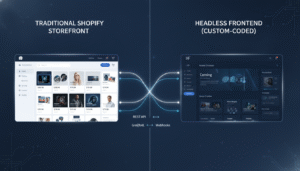
- Headless flexibility: Shopify’s Storefront API and Hydrogen framework let you decouple the front end while keeping Shopify as your commerce backend. This means you’re not locked into Liquid forever.
The honest limitations in 2026: transaction fees on non-Shopify Payments plans (0.5%–2% depending on your plan) eat into margin at scale. Shopify’s B2B features, while improved with Shopify Plus, still lag behind dedicated B2B platforms for complex quoting workflows. And if you need deep ERP integration at enterprise scale, you’ll require custom middleware.
For the $50K–$5M revenue band, Shopify remains the right platform in 2026. The question isn’t whether to use Shopify — it’s whether you’re extracting full value from it through systematic optimization and testing.
How to Check If a Shopify Store Is Legit?
This question matters from two angles: as a consumer evaluating a store, and as a Shopify merchant understanding what signals build or destroy trust with your own customers. Both perspectives are worth covering.
As a consumer evaluating a Shopify store, here are the key legitimacy signals to check:
- SSL certificate: The URL should begin with
https://. All Shopify stores get SSL by default, so absence of HTTPS is a red flag on any e-commerce site. - Contact information: Legitimate stores have a physical address, working email, and ideally a phone number in the footer or Contact page. Use the WHOIS lookup at whois.domaintools.com to check domain registration age — stores registered within the last 30 days warrant extra caution.
- Return policy and terms: Scam stores either omit these or use obviously templated legal text. A legitimate store has a specific, detailed return policy that matches their product category.
- Verified reviews: Check if reviews are sourced from platforms like Okendo, Yotpo, or Trustpilot — these require verified purchase confirmation. Generic 5-star reviews with no detail are a warning sign.
- Social media presence: Cross-reference the brand on Instagram, Facebook, and TikTok. Active accounts with real engagement over time indicate an established brand.
- Payment options: Legitimate Shopify stores offer multiple payment options including Shop Pay, major credit cards, and often PayPal. Stores that only accept wire transfer or cryptocurrency are high-risk.
As a merchant, this question reveals what trust signals your store may be missing. Run an audit: Does your About page have real team photos? Do your product pages include authentic customer photos via Okendo’s visual reviews feature? Is your return policy clearly linked in your footer? These elements directly impact your own store’s conversion rate with skeptical new visitors — who represent the majority of your paid traffic.
What Is Shopify Testing?
Shopify testing is an umbrella term covering three distinct activities that are often conflated but serve very different purposes: A/B experimentation, technical quality assurance, and theme/feature staging.
A/B testing on Shopify means running controlled experiments where different visitors see different versions of a page, element, or offer, with the goal of identifying which version drives more revenue, conversions, or another target metric. This is done through tools like Intelligems, Convert, or Shogun — not through Shopify’s native admin, which has no built-in A/B testing engine.
Technical QA testing means verifying that your store functions correctly across devices, browsers, and scenarios before deploying changes. Shopify’s theme system uses a staging approach — you duplicate a theme (Online Store → Themes → ⋯ → Duplicate), make changes in the duplicate, preview it, and publish only when satisfied. This is Shopify’s native “testing environment” for theme changes.
Payment and order flow testing is done via Shopify’s built-in Bogus Gateway (available in development stores) or by enabling test mode on your payment provider. To activate test payments: go to Settings → Payments → Manage → Enable Test Mode. This lets you simulate full purchase flows without processing real charges. Use Shopify’s test credit card numbers (available in the Shopify documentation under “Bogus Gateway”) to run through declined, successful, and gateway error scenarios.
Performance testing — measuring page speed, Core Web Vitals, and server response times — is typically conducted via Google PageSpeed Insights, WebPageTest, and Shopify’s built-in Online Store Speed report. Shopify hosts stores on its own CDN infrastructure, so server-side performance is largely handled for you. The performance variables you control are theme code quality, number and weight of installed apps, and image optimization.
Understanding which type of “Shopify testing” you need to do at any given time determines which tools, resources, and timelines apply. Most growing stores need all three running in parallel — not sequentially.
Common A/B Testing Mistakes That Quietly Kill Results
Stopping Tests at the Weekend
Weekend shoppers on Shopify behave meaningfully differently from weekday visitors — higher mobile share, different intent levels, different traffic sources. Always run tests through at least two complete weekly cycles (Mon–Sun). Stopping on a Friday afternoon is one of the most common data integrity mistakes.
Running Tests During Sales or Promotions
If you run a flash sale or sitewide discount during a live test, your results are poisoned. The promotion effect overwhelms the variant signal. Pause all active tests during Black Friday, Cyber Monday, and any promotional period. Resume with fresh traffic after the sale ends.
Ignoring Segment-Level Data
A test that shows 0% overall lift might show a 15% lift for mobile users and a -8% impact on desktop. Always segment your results by device type, traffic source (paid vs. organic), and new vs. returning visitors before calling a test inconclusive. GA4’s exploration reports make this easy — use the free-form exploration with your test’s custom dimension as a segment filter.
Testing Low-Traffic Pages
If your blog posts get 200 visitors per month, don’t A/B test them. You’d need 8+ months to reach significance on a single test. Focus all testing resources on your highest-traffic pages: homepage, top 3 collection pages, top 5 product pages, and the cart. That’s where the traffic concentration and conversion impact are.
Building a Continuous Testing Program — Not Just One-Off Tests
The stores that compound their conversion rate gains year over year aren’t running one test per quarter — they’re running a continuous experimentation program with a structured backlog. Here’s what that looks like in practice:
- Test backlog: Maintain a prioritized list of 10–20 test ideas ranked by estimated impact × confidence ÷ effort (the ICE scoring framework). Review and re-prioritize monthly.
- Testing cadence: Run 2–3 concurrent tests at minimum. Assign one test per major page type (PDP, collection, cart/checkout).
- Learning repository: Every completed test — win, loss, or inconclusive — gets logged with full context. Over 12 months, this becomes a proprietary playbook of what works for your specific audience.
- Quarterly review: Look at compound conversion rate improvement quarterly. If you’re not seeing 10–15% improvement per year from your testing program, your hypothesis quality or traffic volume is the bottleneck.
The compounding effect of consistent testing is real and measurable. A store that runs 40 disciplined tests per year with a 30% win rate and an average 8% lift per winning test will have fundamentally outpaced their competitors within 18 months — without increasing their ad spend by a single dollar.
Final Word on Shopify A/B Testing in 2026
Shopify A/B testing isn’t a growth hack — it’s the systematic process of letting your real customers tell you what converts them. The framework is simple: identify your highest-friction funnel step using GA4 and Hotjar, form a specific hypothesis, deploy a clean test via Intelligems or Convert, wait for statistical significance at 95% confidence, implement winners, and document everything. Repeat indefinitely. The stores winning at conversion in 2026 aren’t smarter — they’re more disciplined about running this cycle faster and more consistently than their competitors. Start with your highest-traffic product page, pick one element from the 12 listed above, and get your first test live this week.