Shopify Headless Commerce: 12 Pros, Cons & Real Trade-offs (2026)
You’ve read the pitch decks. Headless commerce promises lightning-fast storefronts, pixel-perfect design control, and infinite scalability. But for every Shopify merchant who doubled their conversion rate after going headless, there’s another who burned $150,000 in development costs and ended up with a slower, harder-to-manage site. According to Netlify’s 2025 State of Web Development report, 61% of engineering teams that adopted headless architecture cited “higher than expected complexity” as their biggest regret. Before you commit, you need the full picture — not the agency sales version.
- Shopify headless commerce decouples your frontend from Shopify’s backend, giving you full UI control — but at a steep development cost.
- Core benefits include sub-2-second page loads, omnichannel flexibility, and custom checkout experiences via the Storefront API.
- The real cons — ongoing developer dependency, broken native app features, and higher total cost of ownership — are rarely discussed upfront.
- Headless makes financial sense for stores doing $1M+/year with specific frontend requirements that Shopify’s native themes genuinely cannot solve.
- For most stores under $500K/year, a well-optimized Shopify 2.0 theme outperforms a poorly executed headless build every time.
What Exactly Is Shopify Headless Commerce?
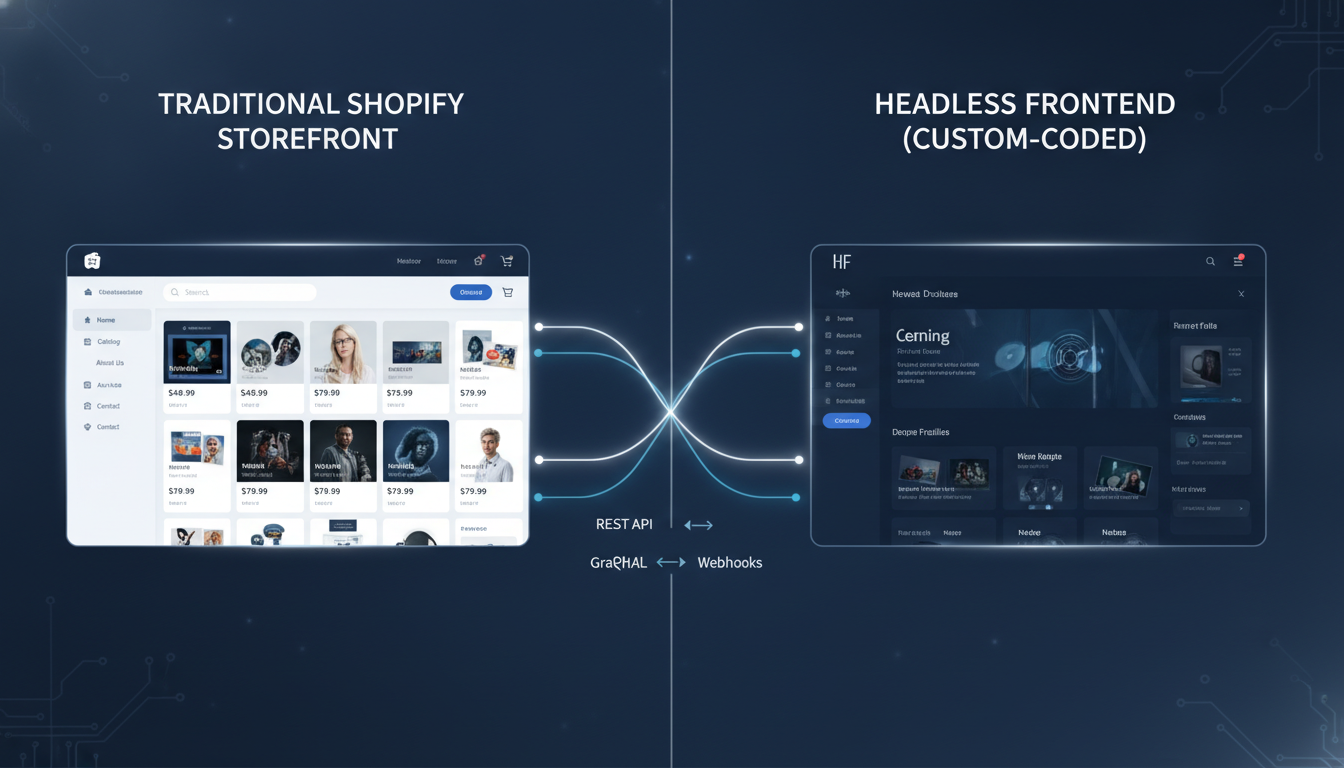
In a standard Shopify setup, the frontend (what shoppers see) and backend (cart, checkout, inventory, payments) are tightly coupled inside Shopify’s theme architecture. Liquid templates render pages server-side, and every design change happens inside the Shopify Admin or your theme code.
Shopify headless commerce separates these two layers. Your frontend — built in React, Next.js, Vue, or any other framework — communicates with Shopify’s backend exclusively through APIs. The primary one is Shopify’s Storefront API (GraphQL), which gives your frontend access to products, collections, carts, and customer data. Shopify’s Admin API handles order management, inventory, and fulfillment on the backend.
In practice, your customer lands on a page served by a framework like Next.js hosted on Vercel or Netlify. That page fetches product data from Shopify via the Storefront API, renders it your way, and passes the cart session back to Shopify’s checkout. The result: you control 100% of the user experience up until the checkout page — or, with Shopify’s Checkout Extensibility (replacing Checkout.liquid as of August 2024), you can customize checkout UI without going fully headless.
The 7 Real Pros of Shopify Headless Commerce
1. Genuine Page Speed Gains
A properly built headless storefront on Next.js with static site generation (SSG) or incremental static regeneration (ISR) can hit Lighthouse performance scores of 95+, compared to a typical Shopify 2.0 theme scoring in the 60–80 range. Static pages served from a CDN edge location eliminate server-side rendering latency entirely for most page types.
The caveat: “properly built” is doing a lot of work in that sentence. A headless build that over-fetches from the Storefront API on every page load, or that ships a 400KB JavaScript bundle, will be slower than a lean Shopify Dawn theme. Speed gains are real, but they’re earned, not automatic.
2. Total Frontend Design Freedom
Shopify’s Liquid theme system, even with 2.0’s section-everywhere architecture, imposes structural constraints. Complex animations, non-standard page layouts, interactive 3D product viewers, and deeply customized editorial content pages are painful to build in Liquid. In a headless environment, your frontend engineers work in familiar React or Vue — the same tools they use everywhere else — with zero Liquid overhead.
3. Omnichannel Content Delivery
One Shopify backend can power a website, a mobile app, a kiosk, a smart TV app, and a voice commerce interface simultaneously. Each frontend consumes the same Storefront API. This is the architecture that brands like Allbirds and Staples Canada used to unify their digital touchpoints. If you’re building a native iOS/Android app alongside your web store, headless removes the duplication of product and inventory management.
4. Custom Checkout Flows (With Caveats)
Via Shopify’s Checkout Extensibility — accessible at Shopify Admin → Settings → Checkout → Customize — you can build checkout UI extensions using React components. For merchants on Shopify Plus, this replaces the deprecated Checkout.liquid file and opens up multi-step checkout customization, custom upsell widgets powered by Rebuy, and branded order status pages without needing full headless architecture.
5. Decoupled Tech Stack Updates
When Shopify updates its backend (new payment methods, updated tax logic, new fulfillment APIs), your frontend is unaffected. You update your API integration independently. This reduces the risk of theme-breaking updates that are a recurring problem for merchants running heavily customized Liquid themes.
6. Better Developer Experience for Large Engineering Teams
If you have a dedicated frontend engineering team, working in Next.js is faster and more productive than Liquid. Modern tooling — TypeScript, component-based architecture, automated testing, CI/CD pipelines — integrates naturally. Shopify’s own Hydrogen framework (built on Remix) was designed specifically for this use case and includes built-in caching strategies optimized for the Storefront API.
7. Third-Party Integration Flexibility
Native Shopify apps inject scripts into your theme through ScriptTag or App Blocks. In a headless environment, you integrate third-party services directly via their APIs — giving you cleaner, faster implementations. Klaviyo’s email capture, Okendo’s reviews, and Rebuy’s personalization engine all offer API-first integration modes that perform better headless than as script injections.
The 5 Cons Nobody Talks About Honestly
1. The True Cost Is 3–5x Higher Than Quoted
A headless Shopify build from a specialist agency typically starts at $80,000–$200,000 for initial development. That number doesn’t include ongoing maintenance, which runs $5,000–$15,000/month for a team that can actually support it. Every Shopify API update, every new feature you want to add, every marketing campaign requiring a new landing page format — all of it requires developer time.
Compare that to a Shopify 2.0 theme where a merchant or a $50/hour Shopify developer can make most changes without touching code. The total cost of ownership gap between headless and traditional is massive and grows every year.
2. You Lose Native Shopify App Compatibility
The Shopify App Store has over 10,000 apps. The majority inject functionality via Liquid theme code or App Blocks — neither of which exists in a headless environment. When you go headless, you lose plug-and-play access to most of those apps. You’ll need to manually integrate their APIs, find headless-compatible alternatives, or simply go without.
This is particularly painful for: loyalty programs (LoyaltyLion, Smile.io), product review widgets (Okendo, Judge.me), and upsell tools (Rebuy, AfterSell). Most have headless support, but it requires custom implementation work rather than a one-click install.
3. Shopify’s Native Analytics Break
Shopify’s built-in reporting, session tracking, and attribution rely on the standard Shopify pixel and theme event system. In a headless storefront, those events don’t fire automatically. You’ll need to manually implement Shopify’s Web Pixel API or build a custom event tracking layer feeding into Google Analytics 4, with server-side tagging via Google Tag Manager’s server container to ensure accuracy.
Without deliberate setup, you’ll fly blind. Hotjar session recordings, GA4 funnel analysis, and even basic Shopify dashboard metrics will be inaccurate or missing entirely.
4. SEO Is Not Automatically Better
A common myth is that headless = better SEO. The truth: client-side rendered React apps are notoriously difficult for Googlebot to crawl correctly. If your headless build relies on client-side rendering without proper SSR or SSG, you can rank significantly worse than your previous Liquid theme. Proper SEO in a headless build requires server-side rendering, structured data implementation in code, canonical tag management, and a disciplined approach to metadata — none of which comes for free.
5. Your Marketing Team Loses Autonomy
With Shopify’s Online Store Editor, a non-technical marketer can launch a new landing page, A/B test a hero banner, or publish a seasonal promotion in 20 minutes. In most headless builds, every content change requires a developer or a connected headless CMS like Contentful or Sanity.io. If your headless CMS isn’t properly configured, your marketing velocity drops dramatically — the opposite of what you wanted.
Shopify Headless vs. Traditional Shopify: Benchmark Comparison
| Factor | Traditional Shopify 2.0 | Shopify Headless (Next.js/Hydrogen) |
|---|---|---|
| Average Lighthouse Performance Score | 65–80 | 88–98 (if built correctly) |
| Initial Build Cost | $5,000–$30,000 | $80,000–$200,000+ |
| Monthly Maintenance Cost | $500–$3,000 | $5,000–$15,000 |
| App Store Compatibility | 10,000+ apps, plug-and-play | ~200–300 headless-compatible apps |
| Marketing Team Autonomy | High (visual editor) | Low–Medium (requires headless CMS) |
| Time to Launch | 4–12 weeks | 16–40 weeks |
| Omnichannel Readiness | Limited | High (single API, multiple frontends) |
| SEO Risk Level | Low | Medium–High (requires SSR/SSG discipline) |
| Ideal Annual Revenue Threshold | $0–$2M+ | $1M+ with specific frontend requirements |
What Is Shopify Headless Commerce Pros? (The Full Breakdown)
When merchants and developers ask about Shopify headless commerce pros, they’re asking a legitimate question: what specific, measurable advantages does decoupling your frontend actually deliver — and when do those advantages outweigh the cost?
The strongest pro is frontend performance control. With a traditional Shopify theme, you’re constrained by Shopify’s rendering pipeline, global CDN behavior, and whatever JavaScript third-party apps inject into your storefront. A headless architecture gives you full ownership of the critical rendering path. You decide which resources load, in what order, and from where. Teams using Shopify’s Hydrogen framework with Remix have reported Core Web Vitals improvements of 40–60% over their previous Liquid themes, according to Shopify’s own 2025 partner case studies.
The second major pro is design system consistency at scale. If you’re a brand operating multiple storefronts across different regions, languages, or product lines, a shared React component library connected to one Shopify backend is architecturally cleaner than maintaining five separate Liquid themes. H&M Group, for example, uses a headless architecture to power localized storefronts across 70+ markets from a unified backend.
Third is developer hiring and retention. Liquid is a Shopify-specific templating language with a limited talent pool. React and Next.js developers are abundant, better paid, and more productive in their native tooling. If you’re building an in-house engineering team, headless dramatically expands your hiring options.
Fourth, headless enables true A/B testing at the component level. Using tools like LaunchDarkly or Optimizely’s feature flags, you can ship experimental UI components to a subset of users and measure their impact in GA4 without affecting your entire storefront — something that’s nearly impossible to do cleanly in a Liquid theme.
Fifth, headless makes progressive web app (PWA) and native app conversion straightforward. Because your product and cart logic already lives in the Storefront API, building a companion iOS or Android app means consuming the same API with a native mobile framework. This is the single most compelling reason for mid-market Shopify merchants to consider headless: one backend, two or three high-quality frontends.
How to Fix Shopify Headless Commerce Pros: Maximizing the Benefits You’re Paying For
Framing this as a “fix” is actually accurate — because a poorly executed headless Shopify build delivers almost none of the advertised pros. Here’s how to ensure you actually realize the benefits you’re paying for.
Step 1: Choose the Right Rendering Strategy for Each Page Type
Not every page needs the same rendering approach. Use static site generation (SSG) for collection and product pages where content changes infrequently. Use incremental static regeneration (ISR) for pages that update regularly. Reserve server-side rendering (SSR) for personalized pages like account dashboards or cart pages. Mixing rendering strategies within a single Next.js app is standard practice and directly impacts your Lighthouse scores.
Step 2: Implement Shopify’s Web Pixel API Correctly
Go to Shopify Admin → Settings → Customer Events to configure your Web Pixel. For headless builds, you’ll need to fire custom pixel events manually from your frontend — including page_viewed, product_viewed, collection_viewed, and checkout_started. Without these, your Shopify analytics dashboard will show zero sessions and your GA4 funnel will be broken.
Step 3: Connect a Headless CMS for Marketing Autonomy
Sanity.io and Contentful are the two most widely used headless CMS platforms in Shopify headless builds. Sanity’s real-time collaborative editor and structured content model pairs well with Next.js. Connect it to your headless frontend so marketers can update hero banners, landing pages, and promotional content without touching code. This single step recovers most of the marketing velocity you lose by going headless.
Step 4: Audit App Dependencies Before You Build
Before committing to a headless architecture, audit every Shopify app you currently use. For each one, answer: does it have a headless/API-first integration mode? Apps like Klaviyo (via their JavaScript SDK and server-side API), Okendo (headless reviews API), and Rebuy (Smart Cart API) support headless. Apps that rely purely on Liquid App Blocks do not. Replace or eliminate non-headless-compatible apps before or during your migration.
Step 5: Use Hydrogen If You Have a Shopify-Focused Team
Shopify’s Hydrogen framework (available at hydrogen.shopify.dev) includes pre-built caching logic for the Storefront API, optimized GraphQL fragments for product and cart data, and a built-in Remix server that handles SSR correctly out of the box. For teams without prior headless commerce experience, Hydrogen dramatically reduces the risk of a slow or broken implementation. Deploy it to Shopify Oxygen (Shopify’s own edge hosting, included with Shopify Plus) for the best latency profile.
Why Does Shopify Headless Commerce Create Complexity? (The Root Causes)
The honest answer is that headless commerce complexity exists because you’re taking on responsibilities that Shopify previously handled for you. Understanding the root causes helps you decide whether you have the organizational capacity to absorb them.
Root Cause 1: The API surface area is large and evolving. Shopify’s Storefront API has over 200 queryable objects. Building a production-ready storefront means writing GraphQL queries for products, variants, collections, metafields, cart operations, customer authentication, and more. Every Shopify API version update (Shopify releases new API versions quarterly) requires review and potentially breaking changes in your frontend code.
Root Cause 2: Caching strategy is entirely your responsibility. Shopify’s standard CDN caches pages automatically. In headless, you manage caching at the CDN level (Cloudflare, Fastly, or Vercel’s Edge Network), the application level (Next.js ISR, Remix’s loader caching), and the API level (Storefront API response caching). A misconfigured cache layer results in either stale product data or excessive API calls that slow page loads and hit Shopify’s API rate limits.
Root Cause 3: The Shopify checkout boundary. Even in a headless build, Shopify controls the checkout experience (unless you’re on Shopify Plus with Checkout Extensibility). This means your beautifully custom headless frontend hands off to Shopify’s hosted checkout — a visual context switch that can hurt conversion if not handled carefully with consistent branding via Checkout Extensibility settings at Shopify Admin → Settings → Checkout → Branding.
Root Cause 4: Testing infrastructure doesn’t come pre-built. In a standard Shopify theme, Shopify’s preview mode, theme editor, and Shopify’s own testing environments handle QA. In headless, you build and maintain your own staging environments, deployment pipelines, and visual regression testing — typically using Vercel preview deployments combined with tools like Playwright or Cypress for end-to-end testing.
How to Prevent the Biggest Shopify Headless Commerce Mistakes
The most expensive headless mistakes happen before a single line of code is written. These are the decisions that determine whether your headless migration succeeds or becomes a cautionary tale.
Mistake 1: Going Headless Without a Clear Technical Requirement
“We want better performance” is not a sufficient reason to go headless. First, run a full PageSpeed Insights audit on your current Shopify store. If your Largest Contentful Paint (LCP) is above 4 seconds, diagnose the cause — it’s almost always unoptimized images, render-blocking third-party scripts, or an unoptimized theme, all of which are fixable without going headless. Use Hotjar to identify actual UX friction before assuming your theme is the bottleneck.
Mistake 2: Underestimating the Ongoing Engineering Commitment
Headless is not a one-time project. It’s an ongoing engineering commitment. Before approving a headless build, confirm you have either an in-house frontend engineer or a retained agency relationship to handle: API version migrations (quarterly), security updates to your Node.js dependencies, new feature development, and performance monitoring. If you can’t confirm this, a headless build will degrade over time.
Mistake 3: Migrating Without a SEO Transition Plan
Every URL migration, rendering change, and metadata restructuring during a headless migration is an SEO risk. To prevent ranking losses:
- Crawl your existing Shopify store with Screaming Frog before migration and export all indexed URLs.
- Implement 1:1 301 redirects for any URLs that change structure.
- Verify structured data (Product schema, BreadcrumbList) in Google’s Rich Results Test post-launch.
- Use Google Search Console to monitor crawl errors and index coverage weekly for the first 90 days post-migration.
- Confirm Googlebot can render your JavaScript pages using the URL Inspection tool in Google Search Console.
Mistake 4: Skipping the Headless CMS From Day One
Every headless project that launches without a CMS eventually has one retrofitted in — at additional cost and disruption. Integrate Sanity.io or Contentful during the initial build, not after. Define your content model (hero banners, promotional tiles, landing page templates) alongside your component library. This ensures your marketing team can operate independently from your engineering team on day one.
Mistake 5: Not Benchmarking Before and After
You cannot measure the ROI of a headless migration without baseline data. Before you begin, document your current metrics using GA4 and Shopify Analytics:
- Storefront conversion rate (by device)
- Average page load time per page type (PageSpeed Insights)
- Bounce rate on product and collection pages (GA4)
- Revenue per session (Shopify Analytics → Reports → Sales)
- Core Web Vitals scores (Google Search Console → Core Web Vitals report)
Measure these same metrics 30, 60, and 90 days post-launch. If your headless build doesn’t improve at least 3 of these 5 metrics meaningfully, you have a technical problem that needs addressing before the project is considered a success.
Is Shopify Headless Right for Your Store in 2026?
The honest answer depends on four factors: your annual revenue, your frontend requirements, your internal technical capacity, and your timeline to recoup the investment.
Headless makes sense if:
- You’re doing $1M+/year in Shopify revenue and your growth is constrained by genuine frontend limitations — not marketing or product issues.
- You’re building a native mobile app alongside your web store and want a single backend to power both.
- You operate multiple storefronts (multi-region, multi-brand) that share a product catalog but need different UX patterns.
- You have specific interactive requirements (3D product customizers, real-time configurators, complex filtering logic) that Liquid genuinely cannot support.
- You have in-house engineering capacity or a committed agency partner for ongoing maintenance.
Headless does not make sense if:
- You’re under $500K/year — the ROI math doesn’t work at that revenue level.
- Your team has no frontend engineering capacity and you’re relying entirely on an outside agency.
- Your primary bottleneck is conversion rate, not frontend performance — fix your CRO first with Hotjar, Rebuy, and Klaviyo before touching your architecture.
- You want to launch quickly — headless timelines of 16–40 weeks are real, and a Shopify 2.0 theme can be live in 4–8 weeks.
Shopify’s investment in Hydrogen, Oxygen, and Checkout Extensibility signals that headless is a legitimate long-term direction for the platform. But the gap between “headless is the future” and “headless is right for your store right now” is wide. The merchants who get the most from Shopify headless commerce in 2026 are the ones who treat it as a strategic infrastructure investment with clear requirements, proper engineering resources, and a disciplined measurement framework — not a premium theme upgrade with a bigger price tag.