Shopify Headless Commerce: 12 Pros, Cons & Real Trade-offs (2026)
Your Shopify store is hitting a ceiling. The theme editor can’t do what your designers are asking for, your PageSpeed Insights score hovers in the 50s on mobile, and your dev team keeps saying “Liquid just won’t allow that.” If you’ve started researching Shopify headless commerce, you’re not alone — but you also need to know that going headless is one of the highest-stakes architectural decisions you can make. According to Shopify’s own 2025 Commerce Trends report, only 12% of Shopify Plus merchants currently run a headless storefront, and there’s a reason that number isn’t higher.
This guide cuts through the hype. You’ll get an honest, data-backed breakdown of exactly what headless Shopify delivers, where it genuinely fails, and how to decide whether it’s the right move for your store’s current revenue stage.
- Shopify headless commerce decouples your frontend presentation layer from Shopify’s backend — giving you unlimited UI flexibility but adding serious engineering overhead.
- Headless is most justified for stores doing $1M+ per year where speed and custom UX directly translate to measurable revenue gains.
- The average headless Shopify build costs $40K–$150K+ upfront and requires ongoing frontend developer resources most sub-$500K stores don’t have.
- Frameworks like Hydrogen (Shopify’s own) and Next.js with the Storefront API are the two dominant technical paths in 2026.
- Tools like Klaviyo, Rebuy, and Okendo require additional integration work in a headless setup that works out-of-the-box in a standard Shopify theme.
What Is Shopify Headless Commerce, and How Does It Actually Work?
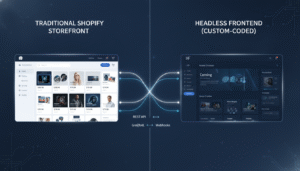
In a standard Shopify setup, your frontend (what shoppers see) and your backend (cart, checkout, product data, orders) are tightly coupled through Liquid templates. Change the backend logic, and your theme is aware of it automatically. It’s fast to build and easy to maintain — but it’s also constrained by whatever Shopify and your theme allow.
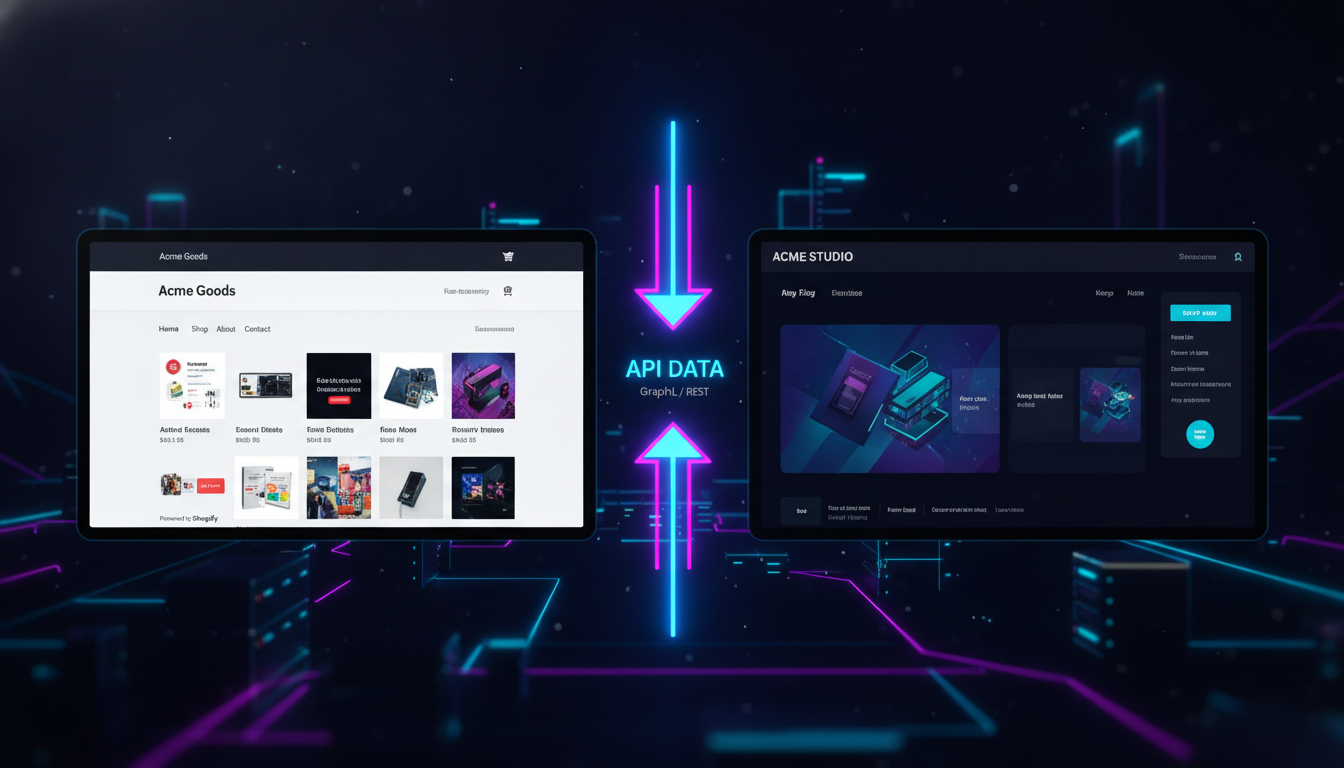
In a headless Shopify architecture, you keep Shopify as your commerce engine — handling inventory, payments, orders, customer accounts — but you replace the Liquid-based storefront with a custom frontend built in a JavaScript framework. That frontend communicates with Shopify exclusively through APIs: primarily the Storefront API (for product data, cart, and checkout) and the Admin API (for backend operations).
The Two Main Technical Paths in 2026
- Shopify Hydrogen + Oxygen: Shopify’s own React-based framework, deployed on Shopify’s Oxygen hosting infrastructure. It has first-party support, built-in Shopify context hooks, and the tightest API integration available. As of 2026, Hydrogen v3 is stable and production-ready.
- Next.js + Storefront API: The most widely used headless path outside of Hydrogen. You host on Vercel or your own infrastructure, call Shopify’s Storefront API via GraphQL, and build your frontend however you want. More flexibility, more infrastructure responsibility.
A third emerging option is using a composable commerce platform like Contentful or Sanity as your CMS layer, with Shopify handling only the transactional backend. This is sometimes called a “truly composable” stack, and it adds another layer of complexity on top of standard headless.
The Real Pros of Shopify Headless Commerce
1. Frontend Performance That Themes Can’t Match
This is the single strongest argument for going headless. A well-built Hydrogen or Next.js storefront can achieve Largest Contentful Paint (LCP) scores under 1.5 seconds — compared to the 3–5 second range typical of Shopify themes loaded with third-party apps. Google’s own data shows that a 1-second improvement in page load time can increase mobile conversions by up to 27% (Google/Deloitte, 2024).
With a headless frontend, you control exactly what JavaScript loads, when it loads, and how it’s bundled. No more fighting Dawn’s asset pipeline or waiting for a third-party app to stop injecting render-blocking scripts.
2. Unlimited Frontend Flexibility
Liquid is a capable templating language, but it has hard ceilings. Complex conditional UI logic, real-time personalization engines, custom animation sequences, and non-standard page layouts all hit Liquid’s limits fast. In a headless React or Vue environment, your frontend engineers build exactly what your UX team designs — no compromises.
This matters enormously for brands in competitive categories (fashion, beauty, CPG) where the storefront experience is itself a brand differentiator.
3. True Omnichannel Content Delivery
Because your frontend is decoupled, the same Shopify backend can power multiple frontends simultaneously: your web store, a mobile app, a kiosk interface, or a third-party marketplace integration. You’re not rebuilding Shopify logic for each channel — you’re just building new presentation layers that call the same APIs.
4. Better Developer Experience for Modern Engineering Teams
If your team already works in React, TypeScript, and GraphQL, forcing them into Liquid is a talent drain and a productivity killer. Headless lets your developers work in the stack they’re expert in, which typically means faster iteration cycles and lower long-term maintenance cost — if you have those developers in-house or on retainer.
5. Richer Personalization Capabilities
Headless unlocks real-time, client-side personalization that’s extremely difficult in standard Shopify. You can integrate tools like Rebuy at the component level — rendering personalized product recommendations based on live user session data without being limited by where a theme section can be placed. The same applies to A/B testing frameworks like Optimizely or VWO, which can test at the component level rather than the page level.
6. CMS Flexibility
With headless Shopify, you can plug in a best-in-class CMS like Sanity, Contentful, or Prismic to handle editorial content, landing pages, and blog publishing — independent of Shopify’s relatively limited native content management. Your marketing team gets a purpose-built editorial workflow; your developers don’t have to hack blog templates.
The Real Cons of Shopify Headless Commerce
7. Dramatically Higher Build Cost and Timeline
A standard Shopify theme customization project runs $5K–$25K. A headless Shopify build starts at $40K and can easily reach $150K+ for enterprise-level implementations. Timeline extends from weeks to months. You’re not just building a storefront — you’re building and maintaining a web application.
That cost doesn’t stop at launch. Every Shopify platform update, every API version change, and every new feature release requires your team to manually integrate and test changes that a standard theme merchant gets automatically.
8. App Ecosystem Compatibility Breaks
This is the most underestimated headless pitfall. The entire Shopify app ecosystem — Klaviyo, Okendo, Hotjar, Rebuy, Yotpo, Gorgias — is built to inject into Liquid-rendered storefronts via script tags, theme app extensions, and app blocks. In a headless setup, most of these integrations break or require significant custom development work to restore.
For example, Klaviyo’s abandoned cart flows rely on Shopify’s native checkout events, which still work. But Klaviyo’s on-site browsing behavior tracking requires manual implementation of their JavaScript SDK into your custom frontend. Every app you rely on needs to be audited before going headless.
9. Shopify Checkout Remains Coupled (for Now)
As of 2026, even in a headless Shopify setup, checkout still runs on Shopify’s hosted checkout — meaning the visual transition from your pixel-perfect headless storefront to Shopify’s checkout creates a noticeable UX discontinuity. Shopify Plus merchants can customize checkout via Checkout Extensibility (Go to Settings → Checkout → Customize), but full checkout customization remains limited compared to the full control you have over your headless frontend.
10. SEO Requires Dedicated Attention
Standard Shopify themes are server-side rendered and SEO-ready out of the box. Headless frontends built on client-side rendering (CSR) can destroy your SEO if not implemented correctly. You need server-side rendering (SSR) or static site generation (SSG) configured properly, with correct handling of meta tags, structured data, canonical URLs, and XML sitemaps — none of which are automatic. Hydrogen provides SSR by default, but Next.js implementations require deliberate SSR configuration.
11. Loss of Shopify’s Native Analytics and Reporting
Shopify’s built-in analytics rely on its Liquid-based pixel system. In a headless setup, you need to manually implement Google Analytics 4 event tracking, Shopify’s own Web Pixels API, and any other analytics layer from scratch. Miss a single event, and your GA4 funnels are broken. This is a common oversight that causes months of bad data post-launch.
12. Ongoing Maintenance Burden Is Significant
Every time Shopify updates the Storefront API (which happens on a versioned deprecation cycle, roughly every 12 months), you need to update your GraphQL queries. Every security patch, performance optimization, and new Shopify feature requires a custom implementation. Standard Shopify merchants get these for free. Headless merchants pay their development team to implement them manually.
Shopify Headless vs. Standard Shopify: Benchmarks and Trade-offs
| Factor | Standard Shopify (Theme) | Shopify Headless |
|---|---|---|
| Average LCP (Mobile) | 3.2–5.0 seconds | 1.2–2.0 seconds (well-built) |
| Initial Build Cost | $5K–$25K | $40K–$150K+ |
| Time to Launch | 4–10 weeks | 3–8 months |
| App Ecosystem Compatibility | Full (1,000s of apps) | Partial (requires custom integration) |
| SEO Out-of-the-Box | Strong (SSR native) | Requires deliberate SSR setup |
| Developer Skill Required | Liquid, HTML/CSS/JS | React/Vue, GraphQL, Node.js, DevOps |
| Ongoing Maintenance Cost | Low–Medium | High |
| CMS Flexibility | Limited to Shopify CMS | Any CMS (Sanity, Contentful, Prismic) |
| Shopify Feature Updates | Automatic | Manual integration required |
| Personalization Depth | Moderate (app-dependent) | Deep (component-level control) |
What Is Shopify Headless Commerce Pros? (The Full Picture)
When merchants and developers ask about the pros of Shopify headless commerce, they’re really asking: what do I get that I cannot get with a standard Shopify theme? The honest answer is that the benefits are real but narrow — they apply most powerfully to a specific type of merchant.
The strongest documented pros of Shopify headless commerce center on three areas: performance, flexibility, and scalability. On performance, headless storefronts built with Hydrogen or Next.js with proper SSR routinely score 90+ on Google PageSpeed Insights for mobile — a benchmark that has direct impact on Google’s Core Web Vitals rankings and, by extension, organic traffic. Portent’s 2024 research found that a site loading in 1 second has a conversion rate 3x higher than a site loading in 5 seconds. For a $2M/year Shopify store converting at 2.5%, improving to 3.0% through speed alone means $100K in incremental revenue annually.
On flexibility, headless gives your creative and engineering teams a genuine shared language. Your designer can spec a 3D product configurator, a scroll-triggered animation sequence, or a custom quiz flow, and your developer can actually build it without fighting Liquid’s constraints. This is why brands like Allbirds and Gymshark moved to headless architectures — their storefront is their brand, and they needed total control over it.
On scalability, headless Shopify separates your traffic load. Your Jamstack or SSR frontend can be deployed to a CDN edge network (Vercel, Cloudflare Pages, Oxygen), serving static assets globally with near-zero latency, while Shopify handles transactional load on the backend. This architecture handles traffic spikes from major campaigns without degrading storefront performance — critical for flash sales and product drops.
There’s also a legitimate content operations benefit. If your team publishes significant editorial content — lookbooks, educational guides, long-form product stories — managing that inside Shopify’s native blog editor is limiting. Pairing Shopify headless with Sanity or Contentful gives your editors a structured, purpose-built CMS with proper editorial workflows, versioning, and content modeling, all feeding into your storefront via API.
How to Fix Shopify Headless Commerce Integration Issues
If you’ve already gone headless and are running into broken app integrations, degraded analytics, or SEO regressions, here’s a prioritized remediation path.
Step 1: Audit Your App Stack for Headless Compatibility
Open your Shopify Admin and go to Apps → All Apps. List every app you’re running. For each app, check whether it offers a headless/API-based integration or relies exclusively on Liquid theme injection. Apps like Klaviyo, Rebuy, and Yotpo have documented headless SDKs. Apps that only inject via theme app extensions will need custom frontend components to replace their functionality.
Step 2: Implement Shopify’s Web Pixels API
Go to Settings → Customer Events → Add Custom Pixel and implement Shopify’s Web Pixels API for your analytics events. This is the correct headless-compatible replacement for the standard Shopify pixel. Map your GA4 events — page_view, view_item, add_to_cart, begin_checkout, purchase — manually through your custom pixel implementation and verify them in GA4’s DebugView before going live.
Step 3: Validate SSR on Every Route
Use Google Search Console’s URL Inspection Tool to test your key landing pages. If Google is seeing a blank page or incomplete HTML on the initial render, your client-side rendering is not being properly server-side rendered. In Next.js, ensure getServerSideProps or getStaticProps is implemented on all product, collection, and content pages. In Hydrogen, SSR is on by default but verify your streaming configuration is not causing incomplete renders.
Step 4: Restore Abandoned Cart Flows in Klaviyo
Klaviyo’s ActiveOnSite and ViewedProduct events require their JavaScript SDK to be manually initialized in your headless frontend. Add the Klaviyo JS snippet to your frontend’s root layout component, then fire klaviyo.push(["track", "Viewed Product", {...}]) on every product page render using your framework’s equivalent of a page view lifecycle hook. Test via Klaviyo’s Activity Feed before enabling your flows.
Step 5: Implement Structured Data Manually
Standard Shopify themes output Product, BreadcrumbList, and Organization JSON-LD schema automatically. In a headless build, you generate these manually in your page components. Use Google’s Rich Results Test to verify that your product pages are returning valid Product schema with offers, aggregateRating, and availability properties — all of which contribute to Google Shopping and rich snippet eligibility.
Why Does Shopify Headless Commerce Create These Challenges?
Understanding why headless Shopify creates integration and maintenance friction helps you anticipate problems before they bite you in production.
The core reason is that Shopify was designed as a coupled platform. Its entire app ecosystem — all 8,000+ apps in the Shopify App Store as of 2026 — was built against the assumption that there is a Liquid-rendered storefront present. Theme app extensions, app blocks, and script tags all require a DOM that Shopify’s theme engine controls. When you remove that theme engine, you remove the attachment point that most apps depend on.
Shopify has been actively working to address this since 2021 with the introduction of the Storefront API, Hydrogen, and more recently the Web Pixels API for analytics and the Customer Account API for headless account management. But the platform’s app ecosystem has not fully caught up. As of early 2026, fewer than 30% of Shopify App Store apps have documented headless compatibility — meaning the majority of your current app stack will require re-evaluation.
A second structural reason is that Shopify’s checkout remains a hosted, Shopify-controlled page. This means your headless storefront hands off to a Shopify-controlled URL (checkout.shopify.com) at the payment step. For Shopify Plus merchants, Checkout Extensibility (navigate to Settings → Checkout → Customize) allows meaningful customization through checkout UI extensions, but the underlying checkout infrastructure is never fully “headless” — it’s a hybrid model. This is an architectural reality that won’t change for non-Plus merchants in the foreseeable future.
Finally, Shopify’s Storefront API operates on a versioned release cycle. Shopify releases a new API version quarterly and deprecates older versions after two years. If your headless build is making GraphQL queries against a deprecated API version, your storefront will start returning errors with no warning to end users. Standard theme merchants never face this problem — theme API calls are managed by Shopify. Headless merchants must implement API version monitoring and regularly update their GraphQL queries as part of ongoing maintenance.
How to Prevent Shopify Headless Commerce Pitfalls Before You Build
The best time to address headless Shopify’s downsides is before you’ve committed to the architecture — not after a six-figure build that breaks half your app stack. Here’s a systematic prevention framework.
Run a Pre-Build App Compatibility Audit
Before writing a single line of headless code, list every Shopify app you currently use and every app you plan to implement. For each, answer: does this app have a headless/API SDK? Is it documented? Is it actively maintained? Apps with no headless support — common with niche review apps, loyalty platforms, and subscription tools — should be replaced with headless-compatible alternatives before your build begins, not after launch.
Define Your Performance Baseline First
Run your current Shopify store through Google PageSpeed Insights and record your Core Web Vitals scores (LCP, INP, CLS) for both mobile and desktop. Then define a specific performance target for your headless build — e.g., “mobile LCP under 2.0 seconds on a 4G connection.” Without a specific target, headless performance gains are unmeasurable. Use Hotjar to record your current session heatmaps and funnel drop-offs so you have a behavioral baseline to compare against post-launch.
Choose Hydrogen Unless You Have a Specific Reason Not To
For most Shopify merchants going headless in 2026, Shopify Hydrogen is the right default choice. It’s Shopify-native, hosted on Oxygen (included with Shopify Plus), has first-party support for the Storefront and Customer Account APIs, and gets updates alongside Shopify’s platform. The only reasons to choose Next.js + Storefront API over Hydrogen are: your team has deep Next.js expertise and zero React/Vite experience, or you need a non-Shopify hosting environment for compliance or infrastructure reasons.
Establish an API Version Update Protocol
From day one of your headless build, document every Shopify Storefront API version your GraphQL queries use. Set a calendar reminder every quarter (when Shopify releases new API versions) to review the changelog at shopify.dev/changelog and update any deprecated query fields. Failing to do this is the #1 cause of silent headless store failures — queries start returning null values months after API deprecation without throwing errors in your monitoring tools.
Don’t Go Headless Below $1M Annual Revenue
This is the most direct prevention advice: if your Shopify store does less than $1M per year, going headless will cost you more than it earns you. The engineering overhead, app re-integration costs, and ongoing maintenance burden are not justified by the incremental performance gains at sub-$1M revenue. Instead, invest that budget in a fast, well-optimized Shopify theme (Dawn is genuinely fast when stripped of unnecessary apps), implement Rebuy for personalization, and focus on conversion rate optimization through A/B testing with Shopify’s native Experiments feature (navigate to Online Store → Themes → Customize → Experiments on eligible plans).
Plan for a Hybrid Period
Almost no store migrates from a standard Shopify theme to fully headless in a single cutover. Plan for a hybrid period of 2–4 weeks where your headless frontend runs in parallel with your existing theme, with traffic gradually shifted using feature flags or URL-based routing. This lets your team catch analytics gaps, broken app integrations, and SEO regressions in a controlled environment before full cutover. Use GA4’s Exploration reports to compare behavioral metrics between your theme and headless traffic segments during this period.
Who Should Actually Go Headless on Shopify in 2026?
Headless Shopify is the right investment for a specific profile of merchant: $1M+ annual revenue, a dedicated in-house or agency engineering team with React/GraphQL expertise, a brand where storefront experience is a primary differentiator, and a roadmap that includes omnichannel expansion (native app, kiosk, wholesale portal) within 18 months. If you check all four of those boxes, headless will pay for itself.
If you check two or fewer, you’re almost certainly better served by a performance-optimized standard Shopify theme. The 2025 Shopify Editions introduced significant native performance improvements to the Online Store 2.0 architecture. A well-built Dawn-based theme with aggressive app auditing, lazy-loaded third-party scripts, and a properly configured CDN will score 85+ on PageSpeed Insights mobile — close enough to headless performance that the gap doesn’t justify a six-figure build for most merchants.
The merchants who regret going headless are almost always those who made the decision based on the architecture’s potential rather than their specific operational capacity to support it. Going headless isn’t a one-time project — it’s a permanent commitment to owning your own infrastructure. Before you make that commitment, be absolutely certain your team, your budget, and your revenue stage are ready to support it for the long term.