
Shopify Mobile App Builder Comparison: 8 Best Options (2026)
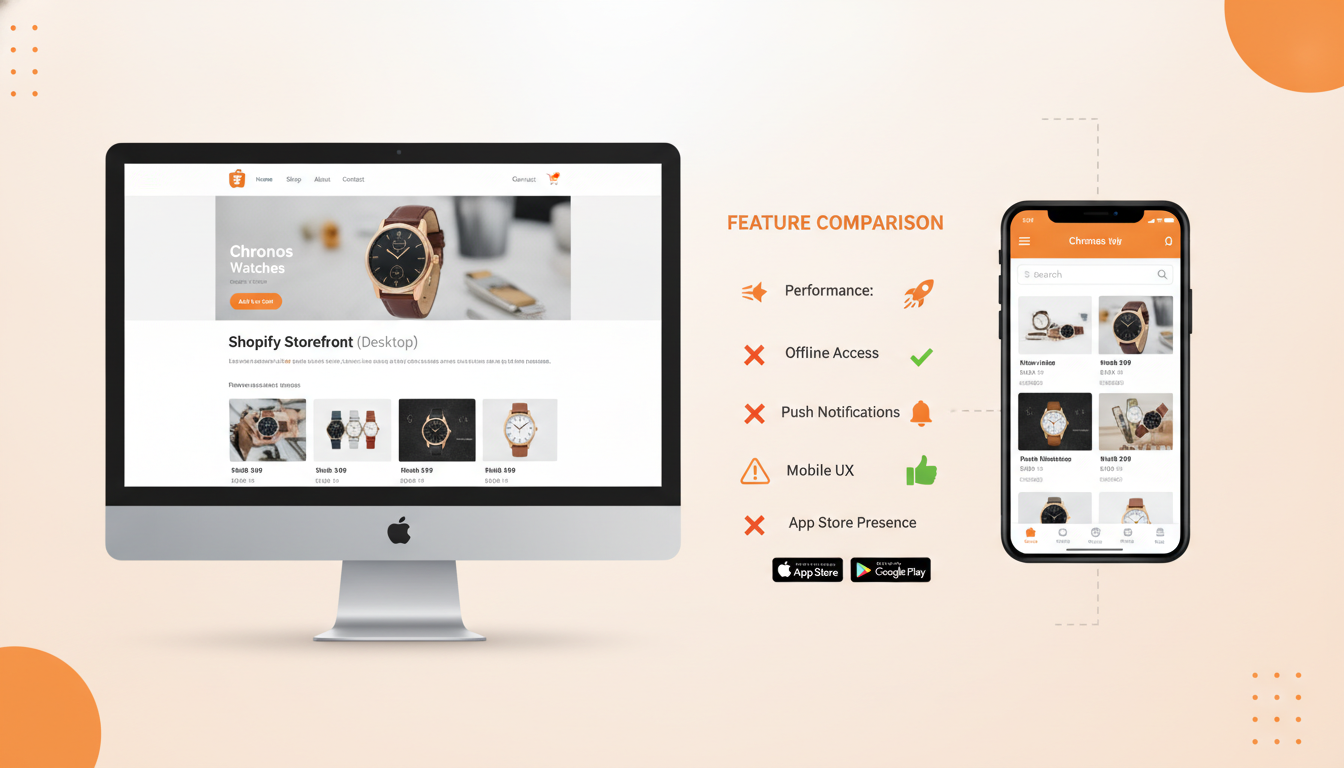
Mobile commerce now accounts for 73% of all global ecommerce sales (Statista, 2025), and your Shopify store’s mobile website simply isn’t capturing all of that revenue. Mobile app users convert at 3× the rate of mobile web visitors, spend 2× more per session, and return far more often — yet most Shopify merchants still haven’t made the jump. If you’ve been researching a Shopify mobile app builder, you already know there are dozens of options spanning no-code platforms, mid-tier builders, and fully custom development. This guide cuts through the noise and tells you exactly what each option costs, what it’s genuinely good at, and which one fits your store’s revenue stage.
- No-code Shopify mobile app builders like Vajro and Tapcart can launch a native iOS/Android app in under a week — no developer required.
- Free plans exist but come with serious limitations; expect meaningful investment starting at $99–$249/month for a production-ready app.
- Custom Shopify mobile app development makes sense only when you exceed ~$1M/year in revenue or have unique UX requirements no builder can replicate.
- Push notifications alone can recover 20–30% of abandoned carts when implemented correctly inside a mobile app.
- The right builder depends on your catalog size, integration stack (Klaviyo, Rebuy, Okendo), and long-term mobile strategy.
Why Your Shopify Store Needs a Mobile App in 2026
Your Shopify mobile website is a checkout-killing compromise. It loads over a browser, fights for RAM with 20 other tabs, and can’t send push notifications without a third-party workaround. A native app eliminates all three problems at once.
The performance gap is real and measurable. According to Insider Intelligence, native app sessions have a 19% lower bounce rate compared to mobile web sessions in ecommerce. Apps also allow you to store payment details locally (Apple Pay and Google Pay fire in a single tap), which alone lifts checkout completion rates by double digits.
Beyond conversion, apps build retention. Push notifications — unavailable on standard mobile browsers — have an open rate of 7.8% on ecommerce apps (Airship Benchmark Report, 2025), dwarfing email’s 2–3% average open rate. If you’re already running Klaviyo email flows, adding push through a mobile app is essentially a second high-ROI channel for the same customer list.
The 8 Best Shopify Mobile App Builders Compared
The table below covers every major option a Shopify merchant realistically encounters, from free-tier builders to enterprise-grade platforms. Pricing reflects 2026 published rates.
| Builder | Starting Price | Native iOS/Android | Push Notifications | Best For | Free Plan? |
|---|---|---|---|---|---|
| Vajro | $99/mo | Yes | Yes | Fashion, lifestyle, mid-market | No (14-day trial) |
| Tapcart | $200/mo | Yes | Yes | Scaling DTC brands $500K+ | No |
| Shopney | $149/mo | Yes | Yes | Apparel, beauty, home goods | No (30-day trial) |
| MageNative | $49/mo | Yes | Yes | Budget-conscious stores | Yes (limited) |
| Plobal Apps | $149/mo | Yes | Yes (AI-powered) | Revenue-focused, push automation | No |
| Buildfire | $159/mo | Yes | Yes | Multi-industry, custom plugins | No |
| Mobiloud | $350/mo | Yes | Yes | Content-heavy stores, media | No |
| Custom Development | $25,000–$150,000+ (one-time) | Yes | Yes | Enterprise, unique UX, $1M+ revenue | N/A |
1. Vajro — Best All-Round Shopify Mobile App Builder
Vajro is one of the most mature no-code builders in the Shopify ecosystem. It publishes directly to the App Store and Google Play, integrates natively with Klaviyo for email/SMS sync, and supports live video selling — a feature most competitors charge extra for or don’t offer at all.
Setup follows a drag-and-drop editor. Your product catalog, collections, and Shopify metafields sync automatically. The Shopify mobile app builder by Vajro specifically excels at fashion and lifestyle brands because of its visual-first layout templates and Instagram feed integration. Pricing starts at $99/month on the Starter plan, scaling to $299/month for the Growth plan that unlocks analytics dashboards and advanced push segmentation.
One real limitation: Vajro’s checkout still routes through Shopify’s native checkout, which means you cannot fully white-label the purchase flow. For most stores under $2M/year, that’s perfectly fine.
2. Tapcart — Best for High-Growth DTC Brands
Tapcart is the premium choice and prices accordingly. At $200/month on the Core plan and up to $500+/month on Enterprise, it targets brands already generating serious mobile revenue. Its block-based design system is genuinely flexible — you can build complex, editorial-style homescreens without touching code.
Tapcart’s push notification engine is best-in-class at this price point. Segmentation pulls directly from your Shopify customer tags, allowing you to fire behaviorally triggered pushes (e.g., “viewed product but didn’t add to cart”) that sync with Klaviyo flows. Brands like Pier 1 and Culture Kings use Tapcart, which tells you the target market.
3. Shopney — Best Mid-Market Option
Shopney hits a strong value point at $149/month. It offers unlimited push notifications on all paid plans, real-time two-way chat, and a product review integration that connects with Okendo and Yotpo out of the box. If customer reviews are central to your conversion strategy, Shopney’s native review display inside the app is noticeably better than most competitors.
4. MageNative — Best Budget Shopify Mobile App Builder
MageNative is the entry point for stores that want a native app without committing to $150+/month. Its free plan is real — you get a functional app — but it comes with MageNative branding and no push notifications. The $49/month Basic plan removes branding and adds push. For stores doing under $200K/year, this is a sensible starting point before moving up.
5. Plobal Apps — Best for Push Notification Revenue
Plobal Apps has built its entire differentiation around AI-powered push notifications. Its system analyzes browsing patterns, purchase history, and session timing to send pushes at the moment of highest intent. The platform claims an average 23% lift in push-attributed revenue within 90 days of setup. Independent results vary, but the automation depth is genuinely impressive for the $149/month price.
6. Buildfire — Best for Customization Without Full Custom Dev
Buildfire is less Shopify-specific than the others, but its plugin marketplace gives it unusual flexibility. If your store has non-standard requirements — loyalty programs, community features, in-app booking — Buildfire’s SDK lets developers extend the app without rebuilding from scratch. Think of it as the middle ground between a no-code builder and full custom development.
7. Mobiloud — Best for Content-Heavy Stores
Mobiloud converts your Shopify store plus blog into a native app that preserves your existing web content without rebuilding it. This matters if you run a content-led commerce model where editorial articles, guides, or video content drive purchase decisions. At $350/month it’s expensive, but it’s the only builder that handles rich content migration as a first-class feature.
Shopify Mobile App Builder vs Custom Development: How to Decide
The honest answer most agencies won’t give you: 90% of Shopify stores don’t need custom mobile app development. A no-code builder will outperform a poorly-scoped custom app every time, because builders are already maintained, updated for OS changes, and connected to the Shopify API.
That said, there are legitimate scenarios where custom Shopify mobile app development is the right call:
- Your store requires a truly unique UX that no builder can replicate (e.g., complex product configurators, AR try-on, real-time inventory bidding)
- You’re doing $1M+ in annual revenue with a clear mobile-first roadmap and dedicated engineering resources
- You need deep integration with an internal ERP, POS system, or proprietary data layer
- You want 100% ownership of the codebase and want to avoid ongoing SaaS platform risk
Custom Shopify mobile app development in India has become a popular cost-reduction strategy. A full-featured React Native app built by a reputable Indian agency typically runs $25,000–$60,000, compared to $80,000–$150,000+ from US or UK studios. The tradeoff is timezone overlap, communication overhead, and QA rigor — all solvable with the right vendor selection process, but not automatic.
The True Cost of Custom vs. Builder Over 3 Years
| Cost Category | No-Code Builder (Tapcart) | Custom Development (Mid-Range) |
|---|---|---|
| Year 1 Build/Setup | $2,400–$6,000 | $40,000–$80,000 |
| Year 2 Maintenance | $2,400–$6,000 | $8,000–$20,000/yr |
| Year 3 Maintenance | $2,400–$6,000 | $8,000–$20,000/yr |
| 3-Year Total | $7,200–$18,000 | $56,000–$120,000 |
| Time to Launch | 3–7 days | 3–6 months |
| Shopify API Updates Handled By | Platform vendor | Your dev team |
This comparison makes clear that unless you have specific technical requirements a builder cannot meet, the economics strongly favor a no-code platform for the vast majority of Shopify merchants.
How to Connect Your Shopify Mobile App to Key Integrations
Your app’s value compounds significantly when it connects to your existing marketing and analytics stack. Here’s how to wire up the most important integrations:
Klaviyo — Push + Email Synchronization
Most top-tier builders (Vajro, Tapcart, Shopney) offer native Klaviyo integration. Once connected, any customer who installs your app and opts into push notifications gets a push token that syncs to their Klaviyo profile. You can then trigger push notifications directly from Klaviyo flows — for example, adding a push notification step to your abandoned cart flow alongside the standard email sequence.
Setup in Tapcart: Navigate to Tapcart Dashboard → Integrations → Klaviyo → Connect Account. Enter your Klaviyo Private API Key (found in Klaviyo under Account → Settings → API Keys). Enable “Sync Push Tokens” and map your customer segments.
Rebuy — Personalized In-App Upsells
Rebuy’s Smart Cart and product recommendation widgets are compatible with Tapcart and Shopney. Inside the app, Rebuy can surface “frequently bought together” recommendations on the product detail page and post-purchase upsell screens. Stores using Rebuy inside their mobile app report an average order value increase of 15–22% on app transactions.
Google Analytics 4 — App Behavior Tracking
Most builders inject GA4 events automatically once you provide your Measurement ID. To find yours in Shopify: go to Shopify Admin → Online Store → Preferences → Google Analytics. Copy your GA4 Measurement ID and paste it into your builder’s analytics settings. From there, GA4 will track app sessions, product views, add-to-cart events, and purchase conversions as separate app stream data — fully distinct from your web traffic.
Okendo — In-App Review Display
Shopney and Tapcart both support Okendo’s review widgets natively. Product reviews render inside the app’s product detail pages without any custom code. This matters because review visibility is one of the strongest conversion drivers on mobile — 88% of consumers trust online reviews as much as personal recommendations (BrightLocal, 2025).
Can I Build a Mobile App with Shopify?
Yes — but Shopify itself does not provide a native mobile app builder as part of its core platform. What Shopify offers is a robust set of APIs (Storefront API, Admin API, Customer Account API) that third-party builders and developers use to create iOS and Android apps connected to your Shopify backend. Your product catalog, inventory, orders, and customer data all sync in real time through these APIs.
In practical terms, building a mobile app with Shopify means choosing one of three routes:
- No-code Shopify mobile app builder (Vajro, Tapcart, Shopney): Connect your Shopify store, customize the app visually, and publish to the App Store and Google Play — typically in 3–7 days. No developer required.
- Low-code / hybrid builder (Buildfire): Use a platform with plugin-based extensibility. Requires some technical comfort but no full-stack development.
- Custom React Native or Flutter development: A developer builds a fully bespoke app using Shopify’s Storefront API. Maximum flexibility, maximum cost and timeline.
One important note: any app you publish must go through Apple App Store and Google Play review processes independently. Reputable builders handle the submission on your behalf — this is one of their core value propositions. Apple’s review process typically takes 1–3 business days; Google Play is usually 24–48 hours. Builders like Tapcart and Vajro have established reviewer relationships that reduce rejection risk significantly.
To connect a third-party app builder to your Shopify store, you’ll typically install it from the Shopify App Store → Apps → [Builder Name] → Add App. The builder will request API access permissions; review and approve these during onboarding. Once connected, your catalog, pricing, and customer data begin syncing immediately.
The short answer: you absolutely can build a mobile app with Shopify, and the process has never been faster or more affordable than it is in 2026.
Does Shopify Have an App Builder?
Shopify does not have a first-party mobile app builder built into the platform — but this is a deliberate ecosystem decision, not a gap. Shopify’s strategy is to provide the API infrastructure and let specialized partners build best-in-class tools on top of it. The result is that merchants actually have more options, not fewer.
What Shopify does provide that’s adjacent to app building:
- Shopify Mobile (merchant app): This is Shopify’s own iOS/Android app — but it’s for store owners to manage their business on the go, not for customer-facing shopping experiences.
- Shopify Storefront API: The headless commerce API that powers all third-party mobile apps. It exposes your catalog, cart, checkout, and customer data in a format any mobile developer can consume.
- Shop App: Shopify’s consumer-facing marketplace app that lets customers track orders and discover stores. It’s not a white-label app for your brand — it’s a Shopify-branded shopping feed.
- Shopify Hydrogen: A React-based framework for building headless storefronts, including progressive web apps (PWAs). PWAs can be installed on a home screen and send push notifications, but they’re not native iOS/Android apps.
For a true branded native app — with your logo, your colors, your name in the App Store — you need a third-party Shopify mobile app builder or custom development. The builders listed in this article all operate as Shopify Partner apps, meaning they’re vetted by Shopify and maintain compliance with the latest API versions. When Shopify releases a major API update (as it did with Checkout Extensibility in 2024 and the Customer Accounts API refresh in 2025), these builders absorb the update on your behalf.
This is a meaningful advantage over custom-built apps, where your development team must manually update API calls every time Shopify pushes a breaking change — and Shopify does push breaking changes on a regular deprecation cycle.
Who Is Shopify’s Biggest Competitor?
This question surfaces in nearly every Shopify mobile app research thread because merchants want to understand whether switching platforms could solve their mobile commerce problem more elegantly. The direct answer: Shopify’s biggest competitor in 2026 is BigCommerce at the enterprise tier and WooCommerce at the SMB tier — but neither has a meaningfully better mobile app ecosystem.
Here’s how the competitive picture breaks down:
- BigCommerce: The most technically comparable SaaS platform. Better for B2B and multi-storefront use cases. Has its own set of mobile app builders (Plobal Apps and Tapcart both support it), but fewer options overall and a smaller partner ecosystem than Shopify’s 8,000+ app marketplace.
- WooCommerce: Self-hosted WordPress plugin. Has mobile app builders (Appmaker, AppMySite), but ongoing server management, plugin compatibility, and security overhead make it more expensive to run at scale than it appears upfront.
- Salesforce Commerce Cloud: Enterprise-grade, with native mobile SDK support. Priced for $50M+ brands. Not a realistic alternative for the $50K–$5M revenue bracket.
- Wix eCommerce: Gaining traction in micro-SMB but limited mobile app support. Wix’s own mobile app builder (Branded App by Wix) exists but trails Shopify’s ecosystem in depth.
For mobile app building specifically, Shopify’s ecosystem is the strongest of any ecommerce platform. The combination of a mature Storefront API, a massive app marketplace, and a large partner ecosystem means you have more vetted builders, more integrations (Klaviyo, Rebuy, Okendo all have Shopify-first implementations), and more documented case studies than any competing platform offers.
The only area where competitors win on mobile is Progressive Web App (PWA) support — Magento/Adobe Commerce has historically had stronger headless PWA tooling. But with Shopify Hydrogen maturing rapidly and Shopify Markets supporting multi-region headless builds, that gap has narrowed considerably in 2025–2026.
How Much Does It Cost to Build a Shopify App?
The cost range for building a Shopify mobile app spans from $0/month to $150,000+ one-time depending on your approach. Breaking this down honestly by tier:
Free / Low-Cost (Under $50/month)
MageNative’s free plan and AppMySite’s basic tier give you a functional app, but with platform branding, limited push notifications, and minimal design customization. These options make sense for brand-new stores testing mobile demand before committing real budget. Treat free plans as proof-of-concept tools, not production apps.
Mid-Tier No-Code Builders ($99–$249/month)
This is the sweet spot for most Shopify stores doing $100K–$1M/year. Vajro at $99/month, Shopney at $149/month, and Plobal Apps at $149/month all deliver white-labeled native apps with push notifications, Shopify catalog sync, and basic analytics. Annual commitments typically save 20–30% versus monthly billing. Expect an onboarding cost of zero to $500 if you use the builder’s launch support service.
Premium No-Code Builders ($200–$500/month)
Tapcart’s Core plan at $200/month and Enterprise tier above $500/month target brands with dedicated mobile strategies. At this level you’re getting advanced push segmentation, in-app content blocks, A/B testing for app screens, and priority support SLAs. Justified for stores where mobile app revenue exceeds $20K/month.
Custom Development ($25,000–$150,000+)
A production-ready custom Shopify mobile app built in React Native (the industry standard for cross-platform native performance) breaks down roughly as:
- Discovery and architecture: $3,000–$8,000 (2–4 weeks)
- UI/UX design: $5,000–$15,000 (3–6 weeks)
- Frontend development: $12,000–$40,000 (8–16 weeks)
- Shopify API integration and backend: $5,000–$20,000
- QA, App Store submission, launch: $2,000–$8,000
- Ongoing maintenance (annual): $8,000–$25,000/year
Custom Shopify mobile app development in India (through agencies with strong Shopify credentials) compresses the development cost by 40–60% without necessarily sacrificing quality — provided you vet portfolios, check Shopify Partner status, and run a structured discovery phase before committing to a full build.
Before committing to any budget level, run this diagnostic: open Google Analytics 4, navigate to Reports → Tech → Overview and filter by Mobile device type. If mobile sessions represent 60%+ of your traffic but mobile conversion rate lags desktop by more than 40%, you have a confirmed mobile UX problem that an app will materially solve. If the gap is under 20%, focus on Shopify theme optimization and PageSpeed Insights fixes first — your mobile website may just need better performance, not a separate app.
How to Choose the Right Shopify Mobile App Builder for Your Store
After stripping away the marketing claims, the decision framework is straightforward:
Under $200K Annual Revenue
Start with MageNative’s free or $49/month plan. Prove mobile demand. Once your app is generating $5K+/month in attributable revenue, graduate to Vajro or Shopney for the push notification and integration capabilities that will compound that number.
$200K–$1M Annual Revenue
Vajro ($99–$299/month) or Shopney ($149/month) are your best options. Both integrate natively with Klaviyo, support Okendo reviews, and have solid track records in this revenue tier. Use Hotjar on your Shopify mobile website first to identify the specific friction points you need the app to solve — don’t build the app without this data.
$1M–$5M Annual Revenue
Tapcart or Plobal Apps. At this revenue level, the advanced push segmentation and A/B testing capabilities start driving meaningful incremental revenue. Tapcart’s block-based editor is genuinely best-in-class for DTC brand storytelling. Integrate Rebuy for in-app upsells from day one — it pays for itself at this revenue level within 60 days.
$5M+ Annual Revenue
Evaluate Tapcart Enterprise against a custom React Native build. Commission a proper technical scoping exercise before deciding. The custom route only wins if you have specific, documented requirements that no builder can satisfy — not because custom “feels more premium.”
Shopify Mobile App Builder Setup: Key Steps
Regardless of which builder you choose, the launch process follows a consistent pattern:
- Install the builder from Shopify App Store: Go to Shopify Admin → Apps → Visit Shopify App Store, search your builder by name, click “Add App,” and grant API permissions.
- Connect your Apple Developer account ($99/year): Required for App Store publishing. Create one at developer.apple.com if you don’t have one. Your builder’s onboarding will walk you through adding them as an App Manager.
- Connect your Google Play Developer account ($25 one-time): Same process via play.google.com/console. Add your builder as a Release Manager.
- Customize your app design: Map your brand fonts, color palette, and logo. Configure your homescreen layout, navigation structure, and collection pages using the builder’s visual editor.
- Set up push notification flows: Configure at minimum an abandoned cart push (trigger: added to cart + no purchase in 1 hour), a welcome series (trigger: app install), and a price drop alert (trigger: wishlisted item price reduction).
- Connect Klaviyo and GA4: Follow the integration steps outlined earlier. Verify data is flowing via GA4’s DebugView before submitting to stores.
- Submit for review: Your builder submits on your behalf. Expect Apple approval in 1–3 business days and Google Play in 24–48 hours.
- Announce the launch: Email your Klaviyo list, post to social, and add an in-store banner via Shopify Admin → Online Store → Themes → Customize to drive initial downloads.
The Bottom Line on Shopify Mobile App Builders
The best Shopify mobile app builder isn’t the one with the longest feature list — it’s the one your team will actually configure, test, and optimize consistently. For most Shopify merchants in 2026, that means starting with Vajro or Shopney in the $99–$149/month range, connecting Klaviyo and Rebuy on day one, and measuring app-attributable revenue against the SaaS cost every 30 days. The stores that win on mobile aren’t the ones that spent the most on custom development — they’re the ones that launched fast, ran push notification experiments relentlessly, and let the data drive every design iteration.
If you’re doing over $1M/year and mobile is a genuine strategic priority, Tapcart’s investment tier is justified. If you’ve hit the ceiling of what any builder can offer and have unique UX requirements your customers genuinely need, then and only then does custom Shopify mobile app development earn its price tag. Every other scenario points to a no-code builder — running today, earning revenue this week.