Shopify Plus vs Shopify Advanced: 12 Key Differences Growing Brands Must Know (2026)
Your Shopify store is scaling, your transaction fees are starting to sting, and someone on your team just said “maybe it’s time for Shopify Plus.” Before you sign anything, you need to understand exactly what you’re buying — and whether Advanced is already enough. Shopify powers over 4.6 million active stores globally (Shopify Q4 2025 earnings report), but the gap between its Advanced and Plus tiers is wider than most store owners realize, and choosing the wrong plan costs you either wasted money or lost growth.
- Shopify Advanced costs $299/month (annual) vs Shopify Plus starting at $2,300/month — a $24,000/year difference at minimum.
- Shopify Plus unlocks Shopify Flow automation, unlimited staff accounts, B2B wholesale channels, and custom checkout via Checkout Extensibility.
- Advanced is the right plan for most brands doing $500K–$2M/year; Plus becomes the better financial choice around $1.8M+ due to lower transaction fees.
- Plus includes up to 9 expansion stores, dedicated merchant success support, and access to Launchpad for sale event automation.
- The decision hinges on three things: your GMV, your operational complexity, and whether you sell B2B.
Shopify Plus vs Shopify Advanced: The Full Feature Comparison
Most comparison articles list features in bullet points and call it a day. This one gives you the context you actually need to make a business decision. Below is a side-by-side breakdown of every meaningful difference between the two plans in 2026.
| Feature | Shopify Advanced | Shopify Plus |
|---|---|---|
| Monthly Price (Annual Billing) | $299/month | From $2,300/month |
| Transaction Fee (with Shopify Payments) | 0.5% | 0.25% (negotiable at high GMV) |
| Transaction Fee (3rd-party gateway) | 0.6% | 0.25% |
| Staff Accounts | 15 | Unlimited |
| Shopify Flow (Automation) | No | Yes |
| Checkout Extensibility / Custom Checkout | Limited (apps only) | Full access via checkout.liquid + extensions |
| B2B Wholesale Channel | No | Yes (native) |
| Expansion Stores | 0 | Up to 9 included |
| Launchpad (Sale Automation) | No | Yes |
| Dedicated Merchant Success Manager | No | Yes (Plus plans ≥ $2,300/mo) |
| Shopify Audiences | No | Yes |
| Advanced Report Builder | Yes | Yes |
| Custom Shipping Rates via API | Yes (Carrier Calculated) | Yes |
| International Markets (Shopify Markets) | Yes | Yes + Expansion Stores |
| API Rate Limits | Standard | 10x higher REST / GraphQL limits |
| POS Pro Locations | Up to 8 | Unlimited |
The Transaction Fee Crossover Point: When Plus Pays for Itself
This is the calculation most brands miss entirely, and it’s the single most important factor in the upgrade decision. The math is straightforward once you run it.
On Shopify Advanced, you pay 0.5% per transaction with Shopify Payments (or 0.6% with a third-party gateway). On Shopify Plus, that drops to 0.25%. The fee saving is 0.25% of your GMV — and Plus costs roughly $24,000/year more than Advanced at minimum.
Here’s the crossover calculation:
- Annual GMV needed to save $24,000 at 0.25% fee reduction = $9.6 million
- However, Plus’s operational features (Flow, B2B, Launchpad, expansion stores) add real value well before that GMV threshold
- If you’re using a third-party gateway like Stripe or Braintree, the fee savings are even more pronounced — 0.35% savings on $5M GMV = $17,500/year, nearly offsetting the price gap
Practical rule of thumb: if your annual GMV is under $2M and you’re using Shopify Payments, the fee savings alone don’t justify Plus. If you’re between $2M–$5M, the decision depends on operational complexity. Above $5M with a third-party gateway, Plus almost always wins on fees alone.
Shopify Flow: The Feature That Changes Operations at Scale
Shopify Flow is exclusive to Plus, and it’s genuinely transformative for brands that have outgrown manual processes. Flow is a no-code automation builder that lets you create triggers, conditions, and actions across your store, orders, customers, and connected apps.
What You Can Automate with Shopify Flow
- Tag high-value customers automatically when their lifetime value crosses a threshold — then trigger a Klaviyo segment for VIP email flows
- Flag fraudulent orders based on custom risk logic (e.g., order value > $500 + no previous purchase history + shipping to freight forwarder)
- Restock alerts: when inventory drops below a set level, automatically draft a purchase order and notify your ops team in Slack
- Hide out-of-stock products from your storefront and re-publish them automatically when restocked
- Pause fulfillment on orders containing specific SKUs under review
For a brand doing 300+ orders per day, these automations can realistically save 15–20 hours of manual work per week. That’s operational leverage that has nothing to do with your transaction fee rate.
Accessing Flow in Shopify Admin
On Shopify Plus, navigate to Apps → Flow in your Shopify Admin. If it’s not installed, go to the Shopify App Store and install it — it’s free and included in your Plus subscription. From there, you can build workflows from scratch or use Shopify’s pre-built templates for common use cases.
Custom Checkout: The Conversion Rate Difference Nobody Talks About
On Shopify Advanced, your checkout customization is limited to what Shopify’s native settings allow plus what third-party apps can inject. On Shopify Plus, you get access to Checkout Extensibility — Shopify’s supported framework for building custom checkout UI extensions using React-based components.
This matters enormously for conversion rate optimization. Consider what’s possible with a fully customized Plus checkout:
- Custom upsell blocks mid-checkout powered by Rebuy, displaying AI-driven product recommendations
- Trust badges and social proof elements (Okendo review counts, security seals) injected natively — not as clunky app overlays
- Custom fields for gift messaging, order instructions, or B2B PO numbers
- Loyalty point previews from LoyaltyLion or Smile.io showing customers how many points they’ll earn
- Custom shipping method descriptions and ETAs based on product type or customer location
Checkout optimization is where Shopify Plus stores consistently outperform Advanced stores. According to Shopify’s own merchant data, brands that implement checkout UI extensions see an average 1.5–2.5% lift in checkout conversion rate. On $3M GMV, that’s $45,000–$75,000 in additional revenue — from the checkout alone.
To access Checkout Extensibility, go to Settings → Checkout → Customize in your Plus admin. From there, you’ll enter the theme editor’s checkout section, where you can add, remove, and configure extension blocks.
B2B and Wholesale: A Non-Negotiable for Multi-Channel Brands
If any portion of your revenue comes from wholesale accounts, retailer relationships, or direct B2B customers, Shopify Plus is not optional — it’s the only rational choice. Advanced has no native B2B tooling.
Shopify Plus includes the native B2B channel (launched in 2022, significantly expanded through 2025), which gives you:
- Company profiles with multiple contacts and locations under one account
- Customer-specific pricing and price lists — no app required
- Net payment terms (Net 30, Net 60) with automated payment reminders
- Vaulted credit cards for B2B accounts
- A separate B2B storefront with a distinct URL and password-protected access
- Draft orders with custom line items for complex quotes
Previously, brands cobbled this together with apps like Wholesale Club or Bold Custom Pricing — adding $200–$400/month in app costs while still fighting Shopify’s consumer-focused checkout. The native B2B channel eliminates that entirely. If you’re doing $500K+ in wholesale annually, the B2B channel alone justifies the Plus upgrade cost many times over.
What Is the Difference Between Shopify Advanced and Plus?
This is the question most store owners search first, so let’s be direct: the difference between Shopify Advanced and Shopify Plus is not just price — it’s a fundamentally different category of commerce infrastructure.
Shopify Advanced is a self-serve, feature-rich plan designed for growing DTC stores that need solid reporting, carrier-calculated shipping, 15 staff accounts, and competitive transaction fees. It’s an excellent plan for brands in the $500K–$2M GMV range that operate a single storefront, sell direct to consumer, and don’t need custom automation or wholesale channels. The Advanced report builder gives you detailed sales, inventory, and customer reports. Carrier-calculated shipping rates via the API let you display real-time rates from UPS, FedEx, or USPS. These features satisfy most operational needs at that revenue level.
Shopify Plus is an enterprise commerce platform sold on a contract basis, starting at $2,300/month. It’s designed for brands with operational complexity — multiple storefronts, B2B customers, large teams, global expansion, or high order volumes that demand automation. The fundamental additions in Plus include: Shopify Flow for no-code automation, the native B2B channel, Checkout Extensibility for custom checkout UI, Launchpad for scheduling sale events, Shopify Audiences for paid media prospecting, 10x higher API rate limits for custom integrations, and up to 9 expansion stores for international or brand-segmented storefronts.
The other meaningful difference is support. Advanced gives you 24/7 chat and email support — solid, but generalist. Plus gives you a dedicated Merchant Success Manager: a named human being at Shopify who knows your account, your tech stack, and your business goals. For brands running complex multi-market operations or preparing for a major replatform, that relationship is genuinely valuable.
The short version: Advanced is a powerful self-serve plan. Plus is a managed enterprise platform. Both run on the same core Shopify infrastructure, but Plus removes the ceiling on customization, automation, and scale.
Is Shopify Advanced Worth It?
Yes — for most brands in the $250K–$2M annual GMV range, Shopify Advanced is absolutely worth it, and it’s the plan we’d recommend before jumping to Plus. Here’s the honest breakdown of what you’re getting for $299/month (billed annually, or $399/month on monthly billing).
The jump from Shopify’s standard plans to Advanced is significant. Advanced unlocks the Advanced Report Builder, which lets you create custom reports filtered by sales channel, product type, customer geography, and discount code performance. This isn’t just a convenience — it’s the reporting infrastructure that powers decisions like which SKUs to scale ad spend on and which customer cohorts have the highest lifetime value.
Advanced also unlocks Carrier Calculated Shipping rates via the API, meaning you can display live shipping quotes from carriers rather than flat rates. For stores selling heavy or variable-weight products, this alone can improve checkout conversion by eliminating shipping cost sticker shock.
The transaction fees at 0.5% (with Shopify Payments) are meaningfully lower than the Basic plan’s 2% or the standard Shopify plan’s 1%. At $1M in GMV, that’s $5,000/year in fee savings over Basic — more than covering the $3,588/year price increase from Basic to Advanced.
Where Advanced falls short: if you need automation across order workflows, you’ll be patching together Zapier and third-party apps — functional but fragile. If you need a custom checkout experience, you’re limited to what apps can do within Shopify’s sandbox. If you need B2B pricing, you’ll be paying $200–$400/month in additional apps. Once those app costs and workaround overhead add up, the jump to Plus often makes more financial sense than it initially appears. Use a tool like Hotjar to audit where your checkout is losing customers before you upgrade — because sometimes the problem is UX, not plan limitations.
What Is the Difference Between Shopify and Shopify Plus?
When people ask about “Shopify vs Shopify Plus,” they’re usually comparing the standard mid-tier Shopify plan ($79/month) against the enterprise Plus plan — so let’s address that directly.
The standard Shopify plan is designed for stores that are finding their footing: up to 5 staff accounts, 1% transaction fees with third-party gateways, basic reports, and no carrier-calculated shipping. It handles up to a moderate order volume comfortably, but it starts to show limitations once you’re above roughly $500K GMV.
Shopify Plus, by contrast, is an enterprise platform with a fundamentally different pricing model. Instead of a flat monthly fee, Plus is priced as a percentage of your monthly GMV with a minimum monthly spend of $2,300. As your revenue grows, your plan cost scales — but so do the capabilities available to you.
The core differences between standard Shopify and Shopify Plus include:
- Transaction fees: Standard Shopify charges 1% with third-party gateways; Plus charges 0.25%, saving meaningful money at scale
- Checkout customization: Standard Shopify gives you almost no checkout flexibility; Plus gives you full Checkout Extensibility
- Automation: Standard has no native automation; Plus includes Shopify Flow
- Staff accounts: Standard allows 5; Plus allows unlimited
- API limits: Standard operates at base rate limits; Plus gets 10x higher limits, enabling complex custom integrations with ERPs like NetSuite or Brightpearl
- B2B: Standard has no wholesale tooling; Plus includes the native B2B channel
- Support: Standard gets general 24/7 support; Plus gets a dedicated Merchant Success Manager
The philosophical difference: standard Shopify is a product you subscribe to. Shopify Plus is a platform you build on. If your store relies on custom development, complex integrations (ERP, 3PL, custom loyalty systems), or you’re expanding internationally across multiple currencies and storefronts, Plus gives you the API depth and infrastructure to support that without hitting hard walls. Brands that integrate GA4 via the Shopify Google Analytics integration, run Klaviyo for advanced segmentation, or use Rebuy for personalization typically outgrow standard Shopify’s API rate limits faster than they expect.
How Much Does a Shopify Advanced Plan Cost?
Shopify Advanced costs $299 per month when billed annually, or $399 per month on a month-to-month basis. That’s the base platform fee — but the real cost of your plan includes transaction fees, which vary based on your payment processor.
Here’s the full cost breakdown for Shopify Advanced in 2026:
- Platform fee: $299/month (annual) or $399/month (monthly)
- Transaction fee with Shopify Payments: 0.5% per transaction
- Transaction fee with third-party gateway: 0.6% per transaction (plus whatever fee your gateway charges, e.g., Stripe’s 2.9% + $0.30)
- Credit card processing rates (Shopify Payments): 2.4% + $0.00 per online transaction for Advanced — among the lowest rates in the ecosystem
- Additional costs to budget for: apps (typically $200–$800/month for a mature stack), theme ($300–$400 one-time), and custom development if needed
To find your exact plan pricing and activate Advanced, go to Settings → Plan → Compare Plans in your Shopify Admin. You can switch from a lower tier to Advanced with one click, and Shopify will prorate your existing subscription.
Here’s a real-world cost comparison at different GMV levels for Advanced vs Plus, assuming Shopify Payments:
| Annual GMV | Advanced Total Cost (fees + plan) | Plus Total Cost (fees + plan, min $2,300/mo) | Difference |
|---|---|---|---|
| $500,000 | $6,088 ($3,588 plan + $2,500 fees) | $27,600 ($27,600 plan + $1,250 fees) | Advanced saves ~$22,762 |
| $1,000,000 | $8,588 ($3,588 plan + $5,000 fees) | $29,100 ($27,600 plan + $2,500 fees) | Advanced saves ~$20,512 |
| $2,000,000 | $13,588 ($3,588 plan + $10,000 fees) | $32,600 ($27,600 plan + $5,000 fees) | Advanced saves ~$19,012 |
| $5,000,000 | $28,588 ($3,588 plan + $25,000 fees) | $39,100 ($27,600 plan + $12,500 fees) | Advanced saves ~$10,512 |
| $10,000,000 | $53,588 ($3,588 plan + $50,000 fees) | $52,100 ($27,600 plan + $25,000 fees) | Plus saves ~$1,488 |
Note: Plus pricing above $800K GMV/month transitions to a variable rate model. These estimates use the $2,300/month base. Actual Plus fees may be lower at high GMV through negotiation.
Launchpad and Shopify Audiences: Plus-Exclusive Growth Features
Two Plus features that don’t get nearly enough attention are Launchpad and Shopify Audiences — both of which directly impact revenue, not just operations.
Launchpad
Launchpad lets you schedule and automate sale events end-to-end. You set a start time and end time, and Launchpad automatically publishes discount codes, swaps out homepage content, changes product prices, adjusts inventory thresholds, and then reverts everything when the sale ends — no manual babysitting required at 11:59 PM.
For brands running BFCM, flash sales, or seasonal promotions, this is a significant operational win. Access it via Apps → Launchpad in your Plus admin. You can preview exactly how your storefront will look at any point during the scheduled sale event before it goes live.
Shopify Audiences
Shopify Audiences is a machine-learning-powered tool that generates custom prospecting audiences for Meta, Google, TikTok, and Pinterest based on purchase intent signals from across the Shopify merchant network. These aren’t just lookalikes of your own customers — they’re built on aggregated conversion data from millions of Shopify transactions.
In independent testing reported by Shopify in 2024, brands using Shopify Audiences reported a 2x improvement in return on ad spend compared to standard Meta lookalike audiences. For any brand spending $10,000+/month on paid social, that’s a tool worth serious attention. To access it, go to Apps → Audiences in your Plus admin, then connect your Meta or Google Ads account.
When to Stay on Advanced (And When to Make the Move)
Deciding between these two plans comes down to a clear set of triggers. Here’s how to read your own situation:
Stay on Advanced if:
- Your annual GMV is under $2M and you use Shopify Payments — the fee savings don’t justify the cost jump yet
- You operate a single DTC storefront with no international expansion plans in the next 12 months
- You have fewer than 15 staff needing admin access
- You don’t sell wholesale or B2B
- Your checkout conversion rate issues are UX-related (fixable with Hotjar heat maps and GA4 funnel analysis) — not plan-limitation-related
Upgrade to Plus if:
- Your annual GMV exceeds $2M and you’re using a third-party gateway — the math starts working in Plus’s favor
- You’re spending $400+/month on apps trying to replicate Flow, Launchpad, or B2B functionality
- You need a custom checkout experience to implement upsells via Rebuy or trust signals via Okendo in a native, non-clunky way
- You’re expanding to multiple international markets and need expansion stores with localized content and pricing
- You’re integrating with an ERP, 3PL, or custom WMS and hitting API rate limits on Advanced
- Your team is spending significant time on manual order management tasks that Flow would automate
- You have any wholesale or B2B revenue stream — even a small one that you want to grow
The API and Integration Angle: Custom Development Needs
One difference that custom development teams care deeply about — and most blog posts ignore — is the API rate limit gap between Advanced and Plus.
On Advanced, Shopify’s REST Admin API allows 2 requests per second (leaky bucket with 40-call burst). On Plus, that scales to 20 requests per second with a 200-call burst — 10x higher. For the GraphQL Admin API, Plus gets a higher cost-per-query allowance that makes complex bulk operations significantly faster.
Why does this matter? If you’re running:
- Real-time inventory sync between Shopify and a 3PL like ShipBob or Whiplash
- A custom ERP integration (NetSuite, SAP Business One) that syncs orders every 5 minutes
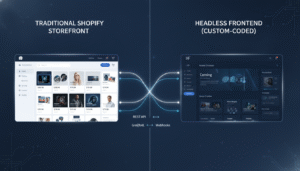
- A headless front-end making frequent Storefront API calls with server-side rendering
- Bulk product updates (price changes, metafield updates) across a large catalog
…then Advanced’s rate limits will throttle your integrations at peak order volume. Plus eliminates that bottleneck. This is a non-obvious cost that doesn’t show up on the plan pricing page but absolutely shows up in engineering hours spent managing API backoffs and retry logic.
Making the Final Decision: A Practical Framework
Before you commit to either plan, run through this five-question framework:
- What is your trailing 12-month GMV? Under $2M with Shopify Payments → Advanced. Over $5M with a third-party gateway → Plus almost certainly wins on fees alone.
- Do you have any B2B or wholesale revenue? If yes, Plus pays for itself through the native B2B channel eliminating $200–$400/month in third-party app costs — and it scales far better.
- What are you spending on apps to fill Advanced’s gaps? Add up your automation apps, wholesale apps, and checkout optimization apps. If that number exceeds $800/month, you’re likely already paying Plus-equivalent costs without Plus’s reliability.
- How many staff accounts do you need? Advanced caps at 15. If you’re approaching that limit and growing headcount, you’ll hit the ceiling soon.
- Do you plan to expand internationally? If you need localized storefronts (not just Shopify Markets currency switching, but full localized content, separate domains, regional promotions), you need Plus expansion stores.
Run the fee math from the table above with your actual GMV numbers. Factor in what you’re spending on apps that Plus would replace. That calculation usually makes the right answer obvious.
The Shopify ecosystem in 2026 is mature enough that both Advanced and Plus are genuinely excellent commerce platforms — the question is never which is “better,” but which is the right infrastructure for where your brand is today and where it needs to be in 18 months. Brands that upgrade too early waste capital. Brands that upgrade too late pay the cost in operational friction, app sprawl, and the opportunity cost of a checkout they can’t fully control. Know your numbers, audit your stack, and make the move when the math — not the marketing — tells you it’s time.