Shopify Headless Commerce: Pros, Cons & Real Costs (2026)
Your Shopify store is generating revenue, but your developers keep hitting walls — theme limitations blocking custom UX, page speed suffering under the weight of Liquid templates, and marketing wants an editorial content experience your current setup can’t deliver. Shopify headless commerce gets pitched as the fix for all of this. Before you greenlight a six-figure rebuild, you need the unvarnished version: what headless actually solves, what it breaks, and whether your store’s revenue justifies the investment. According to Netlify’s State of Web Development report, only 28% of headless commerce projects deliver ROI within their first year — that number should anchor every decision you make here.
- Headless Shopify decouples the frontend from Shopify’s backend, giving you full UI control via the Storefront API — but it eliminates native theme tooling and raises your dev costs substantially.
- Core benefits include sub-second page loads, omnichannel content delivery, and bespoke UX — but only when implemented correctly with a mature engineering team.
- The real cost of going headless ranges from $80K to $400K+ in initial build, plus ongoing infrastructure and developer retainer costs most agencies underquote.
- For stores under $1M/year, a well-optimized Shopify theme (Dawn, Prestige, or custom Liquid) almost always outperforms headless on a cost-per-conversion basis.
- Tools like Hydrogen (Shopify’s own React framework) and Oxygen (its hosting layer) have matured significantly in 2025–2026, making headless more accessible — but not cheap.
What Is Shopify Headless Commerce, Exactly?
In a traditional Shopify setup, the frontend (what customers see) and the backend (inventory, checkout, payments, orders) are tightly coupled inside Shopify’s theme architecture. Liquid templates render pages server-side, and customization happens within the constraints of the OS 2.0 theme system.
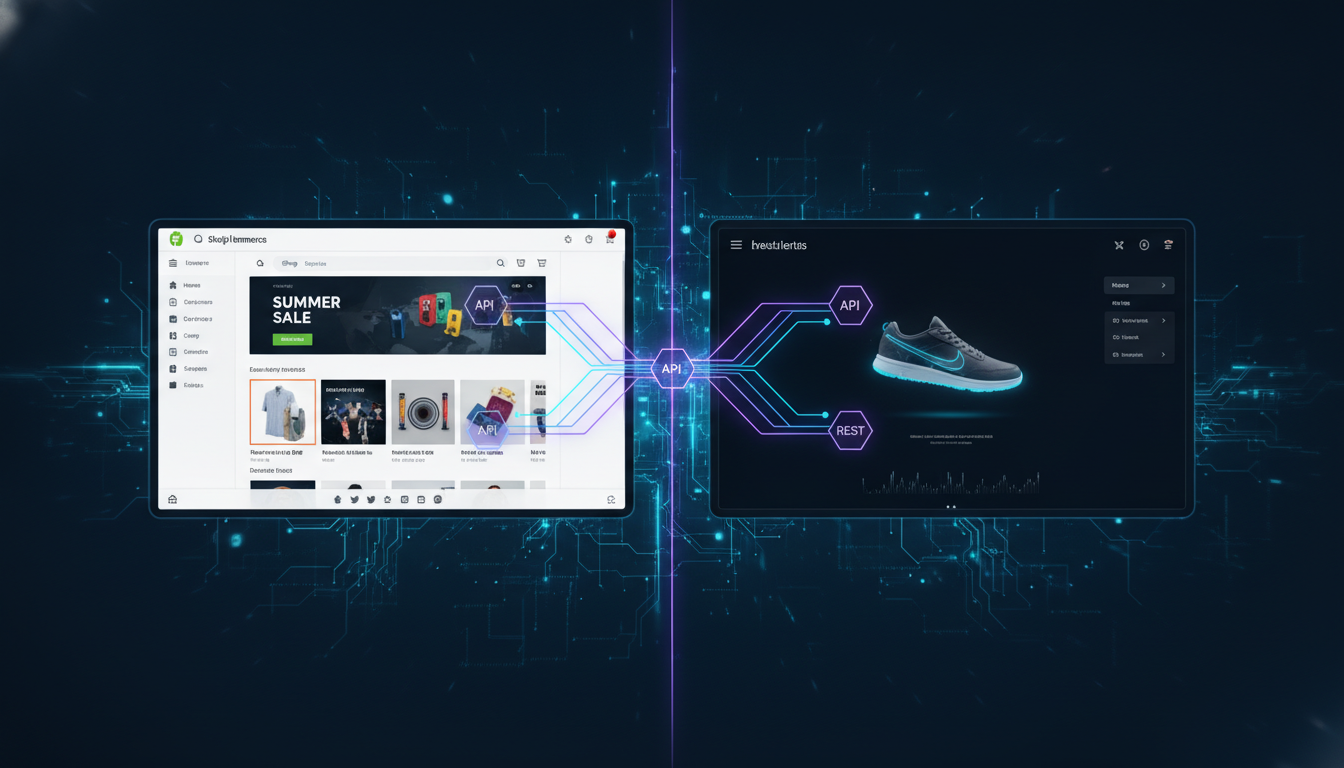
Headless commerce separates these two layers. Your frontend — built in React, Next.js, Nuxt, or Shopify’s own Hydrogen framework — communicates with Shopify’s backend exclusively through APIs: the Storefront API for product data and cart operations, and the Admin API for backend management. The result is a completely custom presentation layer that Shopify never touches.
Shopify powers the checkout, payments, inventory, and fulfillment. Your team builds and hosts everything the customer actually sees — typically on Vercel, Netlify, or Shopify’s own Oxygen hosting platform (which launched broad availability in 2023 and has since become the default for Hydrogen deployments).
Hydrogen + Oxygen: Shopify’s Native Headless Stack
Shopify’s Hydrogen is a React-based framework purpose-built for headless storefronts. It ships with built-in Storefront API hooks, streaming SSR (server-side rendering), and caching primitives designed specifically for commerce workloads. Oxygen is Shopify’s global edge hosting network — think Cloudflare Workers with Shopify-specific optimizations.
As of 2026, Hydrogen v3 supports React Server Components natively, which dramatically reduces client-side JavaScript payloads — one of the biggest headless performance pitfalls from earlier generations. If you’re going headless on Shopify, Hydrogen + Oxygen is almost always the right starting point unless you have a very specific reason to use Next.js Commerce or a custom stack.
What Are the Benefits of Headless Shopify?
This is the question every agency pitches you on. Here are the actual, measurable benefits — with the caveats attached.
1. Page Speed and Core Web Vitals
This is the most cited benefit, and it’s legitimate — when executed correctly. A well-built Hydrogen storefront can achieve Largest Contentful Paint (LCP) under 1.2 seconds on mobile, compared to a typical Shopify theme that averages 2.8–4.1 seconds according to Google’s CrUX dataset for ecommerce.
The mechanism: headless frontends eliminate the render-blocking Liquid template rendering cycle. Pages are served as pre-rendered HTML from an edge CDN, with JavaScript hydrating interactivity after the initial paint. This means faster Time to First Byte (TTFB) and dramatically better Interaction to Next Paint (INP) scores — both of which Google now weighs heavily in rankings.
Run your current store through PageSpeed Insights (pagespeed.web.dev) before assuming headless is the answer. If your Performance score is already above 75 on mobile, headless page speed gains may not move your conversion rate meaningfully.
2. Total Frontend Freedom
Shopify’s theme architecture is powerful but opinionated. OS 2.0 sections and blocks cover most use cases, but if you need a fully custom editorial layout, a non-linear checkout experience, or deeply animated product pages (think luxury fashion or high-end consumer electronics), Liquid will eventually become your ceiling.
Headless removes that ceiling. Your React components can be as complex as your team can build. You can integrate any third-party UI library, implement custom scroll animations with GSAP, or build a completely bespoke product configurator without workarounds or app conflicts.
3. Omnichannel Content Delivery
If you’re selling across multiple touchpoints — web, mobile app, in-store kiosks, digital signage — a headless architecture lets you use Shopify as a single commerce backend serving all of them. Pair Shopify’s Storefront API with a headless CMS like Contentful, Sanity, or Shopify’s own Hydrogen + Metaobjects approach, and your content team manages one source of truth that renders everywhere.
This is especially compelling if you’re also running a native iOS/Android app. Your app and your website can share the same Shopify cart session, the same product data, and the same promotional logic — without duplicating backend infrastructure.
4. Independent Frontend Deployments
In a traditional Shopify setup, theme updates require careful coordination and carry risk — a bad theme deploy can break your storefront immediately. With a headless architecture, your frontend deployments are independent of Shopify’s infrastructure. You can run A/B tests at the framework level, roll back in seconds via Vercel or Oxygen’s deployment history, and preview branches before they go live — all without touching Shopify Admin.
What Are the Benefits of Headless Commerce?
Zooming out from Shopify specifically, headless commerce as an architectural pattern offers broader strategic advantages for brands operating at scale or across complex tech stacks.
Platform Portability
When your frontend is decoupled from your commerce backend, switching platforms becomes significantly less catastrophic. If you ever need to migrate from Shopify to a different backend — or more likely, add a second backend for a new market or business unit — your frontend doesn’t need to be rebuilt from scratch. You point your API calls at a new data source and rebuild integrations, not the entire customer experience.
This matters for enterprise brands managing multiple storefronts across regions. A European subsidiary might run on a different payment processor or tax engine than your US store, but both can share the same frontend codebase with environment-level configuration differences.
Superior Integration Flexibility
Traditional Shopify themes depend on Shopify apps, which inject scripts into your storefront — often conflicting, always adding weight. In a headless setup, you integrate services directly at the API or SDK level. Klaviyo connects via its API rather than a script tag. Rebuy personalization data feeds into your React components. Okendo reviews render as part of your component tree, not as a late-loading iframe.
The result is fewer third-party script conflicts, more predictable rendering, and tighter control over when and how external data loads on your pages.
Personalization at Scale
Headless architectures make server-side personalization significantly easier. Using edge functions (Cloudflare Workers, Vercel Edge Middleware, or Oxygen’s built-in edge runtime), you can serve different product arrangements, pricing tiers, or content blocks based on customer segment, geolocation, or device — all before the page reaches the browser. This is nearly impossible to implement cleanly in a Liquid theme without heavy app dependencies.
Developer Experience and Talent Acquisition
React and Next.js developers are far more common in the hiring market than Shopify Liquid specialists. Going headless means your frontend is built with mainstream web technologies, which expands your hiring pool, makes onboarding faster, and often reduces long-term talent costs — even if the initial build is more expensive.
What Are the Disadvantages of Headless?
This is where most agency blog posts go quiet. The disadvantages of headless Shopify are real, significant, and directly tied to your store’s stage of growth.
1. Dramatically Higher Build Cost and Timeline
A production-ready headless Shopify storefront built on Hydrogen takes 3–6 months to build and costs $80,000–$400,000+ depending on complexity. That’s not a scare tactic — it’s what a competent agency with a senior React team, proper QA, and real commerce complexity will quote you.
Compare that to a custom Liquid theme project, which typically runs $15,000–$60,000 and ships in 6–12 weeks. Unless your revenue and margin support the headless investment, you’re sacrificing growth capital that could go toward paid acquisition, inventory, or CRO testing.
2. You Lose Shopify’s Native Tooling
Shopify’s theme editor, the visual section customization in Admin → Online Store → Themes → Customize, becomes unavailable in a headless setup. Your marketing team can no longer drag-and-drop banners, update homepage layouts, or preview changes before publishing.
Everything requires a developer or a custom-built CMS integration. If your team isn’t technical, this creates a bottleneck that costs you agility. Promotional campaigns, landing pages, and seasonal content changes that once took 20 minutes now require a ticket in your dev queue.
3. App Compatibility Is Inconsistent
The Shopify app ecosystem — over 8,000 apps as of 2026 — is built primarily for theme-based storefronts. Many apps inject code via App Blocks or Script Tags that simply don’t work in a headless context. Before going headless, audit every app in your stack:
- Klaviyo — has a robust JavaScript SDK and API; headless-compatible with custom implementation
- Hotjar — works via standard script tag; straightforward to add to a React app
- Rebuy — has a headless API mode; supported but requires custom component work
- Okendo — headless-compatible via API, but widget embedding requires custom development
- Many loyalty, subscription, and upsell apps — partial or no headless support; verify before committing
Replacing app functionality with custom-built solutions adds weeks to your build timeline and ongoing maintenance costs.
4. Shopify Checkout Remains a Walled Garden
Even in a fully headless architecture, Shopify’s checkout is not customizable via your frontend code. You’re still subject to Shopify’s checkout pages (unless you’re on Shopify Plus with checkout extensibility). This means the disconnect between your bespoke headless storefront and Shopify’s standard checkout UX can create a jarring customer experience — particularly for luxury or high-design brands where consistency matters.
Shopify Plus subscribers can use Checkout Extensions (Admin → Settings → Checkout → Customize) to add custom UI components, but the underlying checkout structure remains Shopify’s. Full checkout control — the way some brands want it — still isn’t possible on Shopify’s infrastructure.
5. Infrastructure and Ongoing Maintenance Costs
Beyond the build, you’re now responsible for frontend infrastructure. Hosting on Oxygen is included with Shopify plans, but if you’re on Vercel or Netlify, expect $500–$3,000/month in hosting depending on traffic. Add a developer retainer of $5,000–$15,000/month for ongoing feature work and dependency updates, and your total cost of ownership escalates quickly.
Is Shopify Still Worth It in 2026?
Yes — but the more important question is whether Shopify headless is worth it for your specific business. Shopify as a platform remains the strongest commerce infrastructure available for brands doing $50K to $50M/year, whether you’re running a theme-based store or a headless architecture on top of it.
Here’s why Shopify specifically continues to justify its position in 2026:
- Shop Pay converts at 1.72x the rate of guest checkout (Shopify internal data, 2025) — that infrastructure advantage doesn’t go away in a headless setup; you still get it through the Storefront API cart and Shopify’s checkout
- Shopify’s Markets Pro feature handles international pricing, duties, and currency conversion without custom middleware — a massive operational advantage over platforms where you’d build this yourself
- The Shopify ecosystem — fulfillment, payments, POS, B2B — has become deep enough that switching costs are genuinely high for most brands, which is a feature, not a bug
- Shopify’s 2025 Winter and Summer Editions shipped Customer Account Extensions, improved Metaobject APIs, and Hydrogen v3 — the platform is actively investing in developer tooling rather than stagnating
The question isn’t “is Shopify worth it?” — it’s “do I need to go headless on Shopify, or can I get 80% of the benefit with a well-optimized Liquid theme and smart app choices?” For most stores under $2M annual revenue, the answer is the latter.
Headless vs. Traditional Shopify: Performance and Cost Benchmarks
| Metric | Traditional Shopify Theme (Optimized) | Headless Shopify (Hydrogen + Oxygen) |
|---|---|---|
| Mobile LCP (median) | 2.8–4.1 seconds | 1.0–1.8 seconds |
| Mobile PageSpeed Score | 55–75 | 85–98 |
| Initial Build Cost | $15,000–$60,000 | $80,000–$400,000+ |
| Build Timeline | 6–12 weeks | 3–6 months |
| Monthly Infrastructure Cost | $0 (included in Shopify plan) | $500–$3,000+ (Vercel/Netlify) or included (Oxygen) |
| Monthly Dev Retainer (typical) | $1,000–$5,000 | $5,000–$15,000 |
| Marketing Team Autonomy | High (theme editor, no-code) | Low (requires developer or headless CMS) |
| App Ecosystem Compatibility | Full (8,000+ apps) | Partial (60–70% of apps need custom work) |
| Recommended Revenue Threshold | $50K–$2M/year | $2M+/year (ideally $5M+) |
Who Should Actually Go Headless on Shopify?
After stripping out the hype, headless Shopify makes sense for a narrow, specific set of stores. Be honest about which category you’re in.
Strong Candidates for Headless
- Brands doing $5M+ annually where a 0.5% conversion rate improvement pays for the build within 12 months
- Stores with deeply custom UX requirements — complex product configurators, immersive brand experiences, non-standard navigation patterns
- Businesses operating multiple channels simultaneously — website, native mobile app, kiosk, or B2B portal sharing one Shopify backend
- Brands with a dedicated frontend engineering team (at least 2 senior React developers in-house) who can own the codebase long-term
- Stores where content velocity is critical and a headless CMS like Contentful or Sanity would give the editorial team meaningful independence
Poor Candidates for Headless
- Stores under $2M/year where the build cost represents more than 6 months of net profit
- Teams without dedicated frontend developers — you’ll become entirely dependent on an agency with no leverage
- Brands where the marketing team needs daily autonomy over the storefront without developer involvement
- Businesses that haven’t yet maxed out CRO improvements on their current theme — go run 20 A/B tests with Hotjar session recordings and GA4 funnel analysis before rebuilding your entire frontend
How to Evaluate Whether Headless Is Right for Your Shopify Store
Before you talk to any agency about a headless rebuild, run through this diagnostic process yourself:
- Audit your current PageSpeed scores. Go to pagespeed.web.dev and test your homepage, a collection page, and your highest-traffic product page. If your mobile LCP is already under 2.5 seconds, page speed is not your constraint.
- Quantify your theme limitations. Make a list of every UX improvement your developers have said is “impossible in the current theme.” How many of those items are actually impossible vs. just hard? Could a skilled Liquid developer or a well-scoped app solve 80% of the list?
- Run a CRO baseline audit. Use Hotjar heatmaps and session recordings on your product pages and checkout funnel. Use GA4 (Admin → Reports → Monetization → Checkout Journey) to identify your highest drop-off steps. Most stores have 15–25% conversion rate improvement available in their current setup before a rebuild is warranted.
- Model the ROI honestly. If your current conversion rate is 2.5% and headless improves it to 2.9% (a 16% relative lift, which is realistic for a well-executed build), calculate the revenue impact at your current traffic volume. Does it exceed the $150K–$250K total first-year cost within 18 months?
- Assess your team’s technical capacity. Who will own the headless codebase after the agency hands it off? If the answer is “we’ll keep paying the agency,” model that ongoing cost into your ROI calculation.
- Check your app stack compatibility. List every app you use. Check each one’s documentation for headless/API support. Any app without it is either a custom build or a replacement — price both options.
The Right Approach If You’re Not Ready for Full Headless
There’s a middle ground between a fully headless architecture and a stock Shopify theme, and it’s where most growing brands should operate.
Option 1: Custom Liquid Theme with Performance Optimization
A custom-built Liquid theme (not a purchased theme, but designed and coded from scratch) can achieve mobile PageSpeed scores of 75–88 with proper lazy loading, critical CSS inlining, and aggressive image optimization through Shopify’s native image CDN. This is a $25,000–$60,000 investment that gives you full design control within Shopify’s architecture.
Option 2: Theme + Headless CMS Hybrid
Use Shopify for commerce and a headless CMS (Sanity or Contentful) for editorial content — blog posts, lookbooks, landing pages — served through a separate Next.js frontend that links back to your Shopify cart. Your product pages stay in Shopify’s theme, but your content-heavy pages get the performance and editorial flexibility of a modern framework. This hybrid approach costs $40,000–$100,000 and is significantly faster to implement than full headless.
Option 3: Progressive Enhancement on Your Current Theme
Before any rebuild, implement these on your existing theme: enable Shop Pay (Admin → Settings → Payments → Accelerated Checkouts), activate Shopify’s built-in lazy loading, compress all images to AVIF or WebP using an app like Crush.pics, and remove any unused app scripts through Admin → Settings → Apps → App and sales channel settings. This costs almost nothing and frequently improves mobile LCP by 0.8–1.5 seconds.
Shopify Headless in 2026: The Honest Verdict
Shopify headless commerce is a genuinely powerful architectural choice for the right brand at the right stage of growth. The performance ceiling is real, the design freedom is real, and the omnichannel capability is real. But so are the costs, the complexity, and the operational trade-offs that most agencies conveniently underemphasize when they’re pitching you a six-month rebuild.
The brands winning with headless Shopify in 2026 are not the ones who went headless earliest — they’re the ones who went headless when they were ready: sufficient revenue to absorb the investment, a technical team to own the output, and specific business requirements that a Liquid theme genuinely couldn’t meet. If you’re not at that intersection yet, a well-optimized traditional Shopify setup with Hydrogen on your roadmap is the smarter play. Build your revenue, document your theme limitations, and revisit headless when the math works in your favor.