Shopify Site to App Conversion: 12 Tactical Steps to Grow Mobile Revenue (2026)
Your Shopify store is already getting mobile traffic — but if you’re running on a browser-only experience, you’re leaving serious money on the table. Mobile commerce accounted for 73% of all global eCommerce sales in 2025 (Statista), and native app shoppers convert at 3x the rate of mobile browser users. If you’re doing $500K/year on Shopify and two-thirds of your traffic is mobile, converting your site into a native app isn’t optional — it’s the highest-leverage infrastructure decision you can make this year.
- The real difference between a PWA, a wrapped app, and a truly native Shopify app — and which one your store actually needs
- A 12-step tactical framework for converting your Shopify site into an iOS and Android app in 2026
- Which tools (Tapcart, Vajro, MageNative) deliver the best results at each revenue tier
- How push notifications, in-app checkout, and deep linking drive measurable conversion lifts
- Answers to the most common Shopify-to-app questions store owners search for
Why Shopify Store Owners Are Converting to Native Apps in 2026
The browser shopping experience has a ceiling. Cart abandonment rates on mobile browsers hover around 85.65% (Baymard Institute, 2025), compared to roughly 20% inside native apps. That gap exists because of friction — slow load times, re-entering payment details, no persistent session, no push reminders.
Native apps remove every one of those barriers. They store payment credentials via Apple Pay and Google Pay natively, they load from cache, and they can reach customers between purchase sessions with targeted push notifications. For Shopify merchants in the $200K–$5M revenue range, an app is not a vanity project — it’s a retention channel that operates independently of Meta ad costs and Google algorithm changes.
Three distinct approaches exist for converting your Shopify site into an app:
- Progressive Web App (PWA): Your Shopify store wrapped in a service worker, installable from the browser. Fast to deploy, no App Store listing. Best for stores under $200K/year.
- WebView Wrapper App: Your existing Shopify theme loaded inside a native shell. Cheap and fast, but inherits all the browser performance limitations. Not recommended for conversion optimization.
- Native Shopify App (via platforms like Tapcart or Vajro): A fully native iOS/Android interface connected to your Shopify store via API. Fastest load times, full push notification access, native checkout. Recommended for stores doing $500K+ annually.
Step-by-Step: How to Convert Your Shopify Site into a Native App
Step 1: Audit Your Mobile Traffic and Revenue Baseline
Before choosing a platform, you need hard numbers. Open Google Analytics 4, navigate to Reports → User → Tech → Platform/Device, and segment your traffic by “Mobile.” Record your mobile sessions, conversion rate, average order value, and revenue contribution. This is your baseline — you’ll measure app performance against it at 30, 60, and 90 days post-launch.
If your mobile conversion rate is below 1.5%, you have a significant gap to close. The industry benchmark for native app conversion on Shopify stores is 3.5%–5.2% depending on category (Tapcart internal data, 2025).
Step 2: Choose the Right App-Building Platform for Your Revenue Tier
Not every platform fits every store. Here’s the breakdown based on annual revenue and feature needs:
| Platform | Best For | Starting Price (2026) | iOS + Android | Push Notifications | Native Checkout |
|---|---|---|---|---|---|
| Tapcart | $500K–$5M stores | $499/mo | ✓ | ✓ Unlimited | ✓ Shopify Checkout |
| Vajro | $100K–$1M stores | $99/mo | ✓ | ✓ | ✓ Shopify Checkout |
| MageNative | $50K–$500K stores | $49/mo | ✓ | ✓ | ✓ Shopify Checkout |
| Plobal Apps | $200K–$2M stores | $249/mo | ✓ | ✓ Segmented | ✓ Shopify Checkout |
| Custom Native Build | $2M+ stores | $30,000–$150,000+ | ✓ | ✓ Full API | ✓ Custom |
For most stores in the $500K–$2M range, Tapcart is the strongest choice — its deep Shopify API integration means product sync, collections, metafields, and discount codes all work without custom dev work.
Step 3: Connect Your Shopify Store via API
Every major app platform connects to Shopify through the Storefront API or Admin API. In your Shopify Admin, navigate to Settings → Apps and sales channels → Develop apps and create a custom app with Storefront API access. Grant read access to products, collections, customers, and orders. Your app platform’s onboarding will walk you through pasting these API credentials into their dashboard.
If you’re using Tapcart, the connection is automated — install the Tapcart app from the Shopify App Store, and it handles API scoping automatically without you touching credentials manually.
Step 4: Map Your Store’s Navigation to App UX Patterns
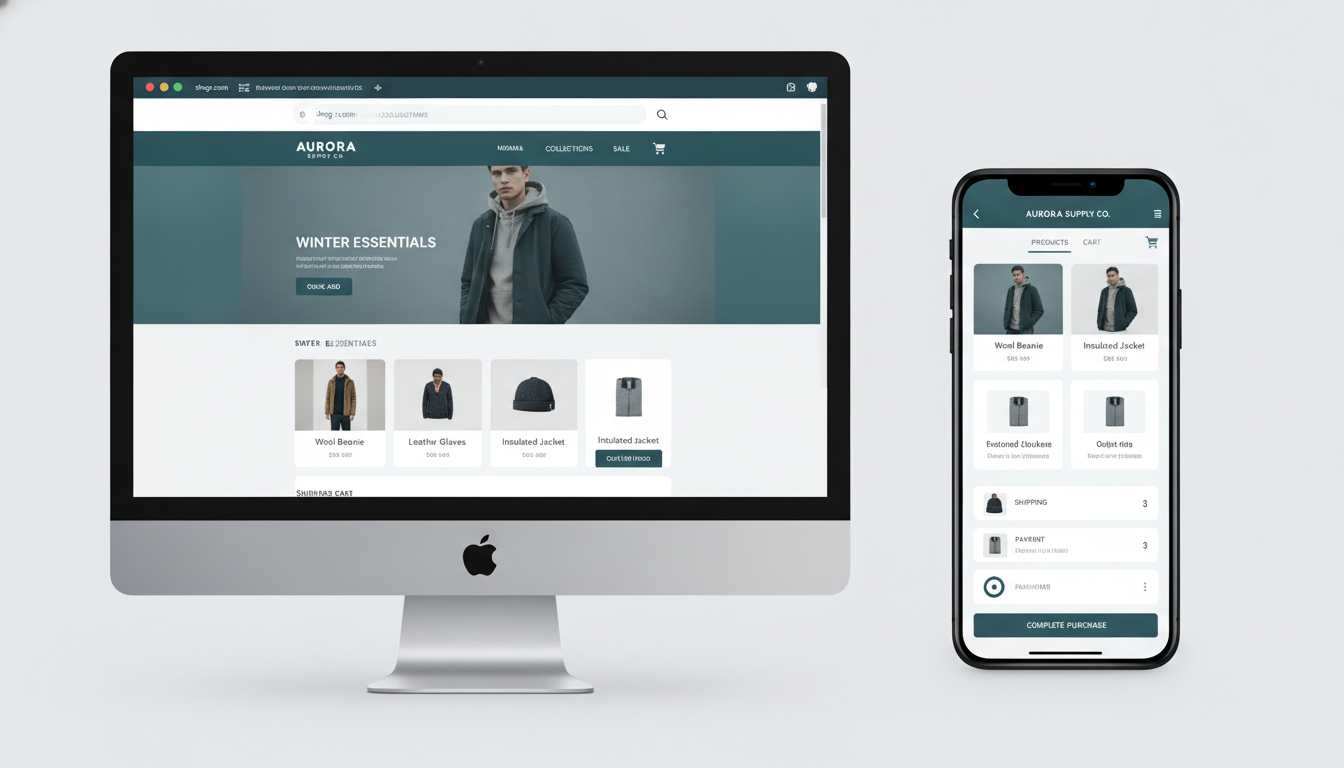
Your browser navigation doesn’t translate 1:1 to mobile. Mega-menus become bottom navigation bars. Sidebar filters become bottom-sheet drawers. Homepage hero banners become swipeable carousels. Work with your app platform’s drag-and-drop builder to restructure your main navigation into 4–5 bottom tabs: Home, Shop, Search, Wishlist, Account.
Cut any top-level navigation item that gets fewer than 3% of your homepage clicks. Use Hotjar heatmaps on your current mobile Shopify theme to identify which links your mobile users actually tap before you build the app structure.
Step 5: Configure Push Notifications with Segmentation
Push notifications are the single highest-ROI feature of any native app. The average push notification open rate for eCommerce apps is 7.8%, compared to 1.2% for email (OneSignal 2025 benchmarks). But blasting your entire subscriber list with generic promotions will get you deleted.
Set up at minimum these five push notification flows:
- Welcome series: Triggered on first app open. Two messages over 48 hours — first introduces a new customer discount, second highlights your best-selling collection.
- Abandoned cart recovery: Triggered 1 hour after cart abandonment. Single push with product image and price. Recovers an average of 6–9% of abandoned sessions (Tapcart data).
- Back-in-stock alerts: Triggered when a wishlisted or previously viewed out-of-stock item is restocked. Highest conversion rate of any push type — typically 12–18%.
- Price drop alerts: Triggered when a product the user viewed drops in price. Pairs with Shopify’s automated discount logic.
- Post-purchase upsell: Triggered 3 days after delivery confirmation. Recommend a complementary product using Rebuy‘s recommendation engine via API.
Step 6: Enable Native Checkout and Configure Payment Methods
All major Shopify app platforms route checkout through Shopify’s native checkout infrastructure, which means Shop Pay, Apple Pay, Google Pay, and any Shopify Payments configuration you already have will carry over automatically. In your Shopify Admin, navigate to Settings → Payments and confirm that Shop Pay is enabled — this single step reduces checkout time from ~90 seconds to under 15 seconds for returning customers.
For new customers, enable Shop Pay Installments (Settings → Payments → Shop Pay → Installments) to increase AOV. Stores that enable installments see an average 50% increase in AOV on orders above $100 (Shopify internal data, 2025).
Step 7: Sync Your Klaviyo Flows with In-App Behavior
Your existing Klaviyo email and SMS flows shouldn’t be siloed from your app. Most app platforms — Tapcart included — support Klaviyo event sync, meaning in-app events like “Product Viewed,” “Added to Cart,” and “App Session Started” fire directly into Klaviyo as profile activity.
This means you can build cross-channel flows: a user abandons cart in-app → push notification fires at 1 hour → if not converted, Klaviyo email fires at 4 hours → SMS reminder at 24 hours. That three-touch sequence consistently outperforms any single-channel recovery approach by 2–4x in recovered revenue.
Step 8: Optimize Your Product Detail Pages for Mobile-First Layout
The mobile PDP (Product Detail Page) is where most conversion is won or lost. In your app builder, restructure PDPs with this exact order:
- Swipeable product image gallery (minimum 4 images)
- Product title and star rating (pull from Okendo or Judge.me via API)
- Price — large, prominent, with strike-through if on sale
- Variant selectors (color/size) using visual swatches, not dropdowns
- Sticky “Add to Cart” button visible at all times during scroll
- Short-form description (3–5 bullet points max)
- Social proof block — review count, UGC photos, star average
- Full description and specs below the fold
The sticky Add-to-Cart button alone typically delivers a 15–22% lift in add-to-cart rate compared to a static button at page bottom.
Step 9: Implement Deep Linking for Marketing Campaigns
Deep links allow external URLs — in email, SMS, social bio, or QR codes — to open your app directly to a specific product, collection, or promotional page rather than the app’s home screen. Set up deep linking via your platform’s dashboard (Tapcart calls this “Universal Links”), then update every Klaviyo campaign link to use the deep-link URL schema instead of your Shopify storefront URL.
This single change typically increases email-to-app session revenue by 30–40% because app sessions convert at a higher rate than mobile browser sessions landing from the same email.
Step 10: Submit to the Apple App Store and Google Play Store
Both stores have specific requirements. For Apple App Store submission you’ll need: a $99/year Apple Developer account, app screenshots in six required sizes, an App Store description (4,000-character max), and an age rating questionnaire. Approval typically takes 1–3 days for no-code app platforms, longer for custom builds.
For Google Play, you’ll need a $25 one-time developer fee, a store listing, and a signed APK or AAB file. Google Play review averages 2–7 days for new app submissions. Plan your launch timeline around a 2-week buffer from submission to live date.
Step 11: Drive App Downloads with an ASO and Owned-Channel Strategy
App Store Optimization (ASO) for your Shopify app follows similar logic to SEO. Include your brand name, product category, and one high-volume keyword in your app title. Write your description with benefits first, features second. Use all 10 available keyword slots in the App Store Connect metadata (Apple) and the keyword field in Google Play Console.
For download acquisition from your existing Shopify customer base:
- Add an in-browser app download banner to your Shopify store (Settings → Online Store → Preferences → App Banner, or use a Shopify banner app)
- Send a dedicated Klaviyo email campaign to your customer list announcing the app with an exclusive launch discount for first-week downloaders
- Add a QR code to packaging inserts that deep-links to your app’s home screen
- Update your Instagram and TikTok bio links to your App Store listing or a smart link (Linktree or Later’s Link in Bio) that routes iOS users to the App Store and Android users to Google Play
Step 12: Measure Performance and Iterate
Track these specific metrics at 30-day intervals post-launch using GA4 and your app platform’s native analytics dashboard:
- App conversion rate vs. mobile browser baseline (target: 2–3x improvement)
- Push notification opt-in rate (industry benchmark: 45–60% for eCommerce apps)
- Push notification revenue per recipient
- Session length in-app vs. mobile web (target: 40%+ longer)
- 30-day retention rate (benchmark: 25–35% for well-optimized Shopify apps)
- App AOV vs. mobile web AOV (expect 10–20% higher AOV in-app)
Use PageSpeed Insights to continue monitoring your mobile web experience in parallel — your browser store still serves users who haven’t downloaded the app, and maintaining a fast web experience protects SEO and paid traffic performance.
Can I Turn My Shopify Website into an App?
Yes — and in 2026, it’s more accessible than ever. You have three realistic paths depending on your budget and technical resources.
The fastest path is using a no-code Shopify app builder like Tapcart, Vajro, or MageNative. These platforms connect directly to your Shopify store via the Storefront API and generate native iOS and Android apps without any custom development. You configure your app’s design, navigation, and push notification flows inside a drag-and-drop dashboard, submit to the App Store and Google Play, and you’re live — typically within 2–4 weeks from account setup to app approval.
The mid-tier path is building on top of Shopify’s Storefront API with a React Native or Flutter framework. This requires a developer but gives you significantly more design control than no-code platforms. You’re looking at 8–16 weeks of build time and $15,000–$40,000 in development costs, but the output is an app that looks and feels entirely custom-branded.
The enterprise path is a fully custom native build — separate iOS (Swift/SwiftUI) and Android (Kotlin) codebases connected to Shopify via the Admin API and Storefront API. This is appropriate for stores doing $3M+ annually where the additional UX differentiation justifies the investment. Budget $60,000–$150,000 and 4–6 months of build time.
Regardless of path, your Shopify store doesn’t need to be restructured or migrated. The app sits on top of your existing Shopify backend — products, inventory, orders, customers, and discounts all stay in Shopify Admin exactly as they are today. You’re adding a new sales channel, not rebuilding your store.
One important nuance: Apple requires that shopping apps offer genuine native functionality — a pure WebView wrapper that simply loads your Shopify storefront URL will likely be rejected by App Store review. Use a platform with true native UI components (Tapcart, Vajro, Plobal) or build genuinely native screens.
Is Shopify Still Worth It in 2026?
Shopify processed $235 billion in gross merchandise volume in 2025 — up from $197 billion the year before — and powers over 5.6 million active stores worldwide. The platform isn’t declining; if anything, its ecosystem in 2026 is more capable than at any previous point. So yes, Shopify is still worth it — but the more useful question is whether it’s worth it for your specific situation.
For stores selling physical or digital products at volume, Shopify remains the strongest all-in platform available. Its checkout conversion rate consistently outperforms WooCommerce and BigCommerce in head-to-head studies, and Shop Pay has a 1.72x higher checkout completion rate than standard guest checkout (Shopify, 2025). That single data point alone justifies the platform cost for high-volume stores.
Where Shopify has limitations in 2026: complex B2B scenarios with custom pricing tiers (though Shopify B2B has improved significantly), highly configurable products with many variant combinations, and subscription-heavy businesses where Shopify’s native subscription tooling still lags behind dedicated platforms like Recharge.
The cost-benefit case: Shopify Basic runs $39/month. Shopify (mid-tier) runs $105/month. Advanced runs $399/month. Shopify Plus starts at $2,300/month. At every tier, the platform fee is a small fraction of the revenue enabled by a well-optimized Shopify store. A store doing $1M annually pays $4,680/year on the mid-tier plan — less than 0.5% of revenue. That’s exceptionally cost-efficient infrastructure.
For merchants considering migrating away from Shopify to platforms like WooCommerce or Squarespace Commerce to save on fees, the math rarely works out. The developer hours required to maintain WooCommerce’s plugin ecosystem, security patches, and hosting infrastructure typically exceed Shopify’s fees within 12–18 months. Shopify is still the right default choice for the vast majority of product-based eCommerce businesses in 2026.
Who Is the Highest Earner on Shopify?
Shopify doesn’t publish a ranked list of its highest-grossing merchants, but based on publicly available data and verified reports, several brands stand out as the platform’s largest revenue generators in 2025–2026.
Gymshark is consistently cited as one of Shopify’s most prominent high-volume merchants. The UK-based fitness apparel brand grew from a Shopify store to a business valued at over $1.45 billion, with reported revenues exceeding $700 million annually — all processed through Shopify infrastructure. Gymshark’s story is particularly instructive because they scaled from a bootstrapped startup to a near-unicorn without migrating off Shopify, demonstrating that the platform’s architecture can handle enterprise-scale volume.
Kylie Cosmetics (Kylie Jenner’s brand) ran its initial product launches entirely on Shopify and generated over $420 million in revenue in its first 18 months of operation. Those early launches — in which website traffic repeatedly crashed competitors’ servers — proved that Shopify’s infrastructure could handle celebrity-driven flash sales at massive scale.
Allbirds, SKIMS, and Steve Madden are also among Shopify’s highest-volume merchants, each processing hundreds of millions in annual GMV through the platform.
For context on what “high earning” looks like across the full merchant distribution: the top 1% of Shopify stores generate over $1M annually, while the median active store generates approximately $67,000 per year (Shopify ecosystem estimates, 2025). If you’re reading this guide, you’re likely in or approaching that top tier — which means the operational decisions you make about your store’s infrastructure (including app conversion) have outsized impact on your growth trajectory.
The practical takeaway: the highest earners on Shopify are not using default themes, generic checkout flows, or browser-only mobile experiences. They’ve invested in custom development, conversion optimization, and multi-channel engagement — which is exactly what a well-executed site-to-app conversion delivers.
What Does Conversion Mean on Shopify?
In Shopify’s context, “conversion” refers to a session that results in a completed purchase. Your conversion rate is calculated as: (Number of Orders ÷ Number of Sessions) × 100. If your store had 10,000 sessions last month and 200 orders, your conversion rate is 2.0%.
You can find your store’s conversion rate in Shopify Admin → Analytics → Dashboard, where it’s displayed as “Online store conversion rate” in the summary metrics. For a more granular breakdown — including conversion by traffic source, device type, and landing page — connect your store to Google Analytics 4 via Settings → Customer events → GA4 integration and use the Ecommerce Conversion report under Reports → Monetization.
The average Shopify store conversion rate across all categories in 2025 is 1.4% (LittleData, 2025 benchmark report). However, this average is heavily skewed by low-traffic stores. Stores in the top 20% convert at 3.3% or above. Top-performing stores in high-intent categories (supplements, specialty food, pet products) can achieve 5–7%.
Conversion optimization on Shopify focuses on reducing friction at every stage of the purchase funnel:
- Traffic to PDP: Improve with better collection page filtering, site search (Searchanise or Boost Commerce), and internal linking
- PDP to Add-to-Cart: Improve with social proof (Okendo reviews), better product photography, trust badges, and clear shipping messaging
- Cart to Checkout: Improve with cart upsells (Rebuy), free shipping progress bars, and urgency messaging
- Checkout to Purchase: Improve by enabling Shop Pay, reducing form fields, and ensuring mobile checkout is fully optimized
When people discuss “conversion” in the context of a Shopify site-to-app conversion guide specifically, they’re often also referring to channel conversion — the process of moving browser-based shoppers onto your native app, where purchase conversion rates are structurally higher. Both definitions matter: building an app improves your purchase conversion rate, and strategically driving existing customers to download and use your app is itself a conversion goal worth tracking in GA4 and your app platform’s analytics.
The Bottom Line on Converting Your Shopify Store to an App
A Shopify site-to-app conversion isn’t a marketing experiment — it’s a structural upgrade to how your business reaches and retains mobile customers. The data is clear: native app shoppers convert at 3x the rate of mobile browser visitors, spend 10–20% more per order, and return more frequently because push notifications create reengagement opportunities that email and paid ads can’t replicate at the same cost efficiency.
If you’re doing $500K or more on Shopify and haven’t built an app yet, start with a platform like Tapcart or Vajro — get something live within a month, get your push notification flows configured, and measure against your mobile browser baseline. The investment pays back within 60–90 days for most stores in that revenue range. At $2M+, a custom React Native build gives you the differentiation and flexibility that no-code platforms can’t deliver. Either way, 2026 is the year that “we’ll look at the app later” stops being a reasonable answer.