Shopify Checkout Conversion Rate: 13 Proven Tactics to Stop Drop-offs (2026)
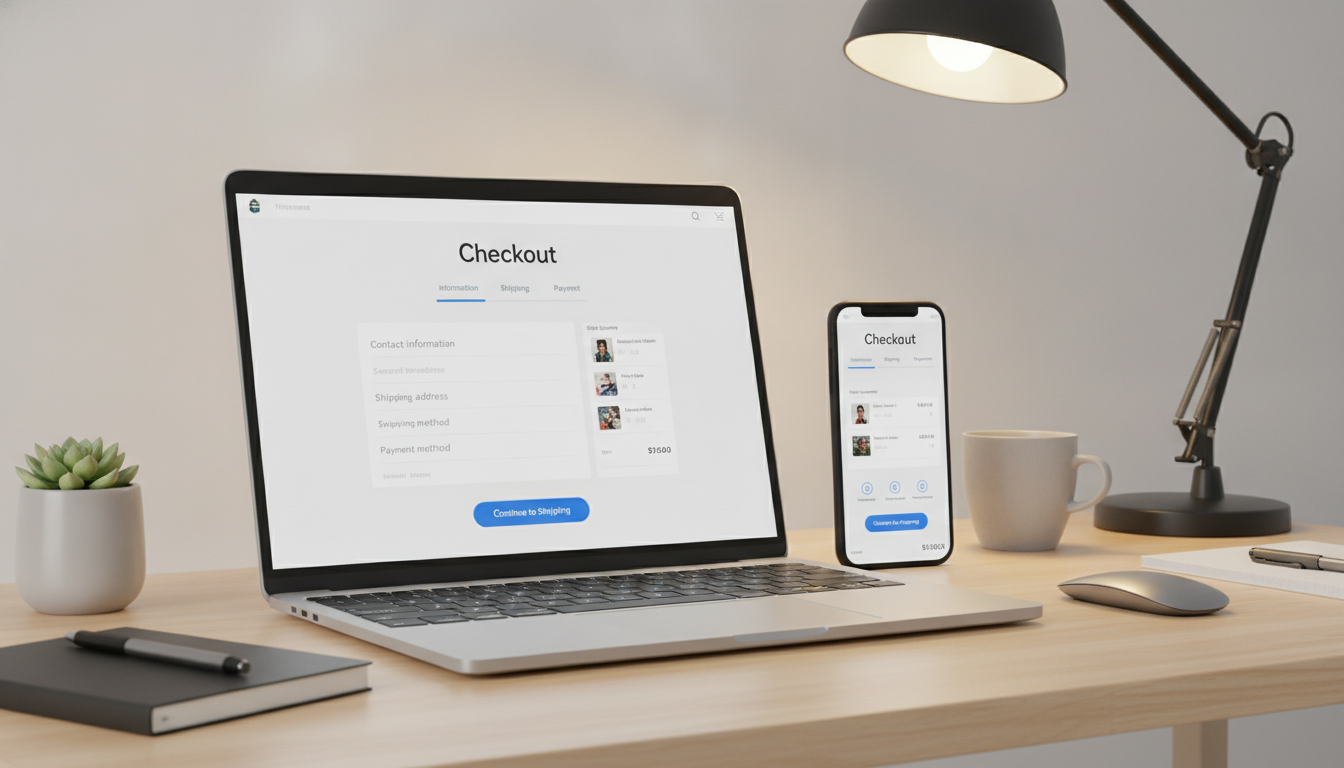
Most Shopify store owners obsess over traffic. But the average ecommerce checkout abandonment rate sits at 70.19% (Baymard Institute, 2025) — meaning roughly 7 out of every 10 shoppers who reach your checkout never complete a purchase. That’s not a traffic problem. That’s a Shopify checkout conversion rate problem, and it’s costing you real revenue every single day.
The good news: checkout friction is fixable. Unlike SEO or paid ads, most checkout optimizations take hours to implement, not months to see results. This guide gives you 13 specific, actionable tactics that address the exact reasons shoppers bail at checkout — from forced account creation to page speed to post-purchase recovery flows.
- The average Shopify checkout conversion rate benchmark is 15–25% for healthy stores doing over $100K/year.
- Enabling Shop Pay alone can lift checkout conversion rates by up to 50% compared to standard guest checkout (Shopify, 2025).
- Checkout page speed below 3 seconds is non-negotiable — every 1-second delay reduces conversions by 7% (Akamai).
- Abandoned cart email sequences via Klaviyo recover 3–15% of lost checkouts when triggered within 1 hour.
- Trust signals (SSL badges, return policy, payment icons) placed at checkout directly reduce hesitation-based drop-offs.
Why Your Shopify Checkout Conversion Rate Is Probably Below Benchmark
Before fixing anything, you need a baseline. Navigate to Shopify Admin → Analytics → Reports → Sales by checkout to pull your checkout-to-order conversion percentage. If you’re on Shopify Plus, the Checkout Funnel report gives you step-by-step abandonment data.
For stores not on Plus, install Google Analytics 4 and configure the purchase funnel using GA4’s Funnel Exploration report. Set the steps as: view_item → add_to_cart → begin_checkout → purchase. This shows you exactly where volume is bleeding out.
Here’s what healthy benchmarks look like across Shopify store tiers:
| Annual Revenue Tier | Average Checkout-to-Order Rate | Cart Abandonment Rate | Mobile Checkout Conversion |
|---|---|---|---|
| Under $100K/year | 10–15% | 75–80% | 8–12% |
| $100K–$500K/year | 15–22% | 68–74% | 13–18% |
| $500K–$2M/year | 22–28% | 60–67% | 18–24% |
| $2M+/year (often Plus) | 28–40% | 50–60% | 24–32% |
If your numbers are below the range for your tier, you have a clear gap to close. Use these benchmarks as your target, not the global average — stores at different revenue levels have fundamentally different audiences and trust profiles.
Tactic 1: Activate Shop Pay — The Single Highest-Impact Change
Shop Pay is the fastest checkout method available on Shopify. Shopify’s own data from 2025 shows Shop Pay converts at a rate 50% higher than guest checkout and 91% faster in terms of completion time. If it’s not enabled, you’re leaving money on the table with zero downside.
To enable it: Go to Shopify Admin → Settings → Payments → Shopify Payments → Enable Shop Pay. It takes under 60 seconds and requires no development work. Shop Pay pre-fills shipping, billing, and payment details for returning customers — removing the single biggest source of checkout friction: form fatigue.
Pair Shop Pay with Shop Pay Installments if your average order value (AOV) exceeds $100. Offering 4-installment buy-now-pay-later (BNPL) options at checkout increases AOV by an average of 28% (Affirm internal data, 2025) and reduces hesitation from price-sensitive shoppers.
Tactic 2: Remove Forced Account Creation
Forced account creation is the #1 reason shoppers abandon checkout, cited by 34% of respondents in Baymard Institute’s 2025 checkout usability study. First-time buyers do not want to create an account before they’ve decided to trust you. They want to buy and leave.
How to Enable Guest Checkout on Shopify
- Go to Shopify Admin → Settings → Checkout.
- Under “Customer accounts,” select “Accounts are optional” or “Accounts are disabled.”
- Save changes. Guest checkout is now available at the checkout screen.
After purchase, Shopify’s one-click account activation email lets customers convert to registered users post-purchase — capturing the account creation benefit without the friction. Enable this under Settings → Checkout → Post-purchase account creation.
Tactic 3: Compress Your Checkout to One Page Where Possible
Shopify’s default checkout uses a multi-step flow (Contact → Shipping → Payment). In 2024, Shopify introduced a native one-page checkout for all plans — replacing the three-step format with a single scrollable page. Shopify’s internal testing showed this reduced checkout time by 16 seconds on average, directly impacting completion rates.
To enable one-page checkout: Go to Shopify Admin → Settings → Checkout → Checkout layout → Select “One-page checkout.” Note that some third-party apps or custom theme overrides may conflict — test thoroughly in a staging environment before pushing live.
If you’re on Shopify Plus and have a heavily customized checkout.liquid, you may need a developer to migrate your customizations to Checkout Extensibility before switching layouts. This is worth the investment — the conversion upside is substantial.
Tactic 4: Fix Your Checkout Page Speed
A slow checkout page kills conversions faster than bad copy. Every 100ms of added latency at checkout reduces conversion rates by 1% (Deloitte Digital, 2024). Run your checkout URL through Google PageSpeed Insights. Target a Largest Contentful Paint (LCP) under 2.5 seconds and a Total Blocking Time (TBT) under 200ms.
The Four Fastest Wins for Checkout Speed
- Remove unused checkout scripts: Go to Settings → Checkout → Additional scripts and audit every tag. Delete anything not actively used (old retargeting pixels, abandoned loyalty scripts).
- Defer non-critical JavaScript: If you have a developer, any third-party scripts loading synchronously in checkout.liquid should be deferred or async-loaded.
- Use Shopify’s native CDN: All images served through Shopify’s CDN are automatically compressed and served from edge nodes. Avoid hotlinking external images in checkout customizations.
- Limit checkout apps: Each app injecting scripts at checkout adds load time. Audit your apps under Shopify Admin → Apps and remove anything that touches checkout but isn’t generating measurable ROI.
Tactic 5: Display Trust Signals at the Exact Right Moment
Trust collapses at the payment step — not the product page. 17% of U.S. shoppers abandon checkout specifically because they don’t trust the site with their card information (Baymard, 2025). Place your trust signals where doubt lives: directly above or below the “Complete Order” button.
The highest-converting trust signals at checkout, in order of impact:
- SSL padlock + “Secure Checkout” copy — Shopify provides SSL by default; make it visually explicit with text or a badge.
- Payment method icons (Visa, Mastercard, Amex, PayPal, Shop Pay) — showing these logos increases perceived legitimacy.
- Short return policy reminder — One line: “Free 30-day returns, no questions asked.” Place it directly below the CTA button.
- Real customer review count — “Trusted by 14,200+ customers” as a single line under the order button reduces hesitation without requiring space for full testimonials.
On Shopify Plus, you can add these elements directly to checkout using Checkout Extensibility and the checkout-ui-extensions API. On standard Shopify plans, use an app like Checkout Blocks (available in the Shopify App Store) to inject trust badges without custom development.
Tactic 6: Add Order Bumps and Pre-Purchase Upsells Strategically
Rebuy Engine is the most capable upsell and cross-sell tool in the Shopify ecosystem in 2026. Its Smart Cart and Checkout Upsell features let you present targeted add-ons during checkout — without disrupting the flow or creating additional steps.
Stores using Rebuy’s checkout upsells report an average AOV increase of 12–18% (Rebuy internal benchmark, 2025). The key is relevance: a shopper buying a coffee grinder should see a bag of specialty beans, not a random bestseller. Use Rebuy’s AI-powered recommendation engine or manually configure product rules based on cart contents.
Do not stack multiple upsell prompts. One focused offer — under $30, framed as a complement rather than a replacement — converts at 15–25%. Two or more prompts at checkout creates cognitive load and increases abandonment.
Tactic 7: Optimize for Mobile Checkout
Mobile commerce accounts for 73% of all ecommerce traffic in 2025 (Statista), but mobile checkout conversion rates lag desktop by 10–15 percentage points across most Shopify stores. The gap is almost entirely a UX problem, not a trust problem.
Mobile Checkout Fixes That Move the Needle
- Input field size: Form fields should be at least 44px tall — Apple’s minimum tap target. Smaller fields trigger zoom-in on iOS, breaking the checkout flow.
- Numeric keyboard for card numbers: Set
inputmode="numeric"on payment fields. Shopify’s native checkout does this; custom checkouts sometimes miss it. - Sticky CTA button: The “Complete Order” button should remain visible as the user scrolls the order summary. Test this with Hotjar’s mobile session recordings to identify scroll friction.
- Apple Pay and Google Pay: Enable these under Settings → Payments → Wallet payments. Both eliminate form entry entirely for returning users and convert at 2–3x the rate of standard card entry on mobile.
Use Hotjar’s mobile session recordings on your checkout flow monthly. Filter sessions by “rage clicks” — repeated frantic taps — to identify exactly where mobile users are getting stuck. Most teams find at least 2–3 fixable UX issues per quarter this way.
Tactic 8: Use Exit-Intent and Checkout Abandonment Recovery
Shoppers who abandon checkout are your warmest leads. They’ve gone through product discovery, made a selection, and started the purchase process. Recovering even 5% of these sessions has an outsized revenue impact.
Email Recovery with Klaviyo
Klaviyo’s abandoned checkout flow is the industry standard for email recovery. Klaviyo’s 2025 benchmark report shows abandoned cart emails sent within 1 hour of abandonment recover 5.14% of abandoned checkouts — a number that drops to 2.3% when delayed to 24 hours.
Build a 3-email sequence:
- Email 1 (30–60 minutes): Reminder only. Show the cart contents with product images and a direct checkout link. No discount. Subject line: “You left something behind.”
- Email 2 (24 hours): Add urgency. “Only 3 left in stock” if true, or highlight a shipping deadline. Still no discount.
- Email 3 (48–72 hours): Offer a time-limited incentive — 10% off or free shipping. Make it expire within 24 hours. This is your conversion backstop.
Set this up in Klaviyo under Flows → Create Flow → Abandoned Checkout. Connect your Shopify store as the trigger source and use Klaviyo’s pre-built abandoned checkout template as your starting point.
Tactic 9: Communicate Shipping Costs Before Checkout
Unexpected shipping costs cause 48% of checkout abandonments — the single largest abandonment driver by category (Baymard, 2025). Shoppers who see a shipping cost they didn’t anticipate feel deceived, even if the cost is objectively reasonable.
The fix is transparency upstream, not downstream. Show shipping estimates on the product page, in the cart drawer, and at the top of checkout. If you offer free shipping above a threshold, display a progress bar in the cart: “Add $12 more for free shipping.” This is achievable with apps like Cart X or Rebuy’s Smart Cart without custom development.
If you can’t offer free shipping universally, display your flat-rate shipping cost prominently in your header and footer sitewide. Visibility beats surprise every time.
Tactic 10: A/B Test Checkout Elements Systematically
Most Shopify stores make checkout changes based on gut feel. Shopify Plus merchants get native A/B testing via the Checkout Extensibility framework — you can test button copy, layout order, trust badge placement, and upsell positioning with statistical rigor.
If you’re not on Plus, use Google Optimize’s successor — VWO (Visual Website Optimizer) — or Convert.com, both of which support Shopify checkout testing via JavaScript injection. These tools cost $200–$400/month but pay for themselves with a single winning test on a store doing $500K+/year.
High-value checkout elements to test first:
- CTA button copy: “Complete Order” vs. “Place My Order” vs. “Pay Now”
- Progress indicator: with vs. without a step indicator at the top of checkout
- Trust badge position: above vs. below the payment form
- Order summary: expanded by default vs. collapsed on mobile
Run each test for a minimum of 2 weeks and 200+ conversions per variant before reading results. Anything shorter produces statistically unreliable data.
Tactic 11: Offer Multiple Payment Methods — The Right Mix
Payment method availability is a direct conversion driver. 9% of shoppers abandon checkout when their preferred payment method isn’t available (Baymard, 2025). The right payment mix depends on your demographic, but a 2026 baseline for any Shopify store should include:
- Visa, Mastercard, Amex (standard — covered by Shopify Payments)
- PayPal (still preferred by 25% of US online shoppers, especially 45+)
- Shop Pay (best for mobile and repeat customers)
- Apple Pay and Google Pay (essential for mobile-first stores)
- Afterpay, Klarna, or Affirm (essential if AOV exceeds $80)
Enable all applicable options under Shopify Admin → Settings → Payments. Each additional payment method you add takes 5 minutes to configure and costs nothing upfront — the only question is whether it’s relevant to your customer base.
Tactic 12: Reduce Form Fields to the Absolute Minimum
Every additional form field is a micro-friction point. Baymard’s 2025 usability research found the average checkout contains 23.5 form fields — but the optimal checkout requires only 12–14 for a domestic order. Cutting unnecessary fields directly improves completion rates.
Fields to Eliminate or Streamline
- Company name: Optional for B2C stores — move it behind a “This is a business order” toggle.
- Address line 2: Make it optional and collapse it by default with a “Add apartment/suite” link.
- Phone number: Only require it if your shipping carrier actually needs it for delivery confirmation. Mark it optional otherwise.
- Two separate “First name” / “Last name” fields: You cannot change these in standard Shopify checkout — but on Plus with Checkout Extensibility, you can combine them into a single “Full name” field.
On Shopify Plus, remove or reorder fields via Checkout Extensibility under Shopify Admin → Settings → Checkout → Customize. On standard plans, minimize required fields under Settings → Checkout → Form options by setting non-critical fields to “Optional.”
Tactic 13: Monitor and Act on Checkout Funnel Data Weekly
All 12 tactics above fail if you implement them once and forget them. Your checkout conversion rate is a living metric — it changes with traffic quality, device mix, seasonal demand, and app updates. Set up a weekly review cadence using the following stack:
- Google Analytics 4: Funnel Exploration report to track step-by-step drop-off rates week-over-week.
- Hotjar: Heatmaps and session recordings on the checkout page, reviewed every 2 weeks for new friction patterns.
- Klaviyo: Abandoned checkout flow performance dashboard — monitor recovered revenue and email open rates monthly.
- Shopify Analytics: Session conversion rate under Analytics → Overview → Conversion rate — your top-line health metric.
- PageSpeed Insights: Run your checkout URL monthly. A theme update or new app can silently degrade performance by seconds.
Create a shared dashboard in Google Looker Studio pulling data from GA4 and Shopify. Set a threshold alert: if checkout conversion rate drops more than 2 percentage points week-over-week, you get an automated email. Catching regressions fast is as valuable as making improvements.
What Is the Shopify Checkout Conversion Rate?
The Shopify checkout conversion rate is the percentage of checkout sessions that result in a completed order. It’s calculated as: (Completed Orders ÷ Checkout Sessions Initiated) × 100. This is distinct from your overall store conversion rate, which measures orders against all sessions — including visitors who never add anything to their cart.
Understanding the difference matters because the two metrics have different root causes. A low overall conversion rate usually points to product-market fit, pricing, or traffic quality issues. A low checkout conversion rate — where people are actively trying to buy — points specifically to friction, technical issues, or trust failures in the checkout flow itself.
On Shopify, you can find this metric under Analytics → Reports → Checkout conversion. For Shopify Plus merchants, the Checkout Funnel report breaks this down by step: how many users reached the contact info step, the shipping step, the payment step, and ultimately completed the order. The step with the steepest drop-off is your highest-priority fix.
Industry-wide, the average checkout conversion rate for ecommerce is approximately 45–50% (meaning roughly half of all checkout sessions don’t convert). High-performing Shopify stores — those with fast checkouts, multiple payment options, and optimized mobile UX — achieve rates of 60–75%. The gap between average and best-in-class represents recoverable revenue for most stores, often in the six-figure range annually for stores doing $1M+.
It’s also worth distinguishing between checkout conversion rate and cart conversion rate. Cart conversion measures sessions that went from add-to-cart to checkout initiation. If your cart-to-checkout rate is low (under 40%), your main friction is pre-checkout: shipping cost display, cart UX, or insufficient urgency. If your checkout-to-order rate is low but cart-to-checkout is healthy, the tactics in this guide apply directly.
How Do You Fix a Low Shopify Checkout Conversion Rate?
Fixing a low Shopify checkout conversion rate requires a diagnosis-first approach. Don’t apply random optimizations — identify where in the checkout funnel users are dropping off, then apply the relevant fix.
Follow this diagnostic framework:
- Pull step-by-step funnel data from GA4 Funnel Exploration or Shopify Plus’s Checkout Funnel report. Identify the single step with the largest drop-off percentage.
- Run Hotjar session recordings filtered to users who started checkout but didn’t complete it. Watch 20–30 recordings per week for two weeks. You’ll see patterns: rage clicks on broken elements, scroll hesitation before the payment form, mobile keyboard issues obscuring the submit button.
- Check your checkout page speed with PageSpeed Insights. A score below 70 on mobile almost always indicates a speed problem degrading conversion.
- Audit your payment method coverage under Settings → Payments. Compare to your customer demographics — if 40% of your traffic is mobile, Apple Pay and Google Pay should be enabled.
- Review your Klaviyo abandoned checkout flow. If it’s not active or triggering correctly, you’re losing recoverable revenue every day.
Once you’ve identified your primary friction point, apply the targeted tactic from this guide. After two weeks, re-pull your checkout conversion rate and compare to your baseline. Prioritize the next-highest drop-off point and repeat the cycle. This structured iteration — diagnose, fix, measure, repeat — is how top Shopify stores consistently achieve checkout conversion rates 15–20 points above the industry average.
Resist the urge to change multiple elements simultaneously. When you move several things at once, you can’t isolate what drove the improvement (or regression). Sequential testing with clear before/after measurement windows gives you actionable, repeatable data.
Why Does the Shopify Checkout Conversion Rate Drop?
Shopify checkout conversion rates drop for identifiable, fixable reasons. Understanding the root cause categories helps you triage faster when you see a sudden decline.
The six most common causes of checkout conversion rate drops:
- Unexpected costs at checkout: The most prevalent cause globally. Shipping fees, taxes, or fees that weren’t visible until the payment step create immediate abandonment. This accounts for nearly half of all checkout exits (Baymard, 2025).
- Forced account creation: First-time shoppers encountering a mandatory registration wall bail at significantly higher rates than stores offering guest checkout. This is especially acute on mobile where typing is laborious.
- Page speed degradation: A new app, a theme update, or a bloated script can silently increase checkout load time. 40% of shoppers abandon a page that takes more than 3 seconds to load (Google, 2024) — and checkout pages are no exception.
- Trust failures: A checkout page that looks different from the rest of the site, lacks visible security indicators, or shows an unfamiliar payment gateway creates doubt at exactly the moment you’re asking for credit card information.
- Mobile UX breakdowns: Overlapping form fields, keyboards that obscure the CTA button, or buttons too small to tap reliably all cause mobile abandonment without showing up in desktop testing.
- Payment method unavailability: When shoppers arrive at the payment step and don’t see PayPal, Apple Pay, or their preferred BNPL option, a meaningful percentage simply leaves rather than entering a card number manually.
Checkout conversion rate drops often happen suddenly — triggered by a specific event like a theme update, an app installation, or a price/shipping change. Monitor your checkout conversion rate weekly so you can correlate drops to specific changes in your store. Shopify’s activity log under Settings → Plan → Activity log shows you a timestamped record of recent changes.
Seasonal and traffic-quality shifts also affect your checkout conversion rate without any on-site change. A paid ad campaign driving lower-intent traffic will naturally produce a lower checkout conversion rate than organic or email traffic. Segment your conversion data by traffic source in GA4 to separate audience quality issues from genuine checkout friction problems.
How Do You Prevent Shopify Checkout Conversion Rate Drops?
Prevention is fundamentally a monitoring and process discipline. The stores with consistently high checkout conversion rates don’t have better tactics — they have better systems for catching problems early.
Build the following prevention infrastructure into your operations:
- Set up a GA4 conversion rate alert: In GA4, navigate to Admin → Custom Insights → Create Insight. Set a trigger for “checkout conversion rate drops more than 10% week-over-week.” This fires an email to your team automatically — no manual checking required.
- Run a checkout QA test after every theme or app update: Complete a real checkout from product page to order confirmation on both desktop and mobile before and after any change. Use a test payment gateway or Shopify’s “Bogus Gateway” under Settings → Payments → Third-party providers.
- Review PageSpeed Insights monthly: App installations frequently add JavaScript that slows checkout without any visible sign. Set a calendar reminder to check your checkout URL’s Core Web Vitals every 30 days.
- Audit active checkout scripts quarterly: Go to Settings → Checkout → Additional scripts and review every script. Remove any that belong to apps you’ve since deleted or campaigns that have ended.
- Track mobile vs. desktop checkout conversion separately in GA4: Use a custom segment filtered by device category. Mobile drops often happen independently of desktop and get masked when looking at blended rates.
- A/B test before shipping major checkout changes: Never push a checkout redesign, new trust badge layout, or payment form change to 100% of traffic without a control group. Even a 50/50 split for 2 weeks protects you from a costly, hard-to-reverse regression.
The stores that maintain 30–40% checkout conversion rates on Shopify aren’t doing anything exotic. They’ve simply committed to treating checkout performance like a core business metric — reviewed weekly, protected from regressions, and incrementally improved through systematic testing. Apply these 13 tactics in priority order, build the monitoring infrastructure to protect your gains, and your checkout conversion rate will compound upward quarter over quarter.