Shopify Plus vs Shopify Advanced: 12 Key Differences Growing Brands Must Know (2026)
You’re clearing $500K a year and your current Shopify plan is starting to feel like a ceiling, not a foundation. The decision between Shopify Advanced and Shopify Plus is one of the highest-stakes choices a scaling brand makes — and the wrong call costs you either thousands in unnecessary fees or, worse, revenue left on the table because you outgrew your infrastructure. According to Shopify’s own data, merchants on Shopify Plus process an average of $2 million+ in annual GMV, but that doesn’t mean Plus is automatically the right move for every brand in the $500K–$2M range.
This guide breaks down every meaningful difference between the two plans — pricing, automation, checkout customization, API limits, and more — so you can make the call with confidence.
- Shopify Advanced costs a flat $500/month; Shopify Plus starts at $2,300/month (or revenue-based pricing above a GMV threshold).
- Only Shopify Plus gives you access to Checkout Extensibility with full custom UI components, Shopify Functions, and Launchpad for automated campaign management.
- Shopify Advanced supports up to 15 staff accounts; Shopify Plus supports unlimited staff accounts and up to 9 expansion stores.
- For brands under $1M GMV, Shopify Advanced almost always delivers better ROI — the feature gap rarely justifies a 4–5× price increase at that volume.
- The tipping point is typically $1.5M–$2M GMV, where Plus’s lower transaction fees, automation tooling, and B2B capabilities start to generate measurable returns.
How Shopify Advanced and Shopify Plus Are Priced in 2026
Price is the most obvious difference, but the full cost picture is more nuanced than a monthly fee comparison. Shopify Advanced is $500/month on an annual plan (or $580/month month-to-month) with a credit card transaction fee of 0.2% when not using Shopify Payments. Shopify Plus starts at $2,300/month on an annual contract, also with a 0.2% transaction fee floor — but that fee is negotiable at higher volumes, something Advanced merchants never get.
Above $800K in monthly GMV, Shopify Plus switches to a revenue-share model at 0.25% of monthly GMV, capped at $40,000/month. This means a brand doing $10M/month pays the same as one doing $16M/month — the cap becomes a significant advantage at scale.
When you factor in transaction fees on third-party payment gateways, a brand doing $3M/year on Advanced could save $4,000–$6,000 annually just by moving to Plus and negotiating gateway fees. That math only improves as volume grows.
Feature-by-Feature Comparison: Shopify Advanced vs Shopify Plus
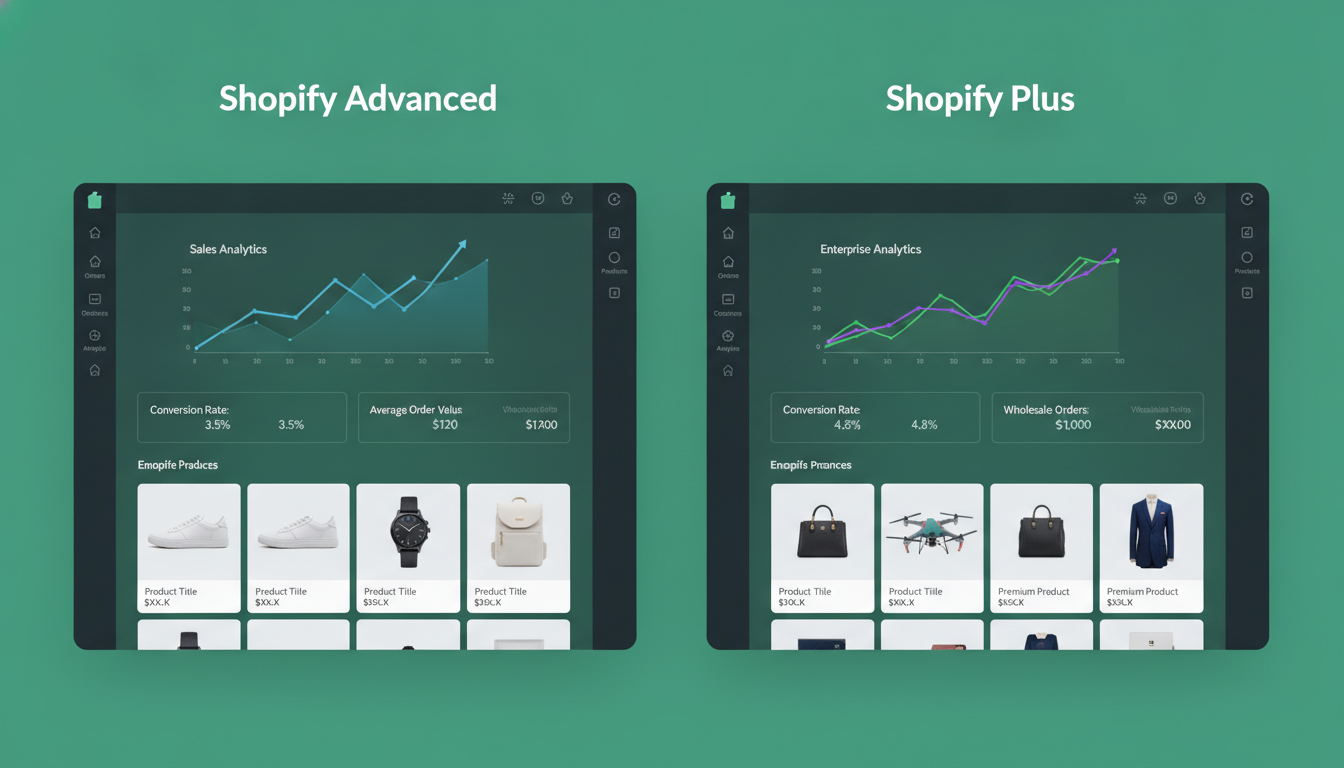
Here is a direct, side-by-side comparison of the features that actually matter for a growing brand. Use this table as your decision-making reference.
| Feature | Shopify Advanced | Shopify Plus |
|---|---|---|
| Monthly Cost (Annual) | $500/month | From $2,300/month |
| Transaction Fee (Non-Shopify Payments) | 0.2% | 0.2% (negotiable at volume) |
| Staff Accounts | 15 | Unlimited |
| Expansion Stores | 0 | Up to 9 (included) |
| Checkout Customization | Basic (scripts deprecated) | Full Checkout Extensibility + checkout.liquid access |
| Shopify Functions | Limited (some public apps) | Full access incl. custom discount logic |
| Shopify Flow | Not included | Included |
| Launchpad | Not included | Included |
| B2B / Wholesale Channel | Not included | Included (native B2B) |
| Shopify POS Pro Locations | Up to 8 | Unlimited |
| API Rate Limits | Standard (2 req/sec REST) | 4× higher (Shopify Plus API) |
| Dedicated Merchant Success Manager | No | Yes |
| Custom Shipping Rates via Carrier API | Included | Included |
| Report Builder | Advanced (custom reports) | Advanced (custom reports) |
| Shopify Audiences | Not included | Included |
Checkout Customization: The Biggest Functional Gap Between the Plans
If there is one area where Shopify Plus genuinely earns its price tag, it’s checkout. Baymard Institute’s 2025 research puts the average documented cart abandonment rate at 70.19% — and a meaningful portion of that abandonment happens inside the checkout flow itself. Your ability to reduce that number is directly tied to how much control you have over checkout UI and logic.
What Shopify Advanced Can Do at Checkout
On Shopify Advanced, your checkout customization options are limited to what’s available through publicly available Checkout Extensibility apps in the Shopify App Store. You can add UI extensions — things like custom banners, loyalty point displays, or upsell widgets — but you cannot modify the core checkout layout, field order, or payment method presentation. The deprecated checkout.liquid file is not accessible on Advanced.
What Shopify Plus Unlocks at Checkout
Shopify Plus gives you direct access to checkout.liquid (for stores created before August 2024) and the full suite of Checkout Extensibility APIs, including checkout UI extensions, post-purchase pages, and Shopify Functions for custom discount logic. This means you can:
- Build custom one-page checkout layouts tailored to your product category
- Create tiered, stacking discount logic that native Shopify discount codes cannot replicate
- Add post-purchase upsell flows without a third-party app redirect
- Display dynamic shipping ETAs pulled from your 3PL’s API directly in the checkout
- Remove or reorder checkout fields (e.g., hiding company name field for DTC stores)
Apps like Rebuy use these Plus-only hooks to power their Smart Cart and checkout upsell products. On Advanced, you get a limited version of those same features — on Plus, you get the full implementation.
Shopify Flow and Launchpad: Automation That Pays for Itself
Shopify Flow is a no-code workflow automation tool included exclusively with Shopify Plus. If your team is manually tagging high-value customers, sending internal Slack alerts for large orders, or toggling product availability for flash sales — Flow eliminates that labor entirely.
Practical Flow workflows that Plus brands use in production include:
- Auto-tagging customers who spend over $500 lifetime, then triggering a Klaviyo VIP segment automatically
- Hiding out-of-stock products from collections and re-publishing them the moment inventory is restored in your ERP
- Flagging high-risk orders for manual review before fulfillment, reducing chargeback rates
- Sending internal Slack or email alerts when a single order exceeds a GMV threshold
Launchpad is Plus’s campaign scheduling tool, purpose-built for flash sales, Black Friday/Cyber Monday, and product drops. You schedule price changes, theme swaps, collection visibility, and discount code activation in a single workflow — set it up Wednesday, go live Friday at midnight without touching your laptop. For Advanced merchants, replicating this requires manual coordination across multiple Shopify Admin sections or expensive custom development.
B2B and Wholesale: A Plus-Exclusive Advantage
Shopify’s native B2B channel — built directly into the platform — is a Shopify Plus-only feature. It allows you to create company profiles, assign custom price lists, set net payment terms (Net 30, Net 60), and give buyers a dedicated B2B storefront, all without a third-party wholesale app.
Before this native B2B feature launched, brands using Advanced had to rely on apps like Wholesale Club or Handshake to approximate B2B functionality. Those workarounds still work, but they add monthly app fees ($29–$99/month), create checkout friction, and often break during major Shopify version updates.
If you’re doing any meaningful B2B volume — even 15–20% of revenue from wholesale accounts — the native B2B channel on Plus frequently justifies a significant portion of the price difference on its own. The cleaner buyer experience and reduced app dependency are worth quantifying before you dismiss Plus purely on sticker price.
API Limits and Integrations: Why Technical Teams Care
If your store relies on custom integrations — a proprietary ERP, a custom-built inventory management system, or a headless front-end — API rate limits become a real operational constraint. Shopify Advanced allows 2 REST API calls per second per app; Shopify Plus raises that to effectively 4× higher call buckets across the Shopify Plus API.
For most stores under $2M GMV, this limit is never hit. But brands running real-time inventory sync across multiple warehouses, headless storefronts built on Next.js with Hydrogen, or complex multi-channel setups will encounter throttling on Advanced. When API calls get throttled, you get delayed inventory updates, sync failures, and customer-facing errors — exactly the kind of reliability problem that costs orders.
Shopify Plus also gives your developers access to Shopify Functions for custom backend logic — including custom shipping rate calculations, custom payment method filtering, and custom discount types — that simply cannot be built on Advanced without a prohibitively complex third-party app workaround.
What Is the Difference Between Shopify Advanced and Plus?
The core difference between Shopify Advanced and Shopify Plus comes down to three things: checkout control, automation infrastructure, and enterprise operational features.
Shopify Advanced is the most capable self-serve Shopify plan. At $500/month, it gives you advanced reporting with a custom report builder, 15 staff accounts, calculated shipping rates via carrier API, and third-party payment gateway support at a 0.2% transaction fee. It is purpose-built for a DTC brand doing $250K–$1.5M in annual GMV that needs robust analytics and shipping flexibility but doesn’t yet need enterprise-level tooling.
Shopify Plus is Shopify’s enterprise SaaS offering. The $2,300/month starting price buys you a fundamentally different operational platform: full Checkout Extensibility access, Shopify Flow automation, Launchpad for campaign orchestration, native B2B, up to 9 expansion stores for international or regional storefronts, unlimited staff accounts, a dedicated Merchant Success Manager, and access to the exclusive Shopify Plus Partner ecosystem with agencies and apps that are certified for enterprise complexity.
The feature gap is real and material — but so is the price gap. A brand doing $800K/year on Advanced is paying $6,000/year for its plan. Moving to Plus costs $27,600/year — a $21,600 annual increase. Unless that investment unlocks enough revenue through better checkout conversion, automation efficiency, or B2B growth, it’s a cost, not an investment. The honest answer is that most brands should not upgrade to Plus until they’re consistently clearing $1.5M–$2M in annual GMV and actively running into the specific feature walls that Plus removes.
The exceptions are brands with complex B2B requirements, aggressive international expansion plans (where expansion stores pay for themselves quickly), or technical teams building custom checkout experiences where Checkout Extensibility is non-negotiable from day one.
Is Shopify Advanced Worth It?
Shopify Advanced is worth it for brands that have maxed out Shopify’s $105/month Basic plan or $399/month Grow plan and need at least two of the following: advanced reporting with custom report builder, carrier-calculated shipping rates displayed in real time at checkout, 15 staff accounts for a growing operations team, and lower transaction fees on non-Shopify Payments gateways (0.2% vs 0.5% on Basic).
The transaction fee difference alone can justify the upgrade. A brand processing $1M/year through a third-party gateway saves $3,000/year on transaction fees by moving from Basic (0.5%) to Advanced (0.2%) — while paying only $4,740/year more in plan fees. That’s a net cost of $1,740/year for significantly more capability. By $1.5M in annual volume processed through a third-party gateway, Advanced is paying for itself purely in fee savings.
The Advanced plan’s custom report builder is also genuinely powerful. You can build reports in Shopify Admin by navigating to Analytics → Reports → Create custom report, segmenting by product, channel, customer geography, discount code, and more. For brands that previously exported CSV data to Google Sheets or paid for a third-party analytics tool to do basic segmentation, this feature alone saves 3–5 hours per week of manual work.
Where Advanced falls short is in anything requiring checkout modification beyond what public apps can deliver, campaign automation, and operational scale beyond 15 staff. If you’re not hitting those walls, Advanced is one of the best value propositions in ecommerce infrastructure. It’s genuinely not a “stepping stone” plan — it’s a capable platform for a multi-million-dollar DTC brand.
Use tools like Google Analytics 4 for traffic attribution analysis, Hotjar for on-site behavior heatmaps, and Klaviyo for email and SMS automation regardless of which plan you’re on. Neither plan includes these tools natively, and they remain essential at both tiers.
What Are the Benefits of Shopify Advanced Plan?
The Shopify Advanced plan delivers five meaningful benefits over lower-tier plans that directly impact revenue, operations, and customer experience for a growing brand.
1. Custom Report Builder
Advanced’s report builder (found at Analytics → Reports in Shopify Admin) lets you create fully custom analytics views. You can build a report that shows revenue by UTM campaign source, filtered by first-time buyers only, grouped by product category — in minutes. This replaces the need for basic third-party BI tools for most brands under $2M GMV.
2. Carrier-Calculated Shipping Rates
Advanced includes real-time carrier shipping rates at checkout via Shopify’s Carrier Service API. Navigate to Settings → Shipping and delivery → Shipping zones to configure carrier rates from UPS, FedEx, USPS, and DHL. Displaying accurate, real-time rates reduces shipping cost surprises at checkout — one of the top three causes of cart abandonment, according to Baymard Institute research.
3. Lower Transaction Fees
At 0.2% for third-party gateways, Advanced’s transaction fee is meaningfully lower than the 0.5% on Basic and 0.3% on Grow. At $2M GMV/year through a non-Shopify Payments gateway, that’s a $4,000 annual saving over Grow and $10,000 over Basic — real money that funds better marketing or inventory investment.
4. 15 Staff Accounts with Role Permissions
Growing brands with dedicated customer service reps, warehouse staff, marketing managers, and finance teams all need platform access. Advanced’s 15-account limit covers most teams up to 50 employees comfortably when you factor in that not every team member needs Shopify Admin access. You manage account permissions at Settings → Users and permissions.
5. Priority 24/7 Support
Advanced merchants receive priority access to Shopify’s support team via live chat and phone. While this isn’t the dedicated Merchant Success Manager relationship you get on Plus, it’s a meaningful step up from standard support queue times — important when a checkout error or payment gateway outage costs you orders by the minute.
What Is the Difference Between Shopify and Shopify Plus?
“Shopify” in the context of this question typically refers to the standard self-serve plans — Basic, Grow (formerly Shopify), and Advanced — versus Shopify Plus, which is the enterprise tier. The differences are substantial enough that they’re essentially different products wearing the same brand name.
Infrastructure and SLA: Standard Shopify plans share infrastructure with hundreds of thousands of merchants. Shopify Plus merchants are on dedicated infrastructure with a 99.99% uptime SLA, which matters enormously during peak traffic events like Black Friday. Standard plans have no uptime SLA commitment.
Merchant support model: Standard Shopify plans use pooled support via chat, email, and phone. Shopify Plus merchants are assigned a dedicated Merchant Success Manager — a named individual who knows your account, your tech stack, and your growth goals. This relationship has real operational value during migrations, integrations, and peak season planning.
Platform access: The Shopify Plus Partner program is a separate ecosystem of agencies and app developers who build exclusively for enterprise complexity. Apps like Yotpo’s enterprise loyalty suite, Gorgias’s advanced helpdesk, and Nacelle’s headless commerce layer have Plus-specific feature sets that aren’t available to standard plan merchants. PageSpeed Insights optimization at the Plus level also unlocks Shopify’s edge network caching for faster global delivery.
Contractual relationship: Standard Shopify plans are month-to-month or annual subscriptions you manage entirely through your billing settings. Shopify Plus is a negotiated contract, typically 1–3 years, with pricing and terms that vary based on GMV, store count, and feature requirements. This means Plus pricing is a conversation, not a price tag — and that negotiation is where experienced Shopify Plus agencies earn their fees by securing favorable terms on your behalf.
Customization depth: Standard Shopify plans use the Dawn theme framework and Liquid templating with full theme editor access. Shopify Plus adds checkout.liquid, Checkout Extensibility, and the ability to use Shopify Functions to write custom backend business logic in AssemblyScript or Rust. The gap between what a developer can build on Advanced versus Plus is measured in months of capability, not just features on a checklist.
The honest summary: standard Shopify plans — including Advanced — are self-serve ecommerce platforms. Shopify Plus is an enterprise commerce platform with SLA guarantees, dedicated support, and the technical infrastructure to support nine-figure annual GMV. Most brands should not be on Plus until they need what Plus specifically provides. But when you hit those walls, staying on Advanced actively costs you money.
When to Stay on Shopify Advanced (And When to Upgrade)
The upgrade decision is not about vanity — it’s about whether the incremental revenue and efficiency gains from Plus features exceed the $21,600+ annual cost increase. Here’s a straightforward framework for making that call.
Stay on Shopify Advanced if:
- Your annual GMV is below $1.5M and growing but not yet constrained by Advanced’s feature set
- You have fewer than 15 staff requiring Shopify Admin access
- Your checkout conversion is above 3.5% and you have no specific checkout customization requirements beyond what Advanced-tier apps support
- You do no meaningful B2B or wholesale volume
- Your tech stack is simple — Shopify Payments, a Klaviyo integration, standard fulfillment — with no custom API-heavy integrations
Upgrade to Shopify Plus if:
- Your annual GMV is consistently above $1.5M–$2M and growing
- You’re launching in multiple international markets and need expansion stores
- Your checkout conversion is below industry benchmarks (2.5–3% for fashion, 4–5% for DTC consumables) and you’ve already optimized everything accessible on Advanced
- You have active B2B or wholesale accounts that currently require workaround apps
- You’re running frequent campaigns (flash sales, product drops, seasonal events) that require Launchpad-style automation
- Your tech team is building custom checkout logic that requires Shopify Functions access
The Shopify Plan Decision by GMV: A Practical Benchmark
| Annual GMV | Recommended Plan | Key Reason |
|---|---|---|
| Under $250K | Shopify Basic | Cost efficiency; Advanced features not yet needed |
| $250K – $750K | Shopify Grow | Lower transaction fees justify upgrade from Basic |
| $750K – $1.5M | Shopify Advanced | Fee savings + custom reports + carrier shipping rates |
| $1.5M – $2M | Advanced or Plus (evaluate) | Depends on B2B volume, checkout needs, team size |
| $2M+ | Shopify Plus | Flow automation, Checkout Extensibility, expansion stores |
These thresholds assume a typical DTC brand without complex B2B, headless, or multi-region requirements. Adjust them down if you have heavy B2B volume, aggressive international expansion, or complex custom integration needs — those use cases make Plus viable at lower GMV thresholds than the table suggests.
12 Specific Features to Audit Before You Decide
Before you make any plan change, audit your current operation against these 12 feature points. If you’re blocked on three or more of the Plus-only items, the upgrade math likely works in your favor.
- Checkout conversion rate: Measure in GA4 under Monetization → Checkout journey. If it’s below 3%, dig into whether Plus’s checkout customization could close the gap.
- Staff account count: Check Settings → Users and permissions. If you’re at or near 15, Plus removes that constraint entirely.
- B2B order volume: Pull a custom report from Advanced’s report builder filtering orders with company tags or net terms. If B2B is >15% of revenue, native B2B on Plus is worth evaluating.
- Campaign coordination time: Estimate hours spent manually coordinating flash sale setups. If it’s more than 4 hours per campaign, Launchpad pays for itself within 3–4 campaigns.
- API error rate: Review your integration logs for throttling errors. Any consistent throttling is a signal your integrations are hitting Advanced’s rate limits.
- International revenue share: If more than 20% of your revenue comes from outside your primary market, expansion stores on Plus reduce friction and improve localization.
- Discount logic complexity: If customers regularly complain that your discount rules don’t stack correctly, Shopify Functions on Plus can fix that permanently.
- Third-party gateway fees: Calculate your annual transaction fees at 0.2%. At $2M+ GMV, even marginal negotiation of that rate on Plus saves thousands.
- Automation labor cost: Estimate monthly hours spent on manual order tagging, inventory toggling, and customer segmentation. Flow can eliminate most of it.
- Theme customization depth: If your developers are regularly frustrated by checkout limitations, that friction has a cost in development hours and delayed launches.
- POS location count: Navigate to Settings → Locations. If you’re at or near 8 POS Pro locations, Plus removes that cap.
- Support escalation frequency: If you’re escalating to Shopify support more than twice per month on complex issues, a dedicated Merchant Success Manager on Plus eliminates the queue entirely.
Making the Final Call: A Framework That Works
The Shopify Advanced vs Shopify Plus decision becomes straightforward when you treat it as a financial model, not a feature wish list. Take your current annual GMV, calculate the transaction fee savings Plus might generate through negotiation, estimate the revenue impact of improved checkout conversion (a 0.5% lift on $2M GMV is $10,000 in recovered revenue), and add the operational labor hours you’d reclaim through Flow and Launchpad automation.
If that combined number — fee savings + conversion uplift + operational efficiency — exceeds $21,600 per year, Plus is the right move. If it doesn’t, stay on Advanced and invest the difference in paid acquisition, inventory depth, or tools like Hotjar for UX analysis and Rebuy for post-purchase upsell flows that work on both plans.
The brands that lose money on this decision are the ones who upgrade to Plus for prestige rather than profit. The brands that win are the ones who model the ROI, identify the two or three specific Plus features that will move their business forward, and upgrade only when those features are actively holding them back on Advanced. Make that calculation honestly, and the right answer becomes obvious.