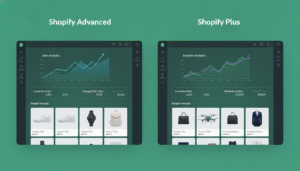
Shopify Plus vs Shopify Advanced: 9 Key Differences Growing Brands Must Know (2026)
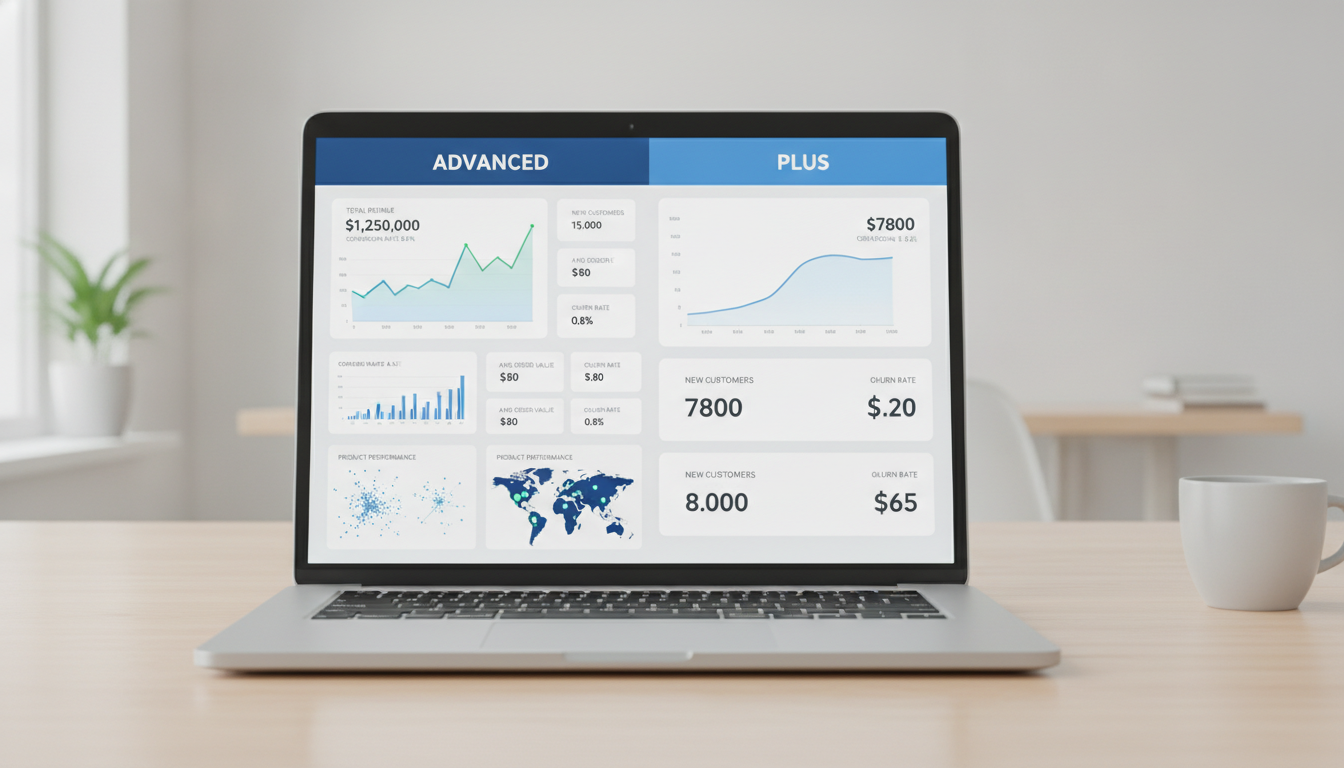
You’re scaling. Revenue is climbing, your team is growing, and your current Shopify plan is starting to feel tight. The question every brand between $500K and $5M in annual revenue eventually faces is the same: do you move to Shopify Advanced, or do you go all the way to Shopify Plus? Getting this wrong costs you either thousands in unnecessary platform fees or — worse — millions in lost capability and sales capacity. According to Shopify’s own data, merchants on Shopify Plus grow at an average of 126% year-over-year, partly because the platform itself removes growth ceilings. But that doesn’t automatically make Plus the right call for your brand right now.
This guide breaks down every meaningful difference between the two plans — pricing, transaction fees, checkout control, automation, API limits, and more — so you can make the decision with confidence.
- Shopify Advanced costs $500/month; Shopify Plus starts at $2,300/month — but the gap narrows fast at scale.
- Only Shopify Plus gives you full checkout.liquid / Checkout Extensibility control, B2B features, and unlimited staff accounts.
- Transaction fees on Shopify Advanced drop to 0.2% (with Shopify Payments); Plus drops them to 0.15% — meaningful at volume.
- Shopify Plus includes 9 expansion stores and Shopify Flow natively; Advanced includes neither.
- The breakeven point where Plus pays for itself is typically around $1.2M–$1.8M in annual GMV, depending on your payment mix.
Shopify Advanced vs Shopify Plus: Full Plan Comparison at a Glance
Before diving into the nuance, here’s a side-by-side comparison of the features that actually move the needle for growing e-commerce brands. Use this table as your quick-reference benchmark.
| Feature | Shopify Advanced | Shopify Plus |
|---|---|---|
| Monthly Price (2026) | $500/month | From $2,300/month (variable above $800K/month GMV) |
| Transaction Fee (Shopify Payments) | 0.2% | 0.15% |
| Transaction Fee (3rd-party gateway) | 0.5% | 0.15% |
| Staff Accounts | 15 | Unlimited |
| Checkout Customization | Limited (Checkout Extensibility only) | Full Checkout Extensibility + Branding API |
| Shopify Flow | Not included | Included |
| Expansion Stores | 0 | 9 included |
| B2B / Wholesale Channel | Not included | Included (native B2B) |
| Launchpad (Campaign Automation) | Not included | Included |
| Shopify POS Pro | Not included (add-on) | Included (all locations) |
| API Rate Limits | Standard (2 req/sec REST) | 4x higher API call limits |
| Dedicated Merchant Success Manager | No | Yes |
| Script Editor / Functions | Shopify Functions (limited) | Shopify Functions (full access) |
| Reporting | Advanced reports + custom | Advanced reports + custom + additional API access |
1. Pricing Structure: What You’re Actually Paying
Shopify Advanced is a flat $500/month billed annually (or $580/month month-to-month). That’s predictable, clean, and easy to budget against. Shopify Plus works differently — it starts at $2,300/month for stores doing under $800K/month in GMV, then switches to a revenue-based model at 0.25% of monthly platform GMV, capped at $40,000/month.
What this means practically: if you’re doing $3M/month in GMV, your Plus fee is $7,500/month — still dramatically cheaper than the cap, and still justifiable against the features you’re getting. The variable model actually favors high-volume merchants compared to agencies that charge a fixed fee regardless of your growth.
When the Math Flips in Plus’s Favor
The most important variable isn’t the monthly fee — it’s the transaction fee differential. If you’re using a third-party payment gateway like Stripe or Braintree, Shopify Advanced charges 0.5% per transaction, while Plus charges only 0.15%. On $2M/year in sales processed through a third-party gateway, that’s a difference of $7,000/year in pure transaction fees. Add the Plus platform fee and the math still often favors upgrading sooner than most merchants expect.
2. Checkout Customization: The Biggest Functional Divide
This is where the gap between the two plans becomes most operationally significant. Checkout conversion rates are typically between 1.5% and 4% for most Shopify stores (Baymard Institute, 2025), and your ability to optimize that funnel depends directly on your plan tier.
Shopify Advanced gives you access to Checkout Extensibility — Shopify’s app-block-based system for adding UI elements to checkout without touching core code. You can add upsell widgets (via Rebuy or ReConvert), trust badges, and custom form fields. That’s genuinely useful.
What Only Plus Gets You
Shopify Plus unlocks the full Checkout Branding API, which lets you control fonts, colors, layout, and component styling at a granular level — far beyond what the Extensibility editor exposes to Advanced users. Plus merchants can also build fully custom checkout UI extensions using Shopify’s UI Extensions framework, meaning your development team can create experiences that feel completely native to your brand rather than constrained by Shopify’s default chrome.
For brands running significant A/B tests on checkout flow — using tools like Google Optimize’s successor or Convert.com paired with Hotjar session recordings — the ability to modify checkout at this level is worth the upgrade on its own. Advanced simply can’t compete here.
3. Shopify Flow: Automation That Replaces Headcount
Shopify Flow is a native workflow automation tool included exclusively with Shopify Plus. It lets you build trigger-based automations across your entire store without code. Common use cases that Plus merchants run in production today:
- Auto-tag high-value customers when they cross a lifetime value threshold, then sync that segment to Klaviyo for VIP flows
- Flag and hold orders for manual review when fraud score exceeds a set threshold
- Automatically push products to a “low stock” collection when inventory drops below 10 units
- Send internal Slack alerts when a refund exceeds $500
- Pause ad campaigns via a Meta integration when a product goes out of stock
On Shopify Advanced, you’d replicate these workflows through a patchwork of third-party apps — each adding latency, API call overhead, and monthly cost. Flow isn’t a luxury feature; at $1M+ in revenue, it becomes operational infrastructure.
4. B2B and Wholesale: A Plus-Only Feature Set
If any portion of your revenue comes from wholesale accounts, retail partnerships, or direct B2B sales, Shopify Plus’s native B2B channel is transformative. Launched in full in 2022 and significantly expanded through 2025, it lets you:
- Create company profiles with multiple locations and contacts under one account
- Set customer-specific pricing and volume discount rules without third-party apps
- Enable net payment terms (Net 30, Net 60) directly in checkout
- Build a password-protected B2B storefront using your existing Shopify theme
- Allow buyers to draft orders and request quotes via a self-serve portal
On Shopify Advanced, replicating even half of this requires apps like Wholesale Club or Handshake alternatives — with added complexity, compatibility risks, and monthly fees that can easily total $200–$500/month. If B2B is more than 10% of your revenue, this feature set alone may justify the Plus upgrade.
5. Expansion Stores: Running Multiple Storefronts Without the Overhead
Shopify Plus includes 9 expansion stores under a single Plus contract. Each is a fully independent Shopify store with its own domain, inventory, pricing, and checkout — all managed under one billing account and accessible from a single Organization Admin dashboard.
This is how multi-brand operators, international DTC brands (think separate .com, .co.uk, .com.au storefronts), and businesses with distinct product lines (e.g., a skincare brand that also operates a supplement line) manage complexity without multiplying their Shopify subscription costs.
On Shopify Advanced, each additional storefront is a completely separate account billed independently — at $500/month each. If you’re running three storefronts on Advanced, you’re paying $1,500/month for less capability than a single Plus account at $2,300/month. The math accelerates quickly.
6. API Limits and Developer Throughput
This one matters most if you’re running custom integrations — whether that’s a headless frontend built on Hydrogen, a custom ERP sync, or a bespoke mobile app that talks to the Storefront API. Shopify Advanced operates at standard API rate limits: 2 requests/second on REST and standard GraphQL bucket limits. Shopify Plus provides 4x the API call limit, which translates to dramatically faster data syncs, smoother third-party integrations, and less throttling during peak traffic events like flash sales or Black Friday.
If your development team is regularly hitting API limits, checking rate limit headers in your app logs, or waiting on syncs during high-traffic periods, the Plus API allowance is a technical requirement, not a nice-to-have. Tools like GA4 custom integrations, Rebuy‘s personalization engine, and advanced Klaviyo segment syncs all benefit from higher API throughput.
7. Reporting and Analytics: Marginal But Real Differences
Both Shopify Advanced and Plus include custom report building via the Analytics → Reports section in your Shopify Admin. You can filter by product, customer segment, traffic source, and time range. The core reporting suite is largely the same between the two plans at the UI level.
Where Plus pulls ahead is in API-level data access. Plus merchants get access to more granular data through the Admin API, which matters when you’re pulling data into a BI tool like Looker Studio, Supermetrics, or a custom data warehouse. If your team is already running PageSpeed Insights audits, GA4 funnels, and Hotjar heatmaps as standard practice, you’re likely at the sophistication level where Plus’s deeper data access will unlock reporting you can’t currently build.
Practical Reporting Path in Shopify Admin
- Go to Analytics → Reports in your Shopify Admin
- Select Create custom report
- Filter by date range, sales channel, customer cohort, or product type
- Export to CSV or connect via the Admin API for live dashboard integration
8. Launchpad: Campaign Execution at Scale
Launchpad is a Shopify Plus-exclusive tool that lets you schedule and automate the execution of campaigns — including product launches, flash sales, and promotional events — with zero manual intervention at go-time. You can pre-schedule:
- Price changes across specific product collections
- Theme publishing (swap your homepage hero for a sale theme at exactly midnight)
- Inventory visibility toggles
- Discount code activation and expiration
On Shopify Advanced, you’re manually making these changes at launch time, or stitching together workarounds using scheduled Shopify Functions and third-party apps. For brands running regular promotional calendars — think monthly drops, seasonal sales, or influencer campaign launches — Launchpad removes an entire category of operational risk. One missed manual publish during a high-traffic launch can cost tens of thousands in revenue.
What is the Difference Between Shopify Advanced and Shopify Plus?
The core difference is scope: Shopify Advanced is a plan for scaling stores; Shopify Plus is an enterprise platform for operating at scale. Advanced gives you higher-tier reporting, reduced transaction fees, and 15 staff accounts — all meaningful improvements over the base Shopify plan. But it keeps you inside the standard Shopify operating model, with the same checkout constraints, the same automation limitations, and no dedicated support infrastructure.
Shopify Plus fundamentally changes what your store can do. Full Checkout Extensibility and Branding API access means your checkout can look, feel, and function exactly as your brand requires — not as Shopify’s default template allows. The native B2B channel opens a completely separate revenue stream without third-party app dependency. Shopify Flow replaces manual operational tasks with automated workflows. And 9 expansion stores let a single team manage multiple storefronts under one organizational umbrella.
The support model also changes materially. Shopify Plus merchants get a dedicated Merchant Success Manager — a named human at Shopify who knows your business, proactively surfaces relevant features, and escalates support tickets. Advanced merchants get priority support, but it’s still a general queue. At $1M+ in revenue, having a direct line to a Shopify expert who understands your account isn’t a soft benefit — it’s operational leverage during critical moments like Black Friday, a botched app update, or a payment processor issue.
The transaction fee gap also widens meaningfully for merchants using third-party payment gateways. Advanced charges 0.5%; Plus charges 0.15%. On $3M in annual sales through Stripe, that’s a $10,500/year difference — nearly half the annual cost of the Plus upgrade right there.
What is Shopify Advanced Plan?
Shopify Advanced is the second-highest tier in Shopify’s standard plan structure, sitting between Shopify (mid-tier) and Shopify Plus (enterprise). At $500/month billed annually in 2026, it’s designed for established stores that need more than the base plan offers but aren’t yet operating at the scale or complexity that justifies the Plus investment.
The plan’s strongest features relative to lower tiers include:
- Advanced reporting: Build custom reports with multiple filters and export them via API. Navigate to Analytics → Reports → Create custom report in your Shopify Admin to access this.
- Reduced transaction fees: 0.2% with Shopify Payments, 0.5% with third-party gateways — down from 0.3% and 1% on the base Shopify plan.
- 15 staff accounts: Enough for most mid-size teams operating across marketing, ops, and customer service.
- Third-party calculated shipping rates at checkout: Display real-time rates from carriers like UPS, FedEx, or DHL directly at checkout without a workaround app.
- Checkout Extensibility access: Add checkout UI extensions — custom fields, upsell blocks via tools like Rebuy, trust badges — without touching core checkout code.
Shopify Advanced is the right plan if you’re doing $300K–$1.5M in annual revenue, primarily selling D2C to consumers (not wholesale), running a single storefront, and don’t yet need advanced automation or checkout customization beyond what Extensibility allows. It’s a powerful, cost-effective plan — the issue is that brands tend to outgrow it faster than they expect, especially if they’re growing at 40%+ year-over-year.
One underused feature on Advanced: the custom report builder combined with a Supermetrics or GA4 integration can give you a surprisingly sophisticated analytics stack without the overhead of a full data warehouse. Set up your Shopify Admin API connection at Settings → Apps and sales channels → Develop apps and pull order and customer data directly into Looker Studio for free.
Is Shopify Advanced Worth It?
Yes — if you’re currently on the base Shopify plan and doing more than $250K/year in revenue, the upgrade to Advanced almost always pays for itself through transaction fee savings alone. The math is straightforward: on $500K/year in sales using Shopify Payments, moving from Shopify (0.3% fee) to Advanced (0.2% fee) saves you $500/year in fees. That doesn’t fully offset the $3,600/year price increase, but the additional features — custom reporting, 15 staff accounts, third-party shipping rates — close the gap for most stores at that volume.
At $1M/year in revenue, the transaction fee savings become more significant and the Advanced plan’s operational features (especially custom reporting and Checkout Extensibility) become genuinely useful rather than aspirational. Most merchants at this level find the plan clearly worth it.
Where “worth it” gets more complicated is the $1M–$2M range. At this point, you’re close enough to the Plus breakeven that the better question isn’t “is Advanced worth it?” but “is it worth it compared to Plus?” Here’s a quick checklist to help you decide:
- Are you using a third-party payment gateway? (If yes, Plus’s lower transaction fee accelerates breakeven.)
- Do you need more than 15 staff accounts? (If yes, you need Plus.)
- Are you running B2B or wholesale? (If yes, Plus is likely worth it for the native B2B channel alone.)
- Do you need full checkout customization beyond Extensibility? (If yes, only Plus delivers this.)
- Are you planning to launch additional storefronts in the next 12 months? (If yes, Plus’s expansion stores change the math.)
If you answer “no” to all five, Shopify Advanced is probably the right plan for your business right now. Revisit the question in six months as you scale.
What is Included in Shopify Plus?
Shopify Plus is Shopify’s enterprise-tier platform, and its feature set is significantly broader than most merchants realize before they upgrade. Here’s what’s actually included in a Shopify Plus subscription in 2026:
Core Platform Features
- Unlimited staff accounts with customizable permission sets
- 9 expansion stores under one Plus contract and one Organization Admin
- Full Checkout Extensibility + Checkout Branding API access
- Shopify Flow — native no-code workflow automation with 100+ pre-built templates
- Launchpad — campaign scheduling and automated execution
- Shopify Functions — full access to customize discount logic, shipping, and payment method display at the backend
B2B and Wholesale
- Native B2B channel with company profiles, customer-specific pricing, net payment terms, and a self-serve buyer portal
- Ability to run B2B and DTC simultaneously from the same Shopify instance
Technical and Developer Features
- 4x higher API rate limits for custom integrations, headless builds, and data syncs
- Access to the Storefront API with no additional configuration for headless commerce builds on Hydrogen or third-party frameworks
- Priority access to new Shopify developer features and beta programs
Support and Success
- Dedicated Merchant Success Manager — a named Shopify employee assigned to your account
- 24/7 priority support via phone, chat, and email
- Access to Shopify Plus Academy — a curated library of training resources for your team
Commerce and Retail
- Shopify POS Pro included for unlimited retail locations (worth $89/month per location on lower plans)
- Shopify Payments transaction fees reduced to 0.15%
- Third-party gateway fees reduced to 0.15% — the same as Shopify Payments, which is a significant perk not available on any lower plan
To access your Plus-specific features after upgrading, navigate to your Shopify Admin → Settings → Plan to confirm your Plus status, then find Flow under the Apps section (pre-installed) and Launchpad under Apps → Shopify Plus apps. The Organization Admin — which manages your expansion stores — is accessible at admin.shopify.com/org after Plus activation.
9 Signs Your Brand Has Outgrown Shopify Advanced
Not every growing brand needs to jump to Plus immediately. But these signals are reliable indicators that the upgrade conversation is overdue:
- You’ve hit or are approaching 15 staff accounts and are workarounding access by sharing logins — a security and audit liability.
- Your checkout conversion rate is below 2.5% and you’ve exhausted what Checkout Extensibility can fix — you need the Branding API and deeper UI control.
- You’re paying more than $300/month in third-party gateway transaction fees — the Plus fee differential likely covers a significant portion of the upgrade cost.
- You’re manually executing promotional launches — changing prices, enabling discounts, swapping themes — and the risk of human error is real.
- You have wholesale or B2B accounts and you’re managing them through a third-party app, a separate Shopify store, or a spreadsheet.
- You’re planning international expansion and need separate storefronts for different markets, currencies, or regulatory environments.
- Your development team is regularly hitting API rate limits — visible in your app logs as 429 errors or throttled sync queues.
- You’re building operational automations in Zapier or Make.com that you wish were native, faster, and more tightly integrated with your store data.
- Your annual GMV is above $1.5M and you still haven’t run the transaction fee math against the Plus upgrade cost — because when you do, the gap is smaller than you think.
Making the Decision: A Framework for Growing Brands
The Shopify Advanced vs Shopify Plus decision isn’t primarily about features — it’s about the cost of your current constraints. Every month you spend on a plan that’s limiting your checkout, your automation, or your team’s operational capacity is a month of compounding opportunity cost. The merchants who wait until the pain is obvious to upgrade are typically the ones who, in retrospect, wish they’d moved six months earlier.
Run this calculation: take your current annual GMV, multiply it by the difference in third-party gateway transaction fees (0.35% if you’re on Advanced with a non-Shopify gateway), and add the monthly cost of any apps you’re using to replicate features that Plus includes natively — Flow automation apps, B2B wholesale apps, multi-storefront management tools, and POS Pro subscriptions. The true cost of staying on Advanced is almost always higher than the sticker price suggests.
For most brands crossing $1.2M in annual GMV, Shopify Plus starts making financial sense. For brands crossing $800K with a complex operational model — B2B, multi-storefront, heavy automation needs, or aggressive checkout optimization goals — it makes sense even sooner. Use the feature checklist, run the math, and make the call with your eyes open. The platform you’re on should be enabling your growth, not constraining it.